




In this modern, digital age, every business, freelancer, and organisation that wants a reliable web presence needs to make one foundational decision first: which of the different types of web hosting is right for my website? This choice directly influences your site’s performance, scalability, security, cost, and how much technical management you will need to handle. Understanding the different types of web hosting is not just a technical exercise — it is a business decision that can save you money, prevent downtime, and position your website to grow without forced migrations.
In this 2026 guide, we cover all the major different types of web hosting – Shared, VPS, Dedicated, Cloud, Managed WordPress, Reseller, and Colocation — with their pros, cons, best use cases, a comparison table, and updated India pricing from CloudMinister. By the end of this guide, you will have everything you need to match your website’s requirements to the right hosting type with confidence.
What Is Web Hosting?
Web hosting is the service that stores your website’s files, databases, and content on a server — a computer permanently connected to the internet — so that when someone types your domain name into a browser, your site loads reliably and quickly.
The hosting provider is responsible for provisioning and maintaining the physical hardware (servers), network connectivity, and software infrastructure that keeps your website visible and accessible to visitors worldwide.
In principle, you are “renting” space and resources — compute power, storage, and bandwidth — from a hosting company. The different types of web hosting are distinguished by how those resources are shared, how much control you have over the server environment, how easily you can scale as your site grows, and how much you pay per month.
The key dimensions that separate the different types of web hosting:
- Resource sharing: do you share server resources with other websites, or do you have dedicated resources?
- Control: do you have root access to configure software and settings freely?
- Scalability: how easily can you add CPU, RAM, or storage as your traffic grows?
- Management: does the hosting provider handle updates, security, and backups, or do you?
- Cost: what is the monthly price per user, per account, or per resource unit?
Choosing the right type of hosting is a balance between what you need your website to do right now and what you expect it to need in 6–24 months. The good news is that migrating between different types of web hosting is increasingly straightforward — most websites start small and scale up. CloudMinister offers all major hosting types under one roof, so you can start with Shared Hosting and upgrade to VPS or Cloud with full data migration support.
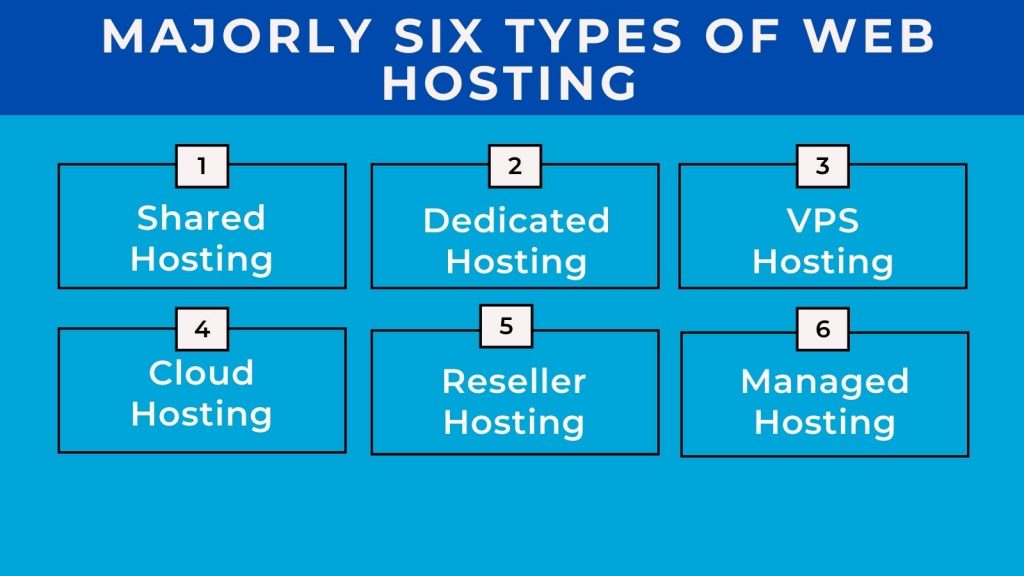
Different Types of Web Hosting – All 7 Types Explained
Below are all the major different types of web hosting you will encounter in 2026. Each has distinct features, strengths, limitations, and ideal use cases.
Type 1: Shared Hosting
Shared hosting is the entry-level option among the different types of web hosting. Multiple websites reside on the same physical server and share its resources — CPU, RAM, disk space, and bandwidth — across all tenants simultaneously.
How shared hosting works: Your website occupies a folder on a server alongside hundreds or thousands of other sites. The hosting provider manages the server, security, and software updates. You access your hosting through a control panel (usually cPanel or Plesk) to manage your files, databases, and email accounts.
Pros of Shared Hosting:
- Lowest cost of all the different types of web hosting — plans start from ₹69/month through CloudMinister
- No technical knowledge required — the provider handles all server-level maintenance
- Easy to get started — one-click installers for WordPress, Joomla, and other popular applications
- Suitable for low-traffic websites where performance consistency is less critical
Cons of Shared Hosting:
- “Noisy neighbour” effect — heavy traffic on another site on your server can slow your site down
- No root access — you cannot install custom software or modify server-level configurations
- Limited scalability — when your traffic grows beyond the shared plan’s limits, you will need to upgrade
- Security risk — a compromised account on the same server can potentially affect neighbouring sites
Best for: Small personal blogs, portfolio sites, local business websites, early-stage startups, and any site with under 10,000 monthly visitors and a tight budget.
Type 2: VPS Hosting (Virtual Private Server)
VPS hosting is the mid-tier option in the different types of web hosting spectrum, sitting between Shared and Dedicated Hosting. A physical server is partitioned into multiple virtual servers using virtualisation technology — each with its own dedicated CPU allocation, RAM, and storage that cannot be consumed by other VPS instances on the same hardware.
How VPS hosting works: Virtualisation software (such as KVM or VMware) divides one physical server into multiple independent virtual environments. Your VPS behaves exactly like a dedicated server for your purposes — with root access, your own operating system, and isolated resources.
Pros of VPS Hosting:
- Dedicated resources — CPU and RAM are allocated exclusively to your VPS, not shared with other accounts
- Full root access — install any software, configure any setting, and customise the server environment to your exact needs
- Better performance and isolation than Shared Hosting — one neighbour’s traffic spike cannot affect your resources
- Scalable — upgrade CPU, RAM, or storage independently without migrating to a different server type
- Cost-effective for the level of control provided compared to Dedicated Hosting
Cons of VPS Hosting:
- Requires more technical knowledge to manage than Shared Hosting — particularly for unmanaged VPS plans
- More expensive than Shared Hosting
- The physical hardware is still shared (though resources are virtualised and isolated)
Best for: Growing websites, mid-sized e-commerce businesses, SaaS applications, developers who need a custom server environment, and any site that has outgrown Shared Hosting but does not yet need the full resources of a Dedicated Server.
Type 3: Dedicated Server Hosting
Dedicated Server Hosting is the highest-performance traditional option among the different types of web hosting. You rent an entire physical server exclusively for your website or application — no virtualisation, no resource sharing, and no other clients on the same machine.
How Dedicated Hosting works: The hosting provider assigns a complete physical server — with its full CPU, RAM, storage, and network port — exclusively to your account. You have complete control over the hardware configuration, operating system, and software stack.
Pros of Dedicated Server Hosting:
- Maximum performance — full use of all server resources with no sharing of any kind
- Complete control — choose your OS, software stack, security configuration, and hardware specifications
- Strongest isolation — no risk of performance impact from other users
- Best option for compliance-heavy environments requiring physical server control
Cons of Dedicated Server Hosting:
- Highest cost of the traditional different types of web hosting — plans typically start from ₹8,000/month
- Requires significant technical expertise to configure and maintain (or managed hosting add-on)
- Overkill for smaller websites that do not need the full resources of a physical server
Best for: Large enterprises, high-traffic platforms (100,000+ monthly visitors), applications with specific compliance requirements (RBI guidelines, DPDPA 2023 data sovereignty), and businesses needing custom hardware configurations.
Type 4: Cloud Hosting
Cloud Hosting is the most flexible and scalable of the different types of web hosting available in 2026. Instead of relying on a single physical server, your website runs across a distributed network of interconnected servers — so resources can be added or removed in real time in response to actual demand.
How Cloud Hosting works: Your website’s data and compute workloads are distributed across multiple physical servers in one or more data centres. If one server experiences a failure, another automatically picks up the workload — providing high availability that single-server hosting types cannot match.
Pros of Cloud Hosting:
- Elastic scalability — instantly add CPU, RAM, or storage in response to traffic spikes without server migration
- Pay-as-you-go pricing — pay only for the resources you actually use, with no idle capacity waste
- High availability — built-in redundancy across multiple servers means no single point of failure
- Global infrastructure — deploy your application in data centres near your users for lower latency
Cons of Cloud Hosting:
- Cost monitoring complexity — pay-per-use pricing can lead to unexpected bills if usage spikes
- Can require more technical knowledge depending on the cloud provider and configuration
- Variable costs make budgeting less predictable compared to fixed-price hosting types
Best for: SaaS businesses, e-commerce platforms with seasonal traffic variations, startups expecting rapid growth, and any application that needs guaranteed uptime with the ability to scale resources on demand.
Type 5: Managed WordPress Hosting
Managed WordPress Hosting is a specialised type among the different types of web hosting that is optimised exclusively for WordPress-powered websites. The hosting provider handles all technical management — updates, backups, security hardening, and performance tuning — so you can focus entirely on content and business rather than infrastructure.
How Managed WordPress Hosting works: The server environment is pre-configured specifically for WordPress — with PHP versions, database settings, caching layers, and security rules all tuned for optimal WordPress performance. The provider automates core and plugin updates, daily backups, malware scanning, and staging environments.
Pros of Managed WordPress Hosting:
- WordPress-specific optimisation delivers faster load times than generic shared hosting
- Automatic updates, backups, and staging environments reduce administrative overhead to near zero
- Built-in security hardening specifically targeting common WordPress vulnerabilities
- Typically includes WordPress-expert support for theme, plugin, and compatibility issues
Cons of Managed WordPress Hosting:
- More expensive than equivalent general-purpose Shared Hosting plans
- Not suitable for non-WordPress applications — you cannot run a custom PHP or Python app on most managed WordPress platforms
- Less server-level control than VPS or Dedicated Hosting
Best for: Blogs, content websites, small to medium WordPress e-commerce sites, and any WordPress site owner who wants professional-grade performance without managing server infrastructure.
Type 6: Reseller Hosting
Reseller Hosting is a business-model-oriented type among the different types of web hosting — designed for web developers, digital agencies, and entrepreneurs who want to offer hosting services to their own clients under their own brand.
How Reseller Hosting works: You purchase hosting resources (storage, bandwidth, accounts) in bulk from a hosting provider at wholesale rates, then divide and resell those resources to your clients at your own pricing. You manage client accounts through WHM (Web Host Manager) and provide cPanel access to each client.
Pros of Reseller Hosting:
- Low barrier to entry for launching a hosting business — no infrastructure investment required
- White-label capabilities — brand the hosting under your own company name
- Recurring revenue stream — clients pay monthly, building predictable income
- You can set your own pricing and package structure across all your client accounts
Cons of Reseller Hosting:
- You are responsible for client support even though you depend on the underlying provider for infrastructure
- Resource limits are still ultimately constrained by the reseller plan purchased from the provider
- Not suitable as a primary hosting solution for your own website — designed for multi-client management
Best for: Freelancers, web designers, digital agencies managing hosting for multiple clients, and entrepreneurs starting a hosting business.
Type 7: Colocation Hosting
Colocation (Colo) Hosting is the most hardware-ownership-intensive of the different types of web hosting. Instead of renting server hardware from a provider, you purchase or own your server hardware and rent physical space inside a professional data centre — which provides the power, cooling, physical security, and network connectivity.
How Colocation Hosting works: You ship your server (or bring it in person) to the data centre. The data centre racks it in a secure environment with guaranteed power, redundant cooling, and high-speed internet uplinks. You manage the server remotely or with scheduled physical access visits.
Pros of Colocation Hosting:
- Complete control over hardware — use any custom server configuration, GPU arrangement, or storage system
- Potential long-term cost savings if you already own or plan to buy server hardware
- Enterprise-grade data centre infrastructure (power redundancy, cooling, physical security) without building your own
- Best option for custom hardware requirements or specific regulatory compliance that demands hardware ownership
Cons of Colocation Hosting:
- Significant upfront capital investment in server hardware
- You own and are fully responsible for hardware maintenance, replacement, and software management
- Requires strong in-house IT expertise or a contracted systems administrator
Best for: Large enterprises with existing hardware investments, organisations with specific hardware requirements (high-density GPU clusters for AI/ML), and businesses with strong compliance or data sovereignty requirements that mandate hardware ownership.
Different Types of Web Hosting – Comparison Table
Use this comparison table to quickly match your requirements against the different types of web hosting available in 2026:
| Hosting Type | Cost | Scalability | Tech Skill Required | Best Use Case |
| Shared Hosting | Low (₹69–499/month) | Limited | Low | Small blogs, personal sites, start-ups |
| Reseller Hosting | Low–Medium (₹499–2,999/month) | Moderate | Medium | Agencies, freelancers reselling hosting |
| VPS Hosting | Medium (₹999–9,999/month) | Moderate–High | Medium | Growing business websites, developers |
| Managed WordPress | Medium | Moderate | Low | WordPress blogs, content and e-commerce sites |
| Cloud Hosting | Medium–High (pay-per-use) | Very High | Medium–High | SaaS, variable-traffic websites |
| Dedicated Server | High (₹8,000–50,000+/month) | High | High | Large enterprises, high-traffic platforms |
| Colocation | Very High (hardware + colo fees) | High | Very High | Custom hardware, regulatory compliance |
How to Choose the Right Option from the Different Types of Web Hosting
Selecting the right option from the different types of web hosting comes down to honestly evaluating your website’s current requirements and realistic growth expectations. Here is a structured framework:
1. Assess Your Traffic Volume
How many monthly visitors do you have now, and how many do you expect in 12 months? Under 10,000 monthly visitors: Shared Hosting is sufficient. 10,000–100,000: VPS Hosting provides the right balance of performance and cost. 100,000+: Dedicated Server or Cloud Hosting for guaranteed resource availability.
2. Set a Realistic Budget
What can you comfortably afford monthly, and how will that change as your site grows? Remember to factor in renewal costs — many of the different types of web hosting plans offer lower introductory rates that increase at renewal. CloudMinister displays transparent renewal pricing on all plans.
3. Evaluate Your Technical Capability
Do you have server administration experience? Are you comfortable with SSH, Linux commands, and software configuration? Shared Hosting and Managed WordPress require minimal technical skills. VPS and Dedicated Hosting require medium-to-high skills — or a managed support add-on.
4. Determine Your Control Requirements
Do you need root access to install custom software or configure the server environment? If yes, VPS, Dedicated, or Colocation Hosting are the relevant different types of web hosting to consider. If you are happy with a managed environment, Shared or Managed WordPress Hosting meets your needs at lower cost.
5. Plan for Scalability
Will your website grow rapidly? Do you anticipate seasonal traffic spikes? Cloud Hosting is the most flexible for unpredictable growth. VPS is a practical middle ground. If your growth is predictable and steady, a Dedicated Server provides consistent performance without usage-based pricing surprises.
6. Consider Security and Compliance Requirements
Indian businesses handling personal data of Indian citizens under DPDPA 2023 should choose different types of web hosting that offer India-region data residency. CloudMinister’s VPS, Dedicated, and Cloud Hosting options are hosted in Indian data centres — satisfying DPDPA 2023 data localisation requirements. For fintech, healthcare, or government projects, DDoS protection and SSL certificates should be confirmed as included or available as add-ons. Explore SSL certificates
7. Identify Your Platform
Is your site built on WordPress? Managed WordPress Hosting is optimised specifically for it. Running a custom PHP, Python, Node.js, or .NET application? VPS, Dedicated, or Cloud Hosting gives you the environment flexibility you need.
Conclusion
Web hosting is the foundation on which your entire online presence is built — and choosing the right option from the different types of web hosting available in 2026 is one of the most consequential technical decisions your business will make.
Start by aligning your traffic expectations, budget, technical capability, and growth plans with the hosting type that fits best today — while keeping an eye on which type you will want to move to as you grow. Most businesses begin with Shared or VPS Hosting and migrate to Cloud or Dedicated as their scale increases. The good news is that CloudMinister supports the full migration journey — from your first shared hosting account to an enterprise-grade dedicated server or cloud deployment — with managed migration support and zero downtime transfers.
If you are unsure which of the different types of web hosting is right for your website, contact our team at cloudminister.com/contact/ or WhatsApp us at +91-8233040013 — our hosting specialists will analyse your requirements and recommend the best-fit hosting type for your specific situation.
Frequently Asked Questions
1. What are the different types of web hosting available in 2026?
The main different types of web hosting available in 2026 are: Shared Hosting (lowest cost, multiple sites share one server), VPS Hosting (virtualised dedicated resources on a shared physical server), Dedicated Server Hosting (entire physical server for one client), Cloud Hosting (distributed across multiple servers with elastic scaling), Managed WordPress Hosting (optimised specifically for WordPress), Reseller Hosting (for agencies reselling hosting to clients), and Colocation Hosting (own hardware in a professional data centre). CloudMinister offers all of these hosting types with India-region infrastructure.
2. What is the most popular type of web hosting?
Shared Hosting is generally the most popular entry point among the different types of web hosting because it is the most affordable and requires the least technical knowledge. The vast majority of new websites — personal blogs, small business sites, portfolios — start on Shared Hosting. VPS Hosting is the most popular mid-tier choice, while Cloud Hosting is rapidly growing in popularity for business and e-commerce applications in 2026. Explore CloudMinister’s Shared Hosting plans to start.
3. Can I start with Shared Hosting and upgrade to VPS or Cloud later?
Yes — this is the most common growth path among the different types of web hosting. Most websites start on Shared Hosting for its low cost and simplicity, then migrate to VPS Hosting as traffic grows, and optionally to Cloud or Dedicated Hosting at enterprise scale. CloudMinister supports managed migrations between all different types of web hosting with minimal downtime, full data migration, and DNS transition support.
4. What is the difference between managed and unmanaged hosting?
Across all the different types of web hosting, “managed” means the hosting provider handles server software updates, security patching, backups, and routine maintenance on your behalf. “Unmanaged” means you have full control of the server but are responsible for all of these tasks yourself. Shared Hosting and Managed WordPress Hosting are always managed. VPS and Dedicated Hosting are available in both managed and unmanaged configurations — unmanaged is cheaper but requires technical expertise. CloudMinister offers managed VPS and Dedicated Server plans with 24/7 server management included.
5. Which type of web hosting is best for a WordPress website?
For WordPress websites, three of the different types of web hosting are suitable depending on your traffic and budget: Shared Hosting is fine for low-traffic WordPress blogs (under 10,000 monthly visitors). Managed WordPress Hosting provides WordPress-specific optimisation, automatic updates, and better performance for growing content sites. VPS Hosting gives you the most control and performance for high-traffic WordPress sites or WooCommerce stores with large catalogues and transaction volumes.
6. Which type of web hosting is best for Indian businesses under DPDPA 2023?
For Indian businesses handling personal data of Indian citizens, the different types of web hosting that best support DPDPA 2023 compliance are those with India-region data centres. CloudMinister’s VPS, Dedicated, and Cloud Hosting options (AWS Mumbai, Google Cloud India, Akamai India) all ensure data residency within India — satisfying DPDPA 2023 data localisation requirements. For highly regulated sectors (fintech, healthcare), Dedicated Server or Cloud Hosting with contractual data residency guarantees is recommended. Explore DDoS protection services and SSL certificates as complementary security add-ons.
7. What happens to my website if my hosting server goes down?
The answer depends on which of the different types of web hosting you use. Shared Hosting: your site goes down with the server until the provider fixes the issue. VPS and Dedicated Hosting: the same — your site is dependent on a single server. Cloud Hosting: your site typically stays online because the workload automatically shifts to another healthy server in the cluster — this is the key availability advantage of Cloud Hosting over other different types of web hosting. CloudMinister offers 99.99% uptime SLA across all hosting types, equivalent to approximately 52 minutes of maximum downtime per year.
8. How do I choose a good web hosting provider in India?
When evaluating hosting providers across the different types of web hosting, look for: verifiable uptime guarantees (99.9% or higher, backed by SLA credits), India-based data centres for low latency and DPDPA compliance, 24/7 India-local support in IST, transparent renewal pricing without surprise hikes, free SSL certificates, DDoS protection, and daily automated backups. CloudMinister has served Indian businesses since 2017 with all of the above across all hosting types — and our team is available at +91-8447755312 for any pre-purchase questions.

Related posts:
 How To Choose the Right web Hosting Plan for Your Website (2026 Guide)
 Maximize Your Hosting Business with Affordable Windows Reseller Hosting Plans in 2026
 Linux Reseller Hosting vs. Windows Reseller Hosting: Which one would you choose? and Why?
 Best Web Hosting Providers in 2026: Top 10 Tested, Compared, and Ranked