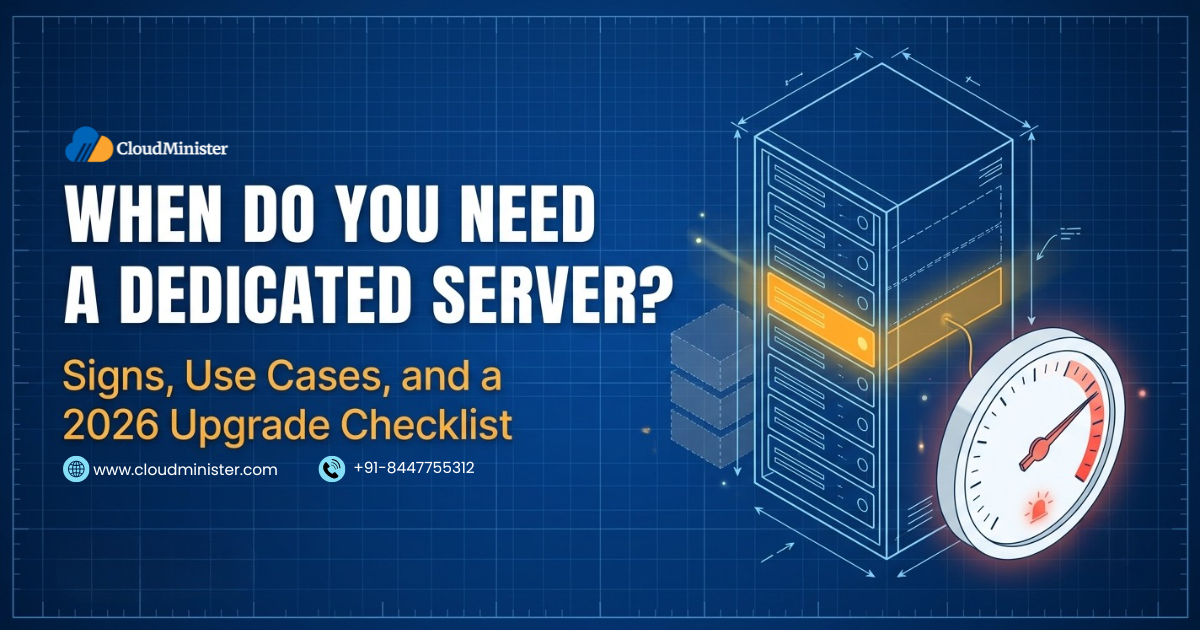
Every growing website, application, or business network reaches a point where its current hosting stops keeping up. Pages slow down at peak hours, games lag, mail queues grow, and monitoring shows resources running hot. At that point the practical question becomes when do you need a dedicated server, and whether the move will fix the problem or only add cost.
The honest answer to when do you need a dedicated server is not a fixed visitor count. It is a combination of measurable signals: sustained resource pressure, unpredictable performance on shared hardware, security or compliance duties, and workloads that need hardware or software control other models cannot give. A dedicated server reserves an entire physical machine for one customer, unlike shared hosting or VPS hosting, where the hardware is divided among many.
This 2026 guide shows how to answer when do you need a dedicated server with real data. It covers the technical indicators to measure, the workloads that benefit most, such as gaming, databases, business email, and AI, how Indian compliance rules affect the decision, and the cases where a dedicated server is not the right answer.
What a Dedicated Server Is and How It Differs From Other Hosting
A dedicated server is a physical machine leased to a single customer, with all of its processors, memory, storage, and network capacity reserved for that customer. It is general purpose server hardware that can run a website, a database, a game server, a mail server, virtual machines, or any other workload. No hypervisor divides it between tenants, which is why it is often called a bare metal server.
Shared hosting places many websites on one operating system with limits set by the provider. A VPS divides one physical host into isolated virtual machines. Cloud runs workloads on a pool of servers with usage based billing. A dedicated server removes sharing entirely, so no other customer can affect its performance, and you control the operating system, kernel settings, storage layout, and software stack. Understanding these differences is the first step in judging when do you need a dedicated server. The general concept is also described in this overview of a dedicated hosting service.
The trade-offs are cost, provisioning time of hours to days, and responsibility for capacity planning. Upgrades usually need a maintenance window, and a hardware failure needs a replacement part or a second server for failover.
When Do You Need a Dedicated Server: The Quick Answer
You are likely to need a dedicated server when several of the following signs appear together, not just one.
- Sustained high CPU, memory, or disk use at normal peaks, not only during rare spikes
- Performance that varies without any change in your own load, which suggests contention on shared or VPS hardware
- Steady growth in traffic or data that a larger VPS no longer absorbs economically
- Workloads that need consistent latency, such as game servers, trading systems, and real time applications
- Large or busy databases limited by disk input and output or memory
- Security, audit, or data residency duties that call for single tenant infrastructure
- Software or hardware needs that shared platforms cannot meet, such as custom kernels, special licensing, or GPUs
- Several separate devices or services that could be consolidated onto one managed machine
One sign alone rarely justifies the move. When do you need a dedicated server is best answered by measurement, which the next section explains.
Technical Indicators That Answer When Do You Need a Dedicated Server
Collect at least two weeks of data that includes your busiest periods, then compare it with the indicators below.
| Metric | What It Shows | Common Tools | Warning Sign |
| CPU utilization | Compute headroom | top, htop, sar, monitoring agents | Sustained above 70 to 80 percent at normal peaks |
| CPU steal time | Time a virtual CPU waited for the hypervisor | top, vmstat, sar | Persistent steal suggests contention on the host |
| Load average | Tasks running or waiting | uptime, top | Regularly above the number of CPU cores |
| I/O wait and disk latency | Storage bottleneck | iostat, sar | High wait and rising latency under normal load |
| Memory and swap | Memory pressure | free, vmstat | Sustained swapping or out of memory kills |
| Network | Bandwidth and packet health | iftop, sar, provider graphs | Traffic near the port limit, drops, or retransmits |
| Application latency | Real user experience | APM tools, logs, load tests | High p95 and p99 response times and rising 5xx errors |
Treat these thresholds as rules of thumb, because acceptable levels depend on the workload. The key test is whether the numbers stay poor after you have optimized the application. Run a load test that mimics peak traffic, then compare results on a larger VPS and a trial dedicated server before deciding when do you need a dedicated server for your own case.
Traffic Growth and Website Performance
Rising visitor numbers are the most common reason people ask when do you need a dedicated server. A larger audience does not automatically require one, because many sites grow a long way on caching, a content delivery network, image optimization, and database tuning. Exhaust those steps first. If response times still climb during busy hours, error rates rise, or a large VPS stays maxed out, a dedicated server becomes the logical next step.
Online stores, news sites, membership platforms, and busy WordPress or Magento installations often reach this point because dynamic pages and database queries grow with traffic. A dedicated server gives consistent CPU, memory, and disk, so checkout and search stay fast during sales. The guide on why dedicated hosting suits a busy site covers this in more detail. Small sites with modest traffic are usually well served by shared hosting and a domain name.
Measure real user experience, not only server graphs. Track time to first byte, the 95th percentile response time, and error rates during peak hours. If the server responds slowly even when the network and code are healthy, hardware contention is likely.
Plan ahead for known events such as festival sales or exam results, because custom hardware takes longer to provision than a cloud instance.
Gaming Servers and When Do You Need a Dedicated Server
A dedicated game server runs the game world without a player on the same machine. It keeps all players synchronized, tracks positions and actions, applies the rules and scoring, and manages world state. This differs from a listen server, where one player hosts the match from their own computer, gets a latency advantage, and leaves everyone else dependent on that connection.
Game servers stress hardware in specific ways. Many game engines run core simulation on one main thread, so single core speed often matters more than core count. Memory needs grow with player count and mods, and bandwidth and low latency decide how fair the game feels. Game servers also attract DDoS attacks, so DDoS protection matters.
So when do you need a dedicated server for a game community? Usually when a VPS cannot hold a stable tick rate at peak player counts, when mods push resource use up, or when you run several servers for a paid public community. Check the game publisher requirements, keep configurations and saves backed up, and choose a data center close to your players. The guide to reasons to choose a dedicated gaming server adds detail, and a Linux dedicated server runs many game server programs well.
Databases, Ecommerce, and Business Applications
Databases are often the first component to outgrow shared infrastructure, because they depend on fast storage and plenty of memory. A dedicated server offers NVMe storage, large RAM, and no contention from other tenants, which keeps query times steady. Replication to a second server adds failover and lets reads be spread across machines.
Before moving, tune queries, add indexes, use connection pooling, and add a caching layer such as Redis or Memcached, because a dedicated server does not fix inefficient queries. When tuning is done and the database still waits on disk or memory, that is when do you need a dedicated server for the database tier.
ERP, CRM, and line of business applications raise a licensing question. Software licensed by core makes sizing important, because you pay for the cores you license, so choose a processor with the core count the workload really needs. Windows based applications may call for a Windows dedicated server, while many web and database stacks run well on Linux.
Payment environments need care. PCI DSS does not require a dedicated server, but it does require strong separation of the systems that handle card data and strict controls around them. A dedicated server can make that separation easier to define and audit.
Email, File Services, and Internal Infrastructure
Small teams usually start with hosted email such as Microsoft 365 or Zoho email solutions, and for most businesses that remains the best choice. Your own mail server becomes relevant when you need full control of mail policy, large archives, on-premises data requirements, or special integrations. Running mail yourself demands care with SPF, DKIM, DMARC, reverse DNS, and IP reputation so that messages reach inboxes.
A mail server also needs a clean dedicated IP address with correct reverse DNS, strong spam and malware filtering, TLS, and careful rate limits, otherwise remote servers may reject or junk your messages. Backups and mailbox quotas need planning, and when do you need a dedicated server for email is mainly a question of control, volume, and policy.
Microsoft Exchange is a common on-premises choice, described in this overview of Microsoft Exchange Server. Exchange Server 2016 and 2019 reached end of support on 14 October 2025, and Exchange Server Subscription Edition, released in July 2025, is the supported on-premises successor. It needs subscription licensing or Software Assurance, and Exchange Online is Microsoft preferred option for most organizations. Hybrid designs keep some mailboxes on premises and others in the cloud.
A dedicated server can also act as a file server, backup target, or domain controller host, and one powerful machine can replace several devices such as a gateway, storage unit, and firewall through virtualization or software roles. Central antivirus and patch management is simpler than handling each workstation. Keep at least two domain controllers for redundancy and keep backups on separate storage. If you use Microsoft 365, the guide on MFA fatigue attacks explains how to protect accounts.
Security, Compliance, and Isolation: When Do You Need a Dedicated Server
Single tenant hardware removes cross-tenant exposure through shared processors and lets you apply your own firewall rules, intrusion detection, and logging. Some regulated workloads and customer contracts ask for it. When do you need a dedicated server for compliance reasons? Mainly when an auditor, regulator, or contract requires physical isolation, or when data residency in India must be demonstrated clearly.
Indian rules add duties. The CERT-In directions of 2022 require covered entities to report specified cyber incidents within six hours, keep ICT logs for 180 days within India, and synchronize clocks with the NTP servers of NIC or NPL. The Digital Personal Data Protection Rules were notified in November 2025, with most obligations, including security safeguards and breach reporting, taking effect 18 months later, in May 2027, as the Press Information Bureau summary explains. Reserve Bank of India directions require payment system data to be stored only in India.
Isolation does not replace hardening. Patching, key based SSH, a default deny firewall, encrypted backups, valid SSL certificates, and reviews by cyber security specialists still apply. The dedicated server hosting in India guide covers the compliance and security checklist in depth.
Cryptocurrency Mining and Blockchain Workloads
Mining is the process of validating transactions and adding blocks to a blockchain, and under proof of work it rewards the first participant to solve a computational puzzle. Bitcoin mining is dominated by specialized ASIC hardware, so general purpose server processors are rarely competitive, and some other coins use GPUs. Profit depends on hardware efficiency, electricity cost, network difficulty, and coin price, and it can easily be negative.
Ethereum moved to proof of stake in September 2022 and no longer uses mining. Proof of stake networks rely on validators that need reliable uptime and stable connectivity, not raw hashing power. So when do you need a dedicated server for blockchain work? Usually for full nodes, validators, indexers, and backend services where dedicated disk, network, and uptime matter.
Mining itself is restricted by most hosts. Shared, VPS, and cloud plans commonly forbid it, and many providers limit it even on dedicated plans because sustained full load raises power use and heat. Read the acceptable use policy and get written permission before running any mining software.
AI, GPU, and Rendering Workloads
Machine learning training, video rendering, and transcoding need GPU or very high CPU capacity for long periods. A dedicated GPU server gives consistent access to GPU memory and bandwidth, which suits long training runs and steady inference, and a Linux GPU server fits most machine learning frameworks. Short experiments and variable demand may suit GPU cloud better, so when do you need a dedicated server for AI is mostly a question of how steady and long the workload is.
Real World Scenarios of When Do You Need a Dedicated Server
These scenarios show when do you need a dedicated server in practice.
- Online store on a VPS: checkout slows during sales, CPU stays above 80 percent, and caching and query tuning are already done. A dedicated server with fast NVMe storage and more cores is justified.
- Game community with several servers: one VPS cannot keep tick rates stable when three servers fill up. A dedicated server with high single core speed and DDoS protection solves it.
- Agency hosting many client sites: dozens of sites with a control panel strain a VPS and create noisy neighbor risk between clients. A dedicated server gives consistent resources, and the guide on starting a hosting company with reseller hosting shows a related business model.
- Small blog with steady low traffic: a dedicated server would be wasteful, and shared hosting or a small VPS is the right fit.
When You Do Not Need a Dedicated Server
A dedicated server is not the answer to every performance complaint. Consider alternatives first when any of these apply.
- Traffic is low or growth is uncertain, so shared hosting or a small VPS is cheaper and sufficient
- Load is highly spiky, in which case cloud hosting with auto-scaling pays only for peaks
- The slowdown comes from unoptimized code, missing caching, or a missing content delivery network
- The team has no administration skills and no budget for managed service
- The project is short lived or experimental
Moving too early wastes budget, and moving too late costs revenue. The comparison in VPS vs cloud vs dedicated server helps decide when do you need a dedicated server instead of a lighter option.
Cost and Total Cost of Ownership
A dedicated server costs more per month than shared or VPS plans, so compare total cost of ownership over at least 24 months. Include the monthly fee, setup charges, operating system and database licenses, control panel licenses, extra IP addresses, backup storage, monitoring, DDoS protection, and administration time. Windows Server is licensed by physical core with a minimum of 16 core licenses per server, and client access licenses may also apply. Indian prices are normally quoted in rupees plus applicable GST.
For steady heavy workloads a flat monthly fee often costs less per unit of compute than on demand cloud, while variable workloads often cost less on cloud. When do you need a dedicated server on cost grounds? When the same capacity would run most of the month at high use. For Indian specific pricing logic, read the hosting comparison for Indian businesses.
Choosing the Right Dedicated Server Setup
Match the specification to the measured workload. Processors with higher clock speed suit single threaded applications and games, and higher core counts suit databases and virtualization. Choose ECC memory for critical systems, NVMe storage for input heavy workloads, a RAID level that matches your resilience needs, and a network port with enough transfer. Remember that RAID protects against disk failure only and never replaces backups.
Operating system choice follows the application. Linux distributions such as Ubuntu LTS, AlmaLinux, and Rocky Linux suit most web, database, and container workloads, while Windows Server suits Active Directory, Microsoft SQL Server, and legacy .NET Framework applications. Avoid end of life systems such as CentOS 7, which reached end of life on 30 June 2024. Once you settle when do you need a dedicated server and what to run on it, choose a Windows dedicated server or a Linux machine to match.
Decide early between managed and unmanaged service. Unmanaged gives full control and needs in-house skills, while managed hands routine monitoring, patching, and support to the provider. The same trade-offs described in managed vs unmanaged Linux VPS apply here. For feature checklists that support the decision, read 7 essential features of dedicated hosting and how to choose the right dedicated server, which help once you know when do you need a dedicated server.
Sizing Examples for Workloads That Need a Dedicated Server
Once you know when do you need a dedicated server, size it for the real bottleneck instead of buying the largest machine. The table shows typical focus areas for common workloads.
| Workload | Main Bottleneck | Hardware Focus |
| Busy online store | CPU and database input and output | Many cores, plenty of RAM, NVMe storage |
| Game server | Single core speed and network latency | High clock speed processor, low latency network port |
| Database server | Memory and disk input and output | Large ECC RAM, NVMe in RAID 10 |
| Mail and collaboration | Disk, memory, and IP reputation | Balanced CPU, redundant storage, clean dedicated IP address |
| File and backup server | Storage capacity and network | Many drives in RAID 6 or ZFS, fast network port |
| Virtualization host | Cores and RAM | Many cores, large ECC RAM, fast storage |
| AI training | GPU memory and bandwidth | GPU server with enough GPU memory |
Use these as starting points, then validate with a load test. Oversizing wastes money every month, and undersizing brings back the problems you wanted to solve. Leave headroom for growth and spikes, and review capacity every quarter.
Reliability and Backup Planning After You Move
A single dedicated server is still one machine, so reliability comes from design. RAID protects against disk failure but not against deletion, corruption, or ransomware, so keep three copies of important data on two kinds of storage with one copy off the server, and test restores. Define a recovery point objective, which is how much data you can lose, and a recovery time objective, which is how long you can be down.
An availability of 99.9 percent allows about 8.76 hours of downtime per year, and 99.99 percent allows about 52.6 minutes. Read the service level agreement carefully, because it usually covers provider infrastructure such as power and network, not your operating system or applications. Systems that cannot tolerate downtime need a second server, replication, and automated failover, and the planning for when do you need a dedicated server should include that cost.
Monitor hardware health as well as software: disk SMART status, temperature, power supplies, and RAID state. Schedule maintenance windows for firmware and kernel updates, because many of them need reboots.
Planning the Move to a Dedicated Server
When you have decided when do you need a dedicated server for your project, plan the move carefully. Inventory applications and dependencies, build and test the new server in parallel, lower the DNS time to live to about 300 seconds at least a day before cutover, copy files and databases with a final sync, then switch DNS and keep the old server for a rollback period.
Protect search rankings by keeping URLs, redirects, and certificates unchanged, as explained in how to migrate a website without losing SEO. Containers are a common way to deploy on new hardware, and the guide to installing Docker on a dedicated server shows a typical start. Teams that want automation can use DevOps services, and the scaling guide for dedicated servers covers growth after the move.
Common Myths About When Do You Need a Dedicated Server
- More RAM always fixes slowness: slow code and slow queries stay slow on bigger hardware, so profile the application first.
- Dedicated means automatically secure: isolation helps, but unpatched software and weak credentials are still the main causes of compromise.
- Dedicated means unlimited bandwidth: port speed and monthly transfer are separate limits, and unmetered terms usually carry fair use conditions.
- Only large companies need one: small businesses with a busy store, game community, or compliance duty can justify one.
- Bigger is always better: an oversized server costs more each month and still needs the same maintenance.
Clearing up these myths keeps the question of when do you need a dedicated server grounded in measurements and requirements.
Conclusion
The question of when do you need a dedicated server has a practical answer: when measured data shows that shared or virtualized hosting can no longer deliver the performance, isolation, or control your workload requires, and when the cost of staying put exceeds the cost of moving. High and steady CPU, memory, or disk use, unpredictable performance caused by neighbors, busy databases, game servers, business email and file services, compliance duties, and GPU workloads are the clearest signs.
Measure before you decide. Track CPU, steal time, load, input and output wait, memory, network, and application latency over a period that includes your busiest days, and optimize the application first with caching, a content delivery network, and database tuning. If the numbers remain poor on a large VPS, test a dedicated server with a realistic load. This turns an emotional decision into an evidence based one.
Also weigh the other side. A dedicated server costs more, takes longer to provision, and needs capacity planning, backups, failover, and security work. Indian businesses should add compliance to the review, including CERT-In incident reporting and log retention, the Digital Personal Data Protection Rules, and Reserve Bank of India rules for payment data. Mining, email hosting, and similar uses need policy and licensing checks before any purchase.
Revisit the answer to when do you need a dedicated server regularly, because workloads change. Many organizations settle on a mix, with a dedicated server for the steady core such as the database, and VPS or cloud resources for elastic parts. Used at the right time, a dedicated server gives your applications consistent performance, strong isolation, and a stable base for growth.
Frequently Asked Questions
1. When do you need a dedicated server for a website?
You need one when a well optimized site still shows slow response times, high CPU or disk use, or error rates at normal peak traffic, and a large VPS no longer solves it. Measure first, optimize caching and the database, then test a dedicated server under realistic load.
2. When do you need a dedicated server instead of a VPS?
Move from a VPS when resources stay near their limits, steal time or noisy neighbor effects make performance unpredictable, or compliance and customization needs call for single tenant hardware. If a larger VPS plan still fits the workload at a lower cost, staying on a VPS is usually better.
3. How much traffic means I need a dedicated server?
There is no fixed number. Page weight, caching, database design, and traffic patterns matter more than visitor counts. Use metrics such as CPU use, load, response time, and error rates at peak to judge when do you need a dedicated server for your site.
4. When do you need a dedicated server for gaming?
You need one when a VPS cannot keep a stable tick rate at peak player counts, when mods or several game servers push resource use up, or when you run a paid public community. Choose fast single core performance, enough memory, low latency, and DDoS protection.
5. Do I need a dedicated server for business email?
Most businesses are better served by hosted email such as Microsoft 365 or Zoho. A server makes sense for special policy, data residency, or integration needs. Exchange 2016 and 2019 reached end of support in October 2025, so on-premises Exchange now means Exchange Server Subscription Edition.
6. Can I use a dedicated server for cryptocurrency mining?
Often not. Many providers restrict mining even on dedicated plans because of power and heat, and profit is uncertain because specialized hardware dominates Bitcoin mining. Read the acceptable use policy and get written permission. Dedicated servers are better suited to running nodes and validators.
7. When do you need a dedicated server to meet compliance needs in India?
When an auditor, regulator, or contract requires single tenant infrastructure or clear data residency. Indian rules to consider include the CERT-In directions on incident reporting and 180 day log retention in India, the Digital Personal Data Protection Rules, and Reserve Bank of India directions for payment data. Isolation does not replace hardening and patching.
8. How long does it take to move from a VPS to a dedicated server?
Standard servers can often be provisioned within hours to a few days, and custom hardware takes longer. The migration itself depends on data size and complexity, from hours for a small site to days or weeks for a multi-tier application with large databases. Testing, a lowered DNS time to live, and a rollback period keep downtime short.