Every growing website eventually hits the same ceiling: shared server resources that can no longer keep up with traffic, slow page loads during peak hours, and a support ticket queue that starts filling up with complaints. The instinctive fix is to move to a VPS, but the fear that stops most website owners is simple. They worry that moving from shared hosting to VPS without downtime is not actually possible, and that migration day will mean hours of a broken website, lost orders, and angry customers. It is possible, and by 2026, the process has become a well-documented, repeatable procedure rather than a risky leap of faith. This guide walks through the complete process, covering pre-migration planning, DNS strategy, data transfer methods, testing protocols, and the rollback plan every migration need before it starts.
For businesses still weighing whether this upgrade is worth the planning effort, the cost of getting it wrong is well documented. A widely cited downtime benchmark from monitoring research firm ITIC puts average enterprise IT downtime at several thousand dollars per minute, a number that also applies proportionally to smaller businesses running revenue generating websites. This kind of controlled migration is not a nice-to-have anymore. It is the standard expectation for any business that cannot afford to gamble with a live production website.
Table of Content
1. What Does “Shared Hosting to VPS Without Downtime” Actually Mean?
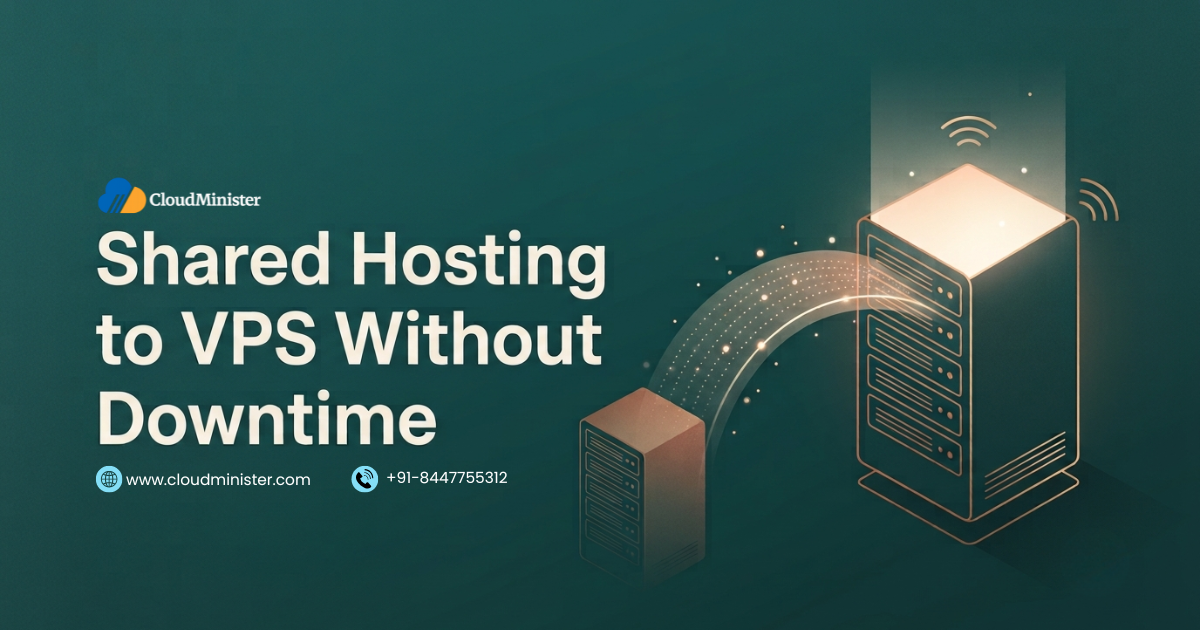
This approach means the destination server is fully built, tested, and verified before the source server is switched off or before DNS is repointed. It is not a single command or a single click. It is a structured sequence of steps designed, so visitors never see an error page, a blank screen, or an outdated version of the site during the transition.
- The process depends on running the old, shared hosting environment and the new VPS environment in parallel for a defined window, rather than shutting one down before the other is confirmed working.
- A successful shared hosting to VPS without downtime migration always separates two concerns: moving the actual files, databases, and configurations, and switching the public-facing traffic over to the new server.
- DNS propagation, not the file transfer itself, is usually the part of a shared hosting to VPS without downtime migration that most website owners misunderstand and underestimate.
- The safest migrations use a temporary IP-based preview or a local host’s file to edit to fully test the new VPS before any DNS change is made public, which is the single biggest reason this approach works in practice.
- This kind of controlled cutover is deliberately different from simply purchasing more resources from the same VPS provider without a structured plan, since resource upgrades alone do not address application-level compatibility issues.
This kind of migration is not complete once files are copied. File permissions, database user credentials, and firewall rules on a VPS behave differently than on a shared hosting control panel, because a VPS gives full root-level access that shared hosting never exposes. Skipping a security hardening pass afterward is one of the most common reasons a newly migrated VPS gets compromised within the first few weeks.
2. Why Businesses Choose to Move from Shared Hosting to VPS Without Downtime in 2026
The decision to migrate is rarely about wanting more server space for its own sake. It shows directly in performance data and revenue impact once traffic outgrows what shared resources can handle.
- Independent market research shows the VPS hosting segment continuing to expand at a double digit compound annual growth rate through 2026, reflecting how many businesses are outgrowing entry-level plans and actively planning a move to dedicated resources.
- Shared hosting places multiple websites on one physical server with divided resources, which works fine at low traffic but becomes a bottleneck the moment one site on that server spikes and starves the others of CPU and memory.
- Businesses that delay this kind of migration often report slow checkout pages, intermittent 503 errors during traffic spikes, and support tickets that trace back directly to resource contention with neighboring accounts on the same shared server.
- A properly planned shared hosting to VPS without downtime migration is designed specifically to remove this unpredictability by giving the website dedicated CPU cores, dedicated RAM, and isolated storage that no other account can touch.
- For businesses comparing infrastructure options before committing to a migration, understanding how a dedicated environment differs from a shared one is a useful starting point, and our related article on why Shared web hosting in India remains a smart entry point for smaller sites explains exactly when staying on shared hosting still makes sense before jumping to a VPS.
- Businesses that outgrow Shared web hosting in India plans typically notice the warning signs months before an actual outage, which is exactly the window a Web Hosting Company in India worth trusting will use to start planning the move.
Before starting this kind of migration, run a two-week baseline audit of current traffic patterns, peak hour load, and current resource usage. Migrations that are planned against real traffic data, rather than guesswork, consistently avoid under-provisioning the new VPS and having to repeat the entire process within a few months of going live.
Ready to Move Off Shared Resources?
Get dedicated CPU, RAM, and storage with a fully tested, zero-downtime migration path.
3. Pre-Migration Planning: The Foundation of a Zero-Downtime Move
This kind of migration is not a single configuration decision made on migration day. It must be planned deliberately across several distinct areas well in advance.
3.1 Choosing the Right VPS Plan and Provider
- Every successful migration starts with sizing the VPS correctly against actual current usage plus reasonable headroom for growth, rather than guessing at a plan tier.
- Opting for Fully Managed VPS Hosting removes a significant amount of migration risk for teams without a dedicated systems administrator, since the provider’s team handles OS-level configuration, security patching, and server monitoring throughout the transition.
- Choosing a reliable VPS Hosting in India provider with a proven zero-downtime migration process, rather than attempting a fully self-managed cutover with no support of fallback, meaningfully reduces the chance of an error during the DNS switch.
- Root access, a dedicated IP address, and full control over the operating system are standard on any credible VPS Hosting in India plan, and confirming these are included avoids surprises mid-migration.
- Organizations that also want the option of Fully Managed VPS Hosting later, even if starting self-managed, should confirm the provider offers a straightforward upgrade path rather than requiring a second migration down the line.
- A provider offering genuine managed support typically bundles the migration itself into the onboarding process, which removes one of the biggest sources of anxiety for teams attempting their first move away from shared resources.
3.2 Auditing the Existing Shared Hosting Environment
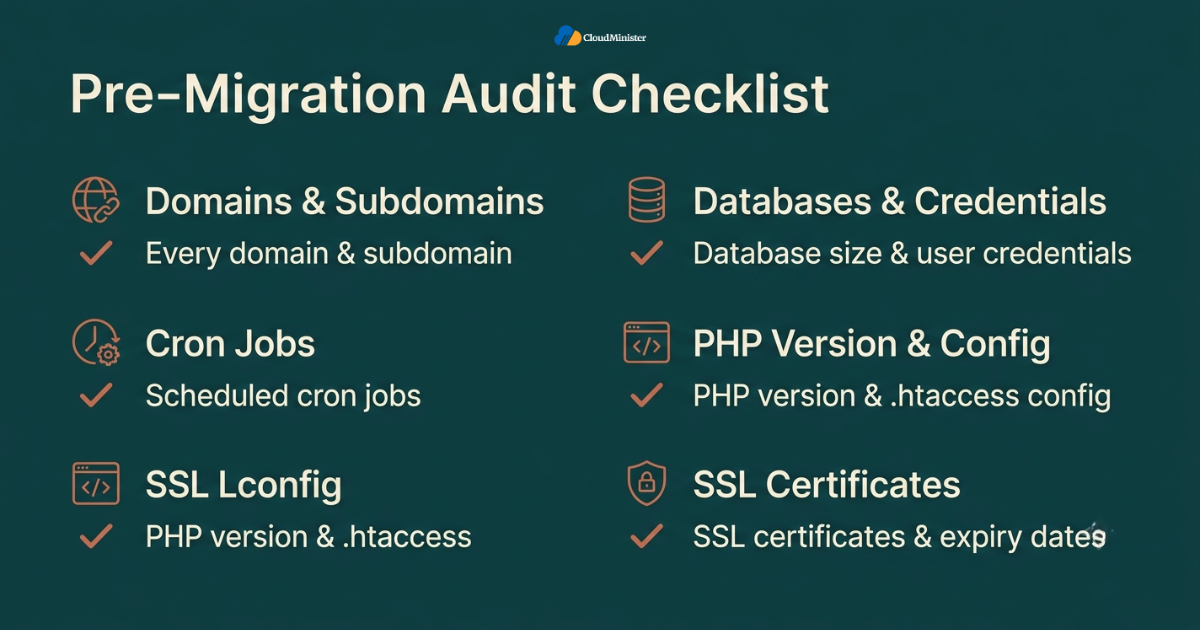
- Document every domain, subdomain, and add-on domain currently pointed at the source server, since a missed subdomain is one of the most common causes of a broken migration.
- List every database, its size, and its associated database user credentials, because mismatched credentials after migration are a frequent cause of a site appearing to load but returning application errors.
- Identify every cron job currently scheduled in the shared hosting environment, since these rarely get carried over automatically and often get forgotten until a scheduled task silently stops running.
- Check current PHP version, installed extensions, and any server-level configuration in.htaccess files that the VPS will need to replicate exactly for the site to behave identically after cutover.
- Export a full list of installed SSL certificates and their expiry dates, since certificate mismatches are a common source of browser security warnings immediately after cutover completes.
3.3 Setting a Realistic Migration Timeline
- A shared hosting to VPS without downtime migration for a small brochure website can often be completed in a single day, while a larger e-commerce store with a large product database typically needs several days of staged testing.
- Building in buffer time for at least one full round of testing before the DNS cutover step is non-negotiable for any migration involving a live, revenue-generating website.
- Scheduling the final cutover during the lowest traffic window, based on analytics data rather than assumption, reduces the number of visitors who could be affected by DNS propagation delays.
- A dependable Web Hosting Company in India will typically provide a written migration timeline with specific checkpoints, rather than an open-ended “we will move it when it is ready” commitment.
Never schedule a shared hosting to VPS without downtime migration on a Friday afternoon or right before a public holiday. If something unexpected surfaces during the DNS propagation window, having a full support team available on the following business day, rather than over a weekend, meaningfully shortens the time to resolve any issue.
4. The Core Shared Hosting to VPS Without Downtime Migration Process
This is the actual sequence that keeps a live website from ever showing visitors an error page during the switch.
4.1 Step One: Provision and Harden the New VPS
- Set up the operating system, control panel if one is being used, and baseline security configuration including a firewall, SSH key authentication, and fail2ban style intrusion prevention before any site files are copied over.
- Install the exact web server software, PHP version, and database engine version that matches the source shared hosting environment as closely as possible to avoid compatibility surprises.
- Configure resource limits, swap space, and basic monitoring, so the new VPS is observable from the very first hour it is live, well before real traffic ever reaches it.
4.2 Step Two: Migrate Files and Databases Without Touching Live DNS
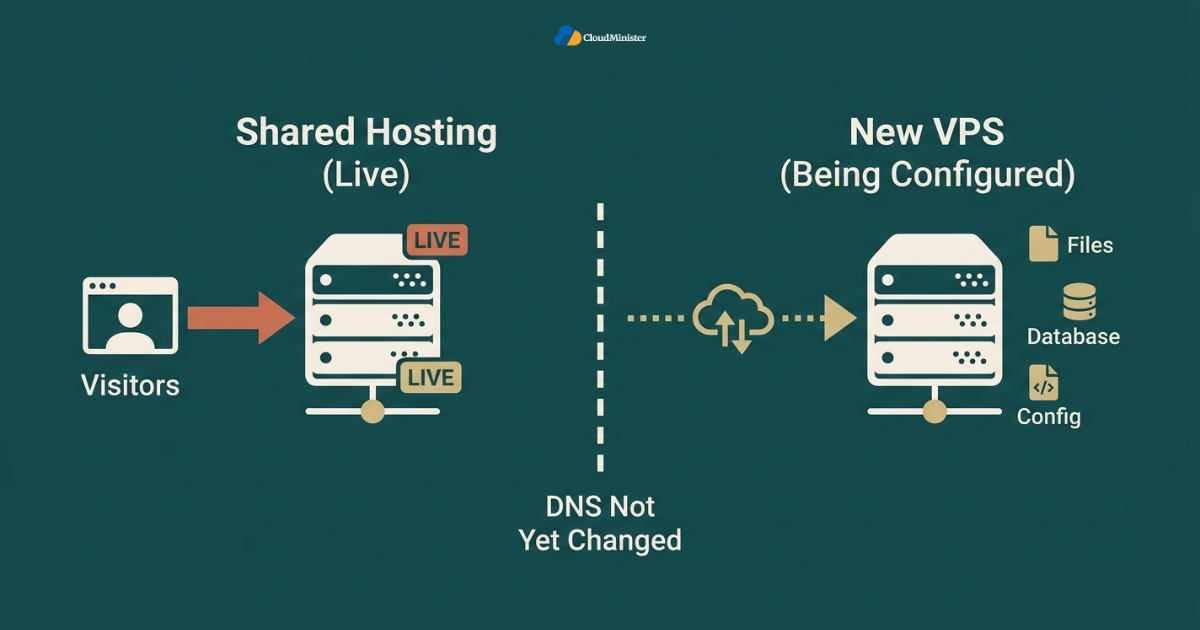
- Transfer the complete website file structure to the new VPS using SFTP, resync, or a hosting provider’s built-in migration tool, while the original shared hosting source site continues serving live traffic completely undisturbed.
- Export every database using a consistent, verified backup method, then import it into the equivalent database engine on the new VPS. Checking row counts and table structures match exactly before moving forward.
- Update configuration files on the VPS copy, such as database connection strings and any hardcoded paths, so the site functions correctly on its new environment while the original site remains fully live and unaffected.
- This entire step should never require pointing out the domain DNS at the new server, which is exactly what keeps the live site online throughout the transfer.
4.3 Step Three: Test the New VPS Before Anyone Sees It
- Edit the local hosts file on a testing machine, or use the server’s temporary IP address directly, to preview the fully migrated site exactly as visitors will eventually see it, without affecting public DNS at all.
- Click through every critical page, test every form of submission, verify checkout flows on e-commerce sites, and confirm that emails, contact forms, and any third-party integrations function correctly on the new VPS.
- Compare page load speed, error logs, and server response codes between the old, shared hosting environment and the new VPS side by side before considering the migration ready for cutover.
- Any issue discovered during this stage gets fixed on the VPS while the original shared hosting site is still the one serving real visitors, so nothing customer-facing is ever at-risk during troubleshooting.
4.4 Step Four: Lower DNS TTL Ahead of the Switch
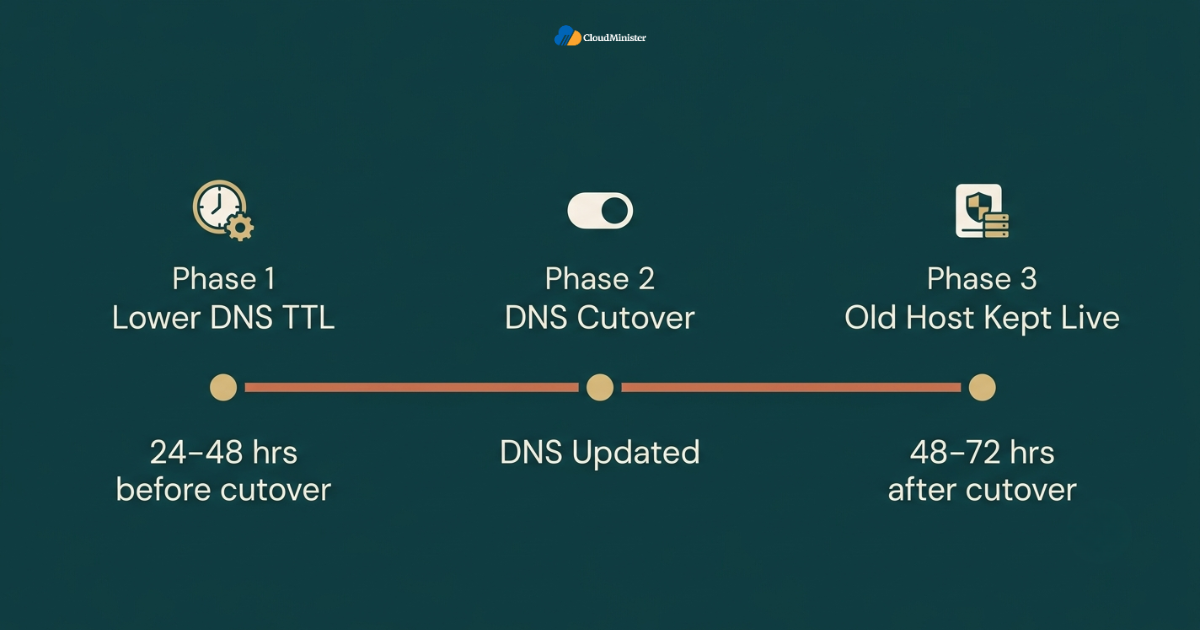
- Reduce the DNS Time To Live value for the domain at least 24 to 48 hours before the planned cutover, since a shorter TTL means DNS resolvers around the world refresh their cached records much faster once the change is made.
- Skipping this step is one of the most common reasons a migration ends up looking inconsistent to different visitors for hours or even days after cutover.
- Confirm that the TTL change has propagated by checking it from multiple DNS lookup tools before proceeding to the actual cutover step.
4.5 Step Five: The Actual Cutover
- Update the DNS A record, and any relevant CNAME or MX records, to point at the new VPS only after every prior step has been fully verified and confirmed working correctly.
- Keep the old, shared hosting account active and untouched for a defined window after cutover, typically 48 to 72 hours, so it can still serve any visitors whose DNS resolver has not yet picked up the change.
- Monitor server logs, error rates, and uptime check continuously during this window, since this is the point where real-world traffic first touches the new environment.
- Verify SSL certificates are correctly installed and serving without warnings on the new VPS immediately after the DNS change takes effect, since a certificate of mismatch at this stage is highly visible to visitors.
The single detail that separates a genuinely successful shared hosting to VPS without downtime migration from one that generates support tickets is the parallel-run window. Teams that keep the old environment live and untouched for several days after cutover, rather than deleting it immediately, consistently report a smoother transition with far fewer visitor-facing issues, because DNS propagation is never instant or uniform across every network in the world.
Related Reading: NVMe vs SSD Hosting: What Actually Changes Performance
5. DNS Propagation: The Part Most People Get Wrong
DNS propagation is consistently the step in this kind of migration that causes the most confusion, because it is the one part of the process that cannot be sped up through better planning alone.
- DNS changes do not take effect everywhere at once. Internet service providers, corporate networks, and individual devices all cache DNS records for different lengths of time based on the TTL value set before the change.
- A migration that lowers TTL well in advance, as described in step four above, typically sees full global propagation within a few hours rather than the historical worst case of up to 48 hours.
- Some visitors may briefly see the old, shared hosting site, and some may see the new VPS during the propagation window, which is exactly why keeping both environments live and synchronized matters so much.
- Using a temporary redirect or maintenance banner during a narrow, clearly communicated propagation window is a reasonable middle ground for extremely traffic-sensitive sites, though most shared hosting to VPS without downtime migrations do not need this if TTL was properly lowered beforehand.
- Checking propagation status from multiple global locations using a public DNS checker tool, rather than relying only on the local network cache, gives an accurate picture of how far the change has actually spread.
Checklist: DNS Cutover Readiness for a Shared Hosting to VPS Without Downtime Migration
- TTL lowered at least 24 to 48 hours before the planned cutover
- New VPS fully tested via hosts file or temporary IP preview
- SSL certificate installed and verified on the new VPS
- Old, shared hosting account kept active as a fallback for 48 to 72 hours
- Monitoring and error logging active on the new VPS before DNS is changed
- Rollback plan documented and understood by every team member involved
6. Data Integrity: Making Sure Nothing Gets Lost in Transit
Any migration of this kind is only as good as the accuracy of the data that arrives on the new server, particularly for any site handling orders, user accounts, or dynamic content that changes constantly.
- For sites that continue accepting orders or new user signups during the migration window, a second, smaller data sync should run immediately before the final DNS cutover to capture anything created after the initial full transfer.
- Database replication, where technically supported, allows the VPS database to stay continuously synchronized with the shared hosting source right up until the moment of cutover, minimizing the risk of losing last-minute transactions.
- Checksums or row count comparisons between the source and destination databases confirm that the transfer has not silently dropped or corrupted any records.
- File integrity checks, comparing file sizes and modification timestamps between old and new environments, catch any assets that failed to copy correctly before they become a visible problem for site visitors.
- Teams running content-heavy sites with frequent updates, including AI-driven applications, often reference our guide on how Model Context Protocol integrations run on VPS Hosting in India when planning migrations that involve dynamic, frequently changing data sources.
Never delete the original shared hosting account data immediately after cutover completes, even once the site appears to be working correctly on the new VPS. Retaining the original data for at least a week, ideally longer, provides a critical safety net if a data integrity issue is discovered days after cutover rather than during the initial testing window.
7. Common Mistakes That Cause Downtime During Migration
Even a well-intentioned migration can fail if certain avoidable mistakes are made along the way.
- Pointing DNS at the new VPS before the destination environment has been fully tested, treating the cutover as the testing phase instead of the final confirmed step.
- Forgetting to migrate cron jobs, scheduled backups, or background queue workers, which often keeps running silently missing on the new VPS for days before anyone notices something did not happen.
- Skipping the TTL reduction step entirely, which turns what should be a smooth handful of hours of propagation into a confusing multi-day window of inconsistent visitor experience.
- Deleting the old, shared hosting account too early, removing the fallback option at the exact moment it might actually be needed if an unexpected issue surfaces on the new VPS.
- Not verifying SSL certificate installation on the new VPS before cutover, resulting in visitors hitting browser security warnings the moment DNS resolves to the new server.
- Underestimating how much manual configuration a VPS requires compared to a shared hosting control panel, particularly around firewall rules, server-level caching, and PHP configuration that shared hosting handles automatically behind the scenes.
- Migrating a resource-intensive application, such as a multi-agent AI system, onto an undersized VPS plan without first reviewing compute requirements properly, a mistake our article on running multi-agent systems on a dedicated GPU server covers in more depth for teams with heavier workloads.
Consulting engagements across dozens of these migrations consistently show that the gap between a smooth transition and a chaotic one is rarely a difference in the underlying technology. It is almost always a difference in how much testing happened before DNS was ever touched. Migrations that treat the pre-cutover testing phase as optional, rather than mandatory, are the ones that generate emergency support tickets on migration day.
8. Post-Migration Verification: What to Check in the First 48 Hours
The work does not end the moment DNS resolves correctly for the first visitor.
- Monitor server resource usage closely for the first 48 hours, since real production traffic patterns sometimes reveal load characteristics that testing a temporary IP address did not fully capture.
- Confirm that all scheduled croon jobs and background tasks are executing the new VPS at their expected times, rather than simply confirming they exist in the configuration.
- Check that outbound email delivery, including transactional emails and contact form notifications, is working correctly, since new VPS environments sometimes need additional mail server reputation configuration that shared hosting handled automatically.
- Review server error logs specifically for 404 errors on assets that may not have transferred correctly, and for 500 errors that could indicate a configuration mismatch between the old and new environments.
- Verify that search engine crawlers are still able to access the site without interruption, and that no accidental robots.txt or redirect issue introduced during the migration is blocking indexing.
- Compare actual page load speed on the new VPS against the pre-migration baseline, since a properly executed shared hosting to VPS without downtime migration should show a measurable improvement, not a regression.
Set up automated uptime monitoring and alerting on the new VPS at least 24 hours before the DNS cutover happens, not after. This ensures the monitoring system is already established and generating a reliable baseline the moment the migration goes fully live, rather than being configured reactively after an issue has already occurred.
9. Choosing Between Self-Managed and Fully Managed VPS Hosting
The decision of who actually manages the server after cutover completes has a significant impact on long-term reliability and how much internal technical expertise the transition demands.
- Fully Managed VPS Hosting means the provider team handles operating system updates, security patching, server monitoring, and technical support, which is often the right choice for businesses without a dedicated in-house systems administrator.
- Self-managed VPS hosting gives complete control over every configuration detail but requires the internal team to handle security hardening, software updates, and troubleshooting independently after the migration is complete.
- Businesses evaluating Fully Managed VPS Hosting specifically for the migration itself, even if planning to move to self-managed later, often find the provider’s team catches configuration issues that a first-time, self-managed migration might miss entirely.
- A reliable VPS Hosting in India provider offering Fully Managed VPS Hosting as a genuine option, rather than only a self-managed plan with paid add-on support tickets, gives growing businesses more flexibility as their technical needs evolves.
- Comparing the ongoing cost of Fully Managed VPS Hosting against the internal engineering time, a self-managed approach requires is a worthwhile exercise before committing either way.
- Teams weighing Fully Managed VPS Hosting against a self-managed VPS Hosting in India plan should also factor in response times for support tickets, since a slow support queue during an actual incident can turn a minor issue into extended visitor-facing downtime.
- Businesses that start with Fully Managed VPS Hosting for the initial shared hosting to VPS without downtime migration, then gradually take on more configuration control themselves, tend to build in-house expertise more safely than teams that go fully self-managed from day one.
10. Building a Rollback Plan Before Migration Day
No migration plan is complete without a documented path back to the original environment if something goes seriously wrong.
- Keep DNS records for the old, shared hosting environment documented and ready to restore instantly, since a rollback decision often needs to happen within minutes, not hours, if a serious issue surfaces.
- Never cancel or downgrade the original shared hosting plan until the new VPS has been stable in production for a confirmed period, typically at least one to two full weeks after cutover.
- Document exactly who has authority to trigger a rollback decision and through what communication channel, so the decision does not stall during an actual incident because nobody was sure who should call it.
- Test the actual rollback process before migration day, not just the forward migration, since an untested rollback plan is not meaningfully different from having no rollback plan at all.
- A trustworthy Web Hosting Company in India should be able to walk through their rollback procedure clearly before migration day begins, rather than improvising one only if an issue actually occurs.
- Working with an established Web Hosting Company in India that has handled multiple shared hosting to VPS without downtime migrations before generally means the rollback plan is already a documented, tested procedure rather than something invented under pressure.
Checklist: Rollback Readiness
- Original shared hosting account still active and unmodified
- DNS records for the old environment documented and ready to restore
- Clear internal decisionmaker identified for triggering a rollback
- Rollback procedure tested at least once before migration day
- Communication plan ready in case visitors need to be notified of any issue
11. Shared Hosting vs VPS: When Each One Actually Makes Sense
Not every website needs to move away from shared resources immediately, and understanding the honest trade-offs helps set the right timeline.
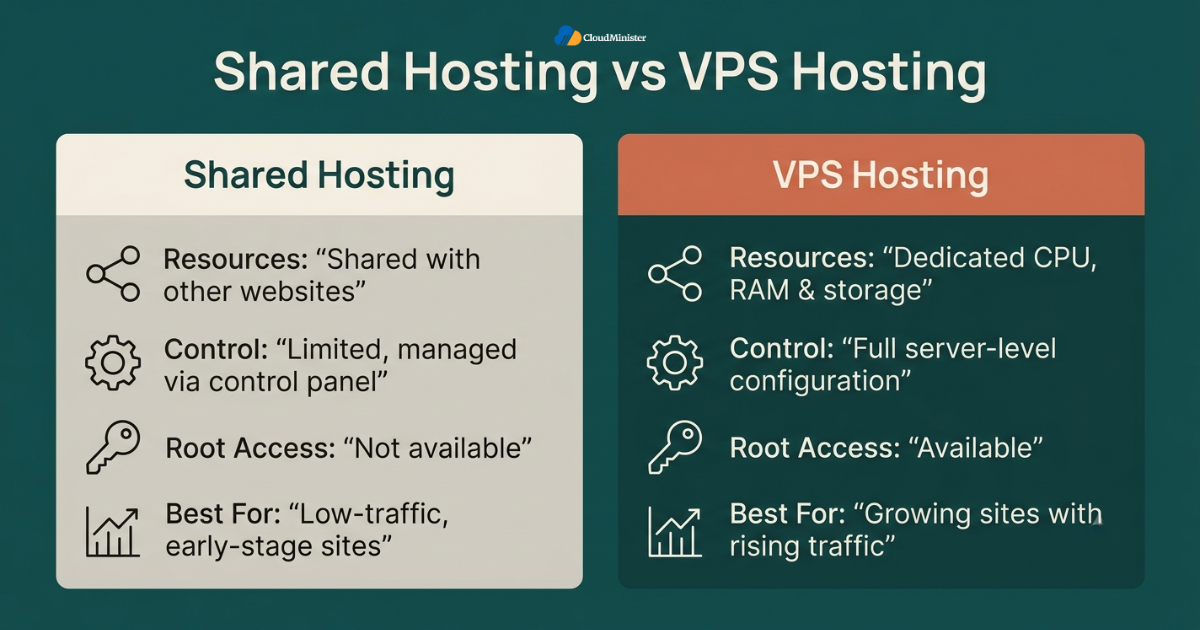
- Best shared hosting plans remain a genuinely sound choice for new websites, low-traffic blogs, and businesses still validating an idea before committing to more infrastructure, since the cost and simplicity advantage of Shared web hosting in India is real at that stage.
- A site consistently hitting resource limits, experiencing slowdowns during traffic spikes, or needing custom server-level software that a shared control panel does not support is a strong signal that a shared hosting to VPS without downtime migration is overdue.
- Best shared hosting providers typically cap the number of databases, email accounts, or concurrent processes a single account can use; limits that a VPS removes entirely once the migration is complete.
- E-commerce sites processing consistent order volume, membership sites with a growing user base, and any application requiring background processing generally outgrow best shared hosting environments faster than simple brochure sites running on best shared hosting do.
- Choosing Shared web hosting in India for an early-stage project, with a clear plan to move to a VPS once specific, measurable traffic thresholds are hit, is a more disciplined approach than either over-provisioning too early or waiting until the shared server is visibly struggling.
- Businesses that start on Shared web hosting in India and track growth metrics closely tend to know exactly when best shared hosting has stopped being enough, which makes the eventual migration far less stressful than a reactive, emergency move, and a good Shared web hosting in India provider will flag this transition point proactively.
- Even after outgrowing best shared hosting, some smaller sites within the same business, such as a marketing landing page, can often stay on Shared web hosting in India indefinitely, since not every property under one brand needs the same tier of infrastructure.
12. Working With a Migration Partner Instead of Going It Alone
Many businesses attempting their first shared hosting to VPS without downtime migration underestimate how much coordination the process requires across DNS, application configuration, and testing.
- A specialized Web Hosting Company in India that performs shared hosting to VPS without downtime migrations regularly has already solved the edge cases that a first-time, self-managed attempt is likely to encounter for the first time under pressure.
- Providers offering Fully Managed VPS Hosting as part of the onboarding package typically include the shared hosting to VPS without downtime migration at no extra cost, which removes a significant line item from the overall project budget.
- Asking a prospective VPS Hosting in India provider for references from previous shared hosting to VPS without downtime migrations, including how they handled DNS propagation and rollback, is a reasonable and reassuring due diligence step.
- Businesses currently on Shared web hosting in India who are unsure whether they are ready for a shared hosting to VPS without downtime migration can typically request a free resource usage assessment from their current or prospective provider before committing to a timeline.
- A genuinely capable Web Hosting Company in India should be transparent about which parts of a shared hosting to VPS without downtime migration are automated and which require manual verification, rather than presenting the entire process as a single, opaque button click. .
When evaluating a provider for Fully Managed VPS Hosting, ask specifically how many shared hosting to VPS without downtime migrations they have completed in the last twelve months, and request a rough outline of their standard cutover checklist. A provider with a documented, repeatable process is a far safer choice than one improvising the migration steps for the first time on a live production account.
13. A Realistic Growth Path: From Shared Hosting to VPS and Beyond
Most businesses do not jump straight from a first website to enterprise infrastructure. Understanding the realistic growth path helps set expectations for when each upgrade actually makes sense.
- A new business typically starts on Shared web hosting in India, since the low cost and simplicity of best shared hosting suit a site with unpredictable, low-volume traffic in its earliest months. Many businesses running Shared web hosting in India for a first product launch find that a single well-chosen Web Hosting Company in India can support them from that very first plan all the way through their eventual VPS upgrade.
- As traffic and transaction volume grow, the same site outgrows Shared web hosting in India and becomes a strong candidate for VPS Hosting in India, at which point planning a shared hosting to VPS without downtime migration becomes a priority rather than a someday task.
- Choosing VPS Hosting in India over jumping straight to a dedicated server is usually the right call for mid-sized businesses, since a VPS provides most of the isolation and control benefits at a fraction of the cost of dedicated hardware.
- Businesses that have already completed a shared hosting to VPS without downtime migration once often find the second migration, whether to a larger VPS Hosting in India plan or eventually to Fully Managed VPS Hosting, considerably smoother since the team already understands the process.
- A Web Hosting Company in India that offers Shared web hosting in India, VPS Hosting in India, and Fully Managed VPS Hosting all under one account structure makes each step of this growth path easier, since account history, billing, and support relationships carry forward instead of resetting with every migration.
- Some businesses skip best shared hosting entirely and launch directly on VPS Hosting in India if they expect rapid growth from day one, which avoids the need for a shared hosting to VPS without downtime migration altogether, though it does come at a higher starting cost than best shared hosting.
- Regardless of the starting point, treating each upgrade, from best shared hosting to VPS Hosting in India to eventually a fully managed setup, as a planned decision rather than a reactive scramble consistently produces smoother transitions with far less risk to the live business.
Ask your Web Hosting Company in India whether they support account-level continuity across best shared hosting, VPS Hosting in India, and Fully Managed VPS Hosting tiers. Providers that require a completely fresh account setup for every tier change effectively force a full shared hosting to VPS without downtime migration each time a business grows, even when only the underlying server resources actually need to change.
Conclusion
Moving from shared hosting to VPS without downtime has moved well past being a theoretical best practice reserved for large enterprises. By 2026, it is a well-documented, repeatable procedure that any growing business can follow with confidence, provided the planning, testing, and rollback steps described throughout this guide are treated as mandatory rather than optional.
The migrations that succeed share a consistent pattern. They build and test the new VPS fully before ever touching public DNS, they lower TTL well in advance, they keep the old environment live as a safety net for several days after cutover, and they verify data integrity at every step rather than assuming the transfer worked correctly. A shared hosting to VPS without downtime migration executed this way should never show a single visitor an error page, a blank screen, or a broken checkout flow. For businesses in India specifically, working with a dependable Web Hosting Company in India that has direct, proven experience running a shared hosting to VPS without downtime migration gives the strongest foundation for a transition that improves performance without ever risking the business in the process.
Whether a business is currently running Shared web hosting in India, actively planning a shared hosting to VPS without downtime migration, or already comparing VPS Hosting in India providers for a second upgrade, the underlying discipline stays the same. Partnering with a Web Hosting Company in India that understands every tier, from best shared hosting through VPS Hosting in India and on to Fully Managed VPS Hosting, removes most of the guesswork that otherwise turns a routine infrastructure upgrade into a stressful, high-risk event. Businesses that treat Shared web hosting in India as a genuine starting point rather than a permanent limitation, and that plan their eventual VPS Hosting in India move around real data instead of panic, consistently get more value out of both best shared hosting and their next Web Hosting Company in India relationship.
Planning Your Migration?
Talk to our team about a free resource usage assessment and a documented, zero-downtime cutover plan.
Key Takeaways
- Moving from shared hosting to VPS without downtime depends on running both environments in parallel until the new VPS is fully tested and verified.
- Lowering DNS TTL at least 24 to 48 hours before cutover is one of the single most important steps in any shared hosting to VPS without downtime migration.
- A thorough pre-migration audit of domains, databases, croon jobs, and SSL certificates prevents the most common causes of post-migration issues.
- Keeping the original shared hosting account active for 48 to 72 hours after cutover, and ideally longer, provides an essential safety net during DNS propagation.
- Choosing between Fully Managed VPS Hosting and a self-managed setup depends heavily on available in-house technical expertise.
- A documented, tested rollback plan is not optional for any shared hosting to VPS without downtime migration involving a live, revenue-generating website.
- Best shared hosting remains a smart choice for early-stage websites, while VPS Hosting in India becomes the right fit once measurable traffic and resource thresholds are consistently hit.
- A Web Hosting Company in India that supports the full journey from Shared web hosting in India through VPS Hosting in India makes every future upgrade simpler than starting fresh with a new provider each time.
Frequently Asked Questions
Is it really possible to move from shared hosting to VPS without downtime?
Yes. A shared hosting to VPS without downtime migration is achievable by keeping the original site live while the new VPS is built, migrated, and fully tested using a temporary IP address or local hosts file, then switching DNS only once everything is confirmed working correctly.
How long does a shared hosting to VPS without downtime migration typically take?
Timelines vary depending on site size and complexity. A small website can often complete a shared hosting to VPS without downtime migration within a single day, while a larger e-commerce store with a large database may need several days of staged testing before the final cutover.
Will search engine rankings be affected by a shared hosting to VPS without downtime migration?
When executed correctly, with no downtime, no broken links, and no changes to the site’s URL structure, a shared hosting to VPS without downtime migration should have minimal to no impact on search rankings, and improved page speed on the new VPS can actually help rankings over time.
Do I need technical expertise to complete a shared hosting to VPS without downtime migration?
It helps considerably, but it is not strictly required if working with a provider offering Fully Managed VPS Hosting, since their team handles the technical configuration, testing, and cutover process on the business’s behalf.
What is the biggest risk during a shared hosting to VPS without downtime migration?
DNS propagation inconsistency is typically the biggest risk, since different visitors may briefly see different versions of the site during the transition window. Lowering TTL well in advance and keeping both environments live and synchronized during that window is the standard way to manage this risk.
Should I choose Fully Managed VPS Hosting or a self-managed VPS for my first migration?
For a first shared hosting to VPS without downtime migration, Fully Managed VPS Hosting is generally the safer choice unless someone on the internal team already has hands-on server administration experience. A provider offering genuine Fully Managed VPS Hosting typically handles the technical portions of the shared hosting to VPS without downtime migration directly, which meaningfully lowers the risk of a configuration mistake on a live account.
Is a VPS always the right upgrade from shared hosting?
Not always. Best shared hosting plans remain appropriate for low-traffic sites, and a shared hosting to VPS without downtime migration only makes sense once specific resource limits are consistently being hit. A site comfortably running on best shared hosting with no performance issues does not need to migrate simply because a VPS exists as an option.
How do I find a provider experienced in shared hosting to VPS without downtime migrations?
Ask directly about their track record. A Web Hosting Company in India that regularly performs shared hosting to VPS without downtime migrations, and that also offers both Shared web hosting in India and VPS Hosting in India under one roof, is generally well positioned to manage the entire lifecycle from a small starter site through a full shared hosting to VPS without downtime upgrade as the business grows.
Can I stay on Shared web hosting in India if my site is growing slowly?
Yes. There is no fixed rule that every growing site must migrate immediately. A business on Shared web hosting in India that is growing gradually, without hitting hard resource limits, can reasonably delay a shared hosting to VPS without downtime migration until best shared hosting genuinely stops meeting its needs. The key is monitoring resource usage regularly rather than waiting for a visible outage to force the decision and checking in with a trusted Web Hosting Company in India periodically to confirm the current plan still fits.
Does a Web Hosting Company in India charge extra for a shared hosting to VPS without downtime migration?
This varies by provider. Some include the shared hosting to VPS without downtime migration as part of onboarding a new VPS Hosting in India plan, particularly when moving from that same provider’s Shared web hosting in India tier, while others charge a separate migration fee. Confirming this upfront with any Web Hosting Company in India before signing a contract avoids an unexpected line-item appearing after the shared hosting to VPS without downtime migration is already underway.
What should I ask a Web Hosting Company in India before switching from best shared hosting?
Ask how many such migrations they handle each month, whether best shared hosting customers get priority scheduling for the upgrade, and whether the Web Hosting Company in India provides a written rollback plan as standard practice. A provider hesitant to answer these questions clearly about their upgrade pathway is worth reconsidering before committing to a contract, since best shared hosting customers on Shared web hosting in India deserve the same transparency as any enterprise client moving through the process with a genuine Web Hosting Company in India.

Ajay Singh Raghav is a Senior Linux System Administrator at CloudMinister Technologies, where he has spent over 4 years installing, configuring, maintaining, and troubleshooting Linux servers for hosting and cloud environments. He specializes in AWS cloud computing alongside core Linux server administration, with hands-on expertise across server management, backup and restore systems, and cPanel-based hosting environments. His day-to-day experience keeping production servers stable and secure gives him a practical, ground-level understanding of the infrastructure he writes about.