As a business grows, so do its digital demands. Websites attract more visitors, applications process more transactions, databases grow, and security duties increase. At some point shared and VPS hosting plans reach their limits, and a dedicated server becomes the logical next step. A common worry follows: can a single physical machine really keep up as the business keeps growing? The answer lies in dedicated server scalability, which is about how far one server can be upgraded, how easily more servers can be added, and how well the whole design handles growth.
Dedicated server scalability works differently from cloud elasticity. Capacity is not created by an API call in seconds. It is planned, provisioned, and tuned, which gives consistent performance and predictable cost in return for forward thinking. Understanding this difference helps teams avoid two expensive errors: buying far more hardware than they need, and discovering a ceiling in the middle of a busy season.
This 2026 guide explains dedicated server scalability in practical terms. It covers the signals that show it is time to scale, vertical and horizontal approaches, database, storage, and network growth, virtualization and containers, hybrid designs with cloud, capacity planning, security and reliability at scale, and the cost and compliance points that matter for Indian businesses.
What Dedicated Server Scalability Means
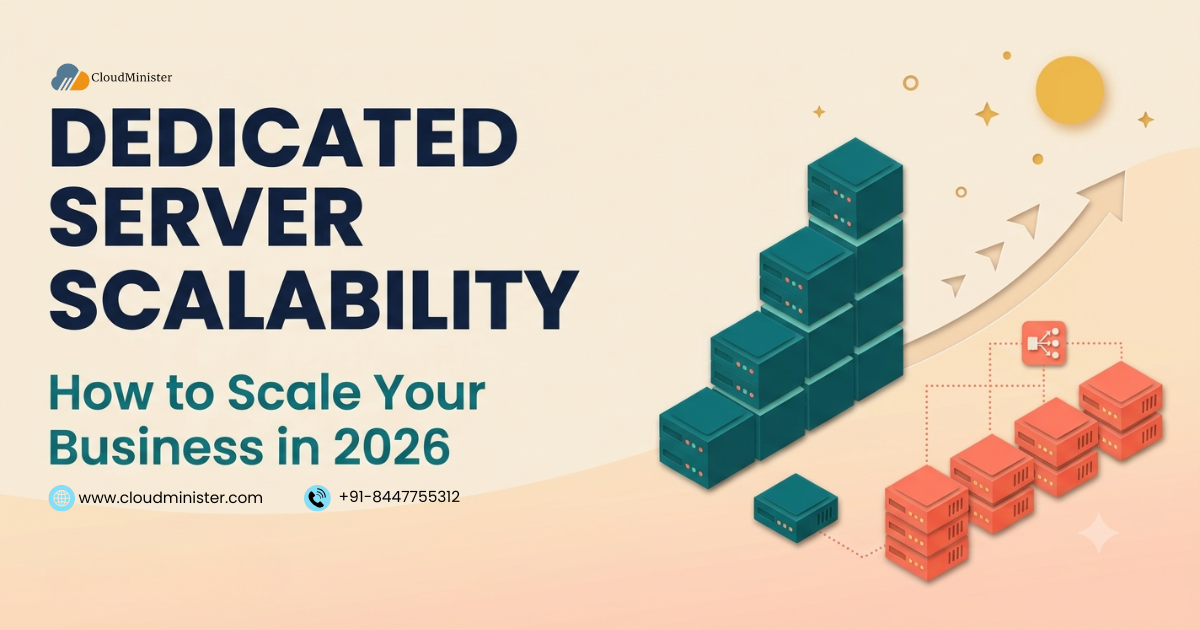
Scalability is the ability of a system to handle more work without a drop in performance or reliability. Dedicated server scalability has two forms. Vertical scaling, or scaling up, means giving one server more power by adding memory, faster or larger storage, more network capacity, or a stronger processor. Horizontal scaling, or scaling out, means adding more servers and spreading the work across them with load balancing, replication, and shared services.
A dedicated server is single tenant, so every resource belongs to you and performance is consistent. It is also physical, so growth takes the form of hardware changes. Provisioning typically takes hours to days instead of minutes, upgrades may need a maintenance window, and a physical chassis has fixed limits. These are the main differences between dedicated server scalability and the elastic, usage based scaling of public cloud, where capacity can appear and disappear automatically.
Neither model is better in every case. Steady, heavy, predictable workloads often suit dedicated hardware, while sharply spiky workloads suit elastic cloud. Many mature platforms combine both, as the hybrid section later in this guide explains.
Signs You Need More Dedicated Server Scalability
Measure before you buy. Collect at least two weeks of data that includes your busiest periods, then compare it with the indicators below. Also track business signals such as checkout abandonment and support tickets about slowness, which often reveal limits before graphs do. The thresholds are rules of thumb, because acceptable levels depend on the workload.
| Metric | Warning Sign | What It Means |
| CPU utilization | Sustained above 70 to 80 percent at normal peaks | Little headroom for spikes or a failed server |
| Load average | Regularly above the number of CPU cores | Tasks are queuing for the processor |
| Memory and swap | Frequent swapping or out of memory kills | The memory ceiling has been reached |
| Disk latency and I/O wait | Rising latency under normal load | Storage is the bottleneck |
| Network | Sustained use near port speed, drops, or retransmits | Bandwidth or network card limit |
| Response time | Rising 95th and 99th percentile latency at peak | Users feel the limit |
| Database | Connection limits, replication lag, slow queries | The data tier is the constraint |
| Error rate | Rising 5xx errors during peaks | Capacity is exhausted |
If several warnings appear together after you have optimized the application, dedicated server scalability planning should start. The guide on when you need a dedicated server explains how to read these signals before moving off shared or VPS hosting, and the post on why dedicated hosting suits busy sites shows the benefits in more detail.
Vertical Dedicated Server Scalability: Scaling Up
Scaling up is the simplest path, because the application does not change. Typical upgrades include more RAM, faster NVMe storage, additional drives, a faster network port, and, where the platform allows, a second processor or a higher core count. Memory and storage upgrades are often the most cost effective, because many performance problems come from caches that do not fit in memory or from disk input and output.
Every physical server has a ceiling. The number of processor sockets, memory slots, drive bays, and expansion slots limits how far one machine can grow. On servers with two processors, memory is attached to each processor, and software that ignores this NUMA layout can run slower than expected. Record the current hardware inventory and firmware versions before any upgrade. Upgrades usually need a maintenance window, although hot swap drives allow some storage changes without a shutdown. When disks are added or replaced in RAID, rebuilds take longer as drives get larger, so prefer RAID 6 or RAID 10 over RAID 5 for big arrays.
Choose upgrades with the bottleneck in mind. Multi threaded work such as databases and virtualization benefits from more cores, while single threaded applications benefit from higher clock speed. Populate every memory channel for full memory bandwidth, prefer ECC memory for critical systems, and check the write endurance rating of NVMe drives that handle heavy writes.
Scale up first when the application is hard to distribute, such as a single database or a legacy system, and use the time to plan scaling out. Vertical dedicated server scalability buys time and simplicity, but it does not remove the ceiling.
Horizontal Dedicated Server Scalability: Scaling Out
Scaling out removes the single machine ceiling. A load balancer such as HAProxy or Nginx distributes requests across several servers and removes unhealthy ones using health checks, as described on the HAProxy project site. Health checks should test the application, not only the port, so that a hung process leaves the pool. Two load balancers can share a virtual IP address using keepalived and the VRRP protocol, so that the failure of one does not interrupt traffic. DNS round robin alone is not a substitute, because it does not detect failed servers.
Applications scale out most easily when the web tier is stateless. Move sessions to a shared store such as Redis, keep uploads in shared or object storage, and keep configuration in code, so any server can handle any request. Deploy with rolling updates that remove one server from the pool at a time, or with blue green releases that keep two full environments so traffic can be switched or rolled back instantly. Plan capacity with N plus 1 in mind: enough servers that the loss of one still carries peak load. Remember that adding servers does not multiply speed in a straight line, because shared parts such as the database limit the gain, a principle described by Amdahl law.
Horizontal dedicated server scalability costs more in design and operations, but it also improves availability, since several servers remove the single point of failure. Teams that need repeatable builds across many servers can use DevOps services and configuration management to keep every node identical.
Database Dedicated Server Scalability
The database is usually the hardest part to scale. Start with efficient queries, correct indexes, and a caching layer such as Redis or Memcached, because these often remove the need for more hardware. Then scale up the database server with more memory and fast NVMe storage, since databases love memory and low latency disks.
When one server is no longer enough, add read replicas. MySQL and PostgreSQL both support replication, as described in the MySQL replication documentation and the PostgreSQL high availability documentation, and applications can send reads to replicas while writes go to the primary. Connection pooling with tools such as PgBouncer or ProxySQL protects the database from too many connections. For very large datasets, partitioning and sharding spread data across servers, which adds complexity and should come after the earlier steps.
Automatic failover requires care, with monitoring, tested procedures, and a way to avoid two servers believing they are primary. Include the database in dedicated server scalability tests, and plan any move of live data with the steps in zero downtime dedicated server migration. Test replica promotion and restores regularly, because a replica is not a backup and copies mistakes as quickly as data.
Storage and Network Growth in Dedicated Server Scalability
Storage can grow by adding drives, moving to larger drives, or splitting data across tiers: NVMe for hot data, SATA SSD or hard disks for archives, and object storage for media and backups. RAID 1 and RAID 10 favor speed and resilience, RAID 6 favors capacity with two disk fault tolerance, and file systems such as ZFS add checksums and snapshots. RAID protects against disk failure only, so it never replaces backups. Alert on disk use at about 70 and 85 percent, and watch inode counts as well, since a file system can run out of inodes while space remains.
Network growth needs the same attention. Check port speed and monthly transfer separately, because a fast port does not mean unlimited transfer, and unmetered plans usually carry fair use terms. Servers can use 10 or 25 gigabit ports where available, and link aggregation with LACP can combine ports for resilience and for more total throughput, although a single connection usually stays on one link. A content delivery network offloads static files, and DDoS protection keeps floods from consuming bandwidth that real users need. Capacity planning for dedicated server scalability should treat storage and network as first class limits, not afterthoughts.
Virtualization, Containers, and Kubernetes for Dedicated Server Scalability
Software layers make hardware easier to scale. A hypervisor such as KVM, Proxmox VE, or Hyper-V divides one large server into isolated virtual machines, which helps consolidate workloads and move them between hosts when you have several servers and shared storage. Containers package applications with their dependencies, and the guide to installing Docker on a dedicated server shows a typical start.
Kubernetes can run directly on bare metal servers, as its documentation describes, and it brings scheduling, self healing, and rolling updates. On dedicated hardware you also need a way to expose services, for example with a bare metal load balancer such as MetalLB. Kubernetes can only schedule on capacity you already own, so dedicated server scalability still depends on adding nodes in advance, but it makes use of that capacity efficient and automatic. Avoid overcommitting memory on hypervisors, because swapping causes sudden slowdowns.
Hybrid Dedicated Server Scalability With Cloud Burst
A practical way to combine predictability and elasticity is to run the steady baseline on dedicated servers and send bursts to cloud. For example, a store can keep its core application and database on dedicated hardware, and use cloud hosting instances or Amazon Web Services capacity for short sales peaks, media processing, or analytics jobs.
Hybrid designs need planning. Network latency between sites, private connectivity, data transfer charges, and consistent security policy all matter, and data should live close to the compute that uses it. Encrypt traffic between environments and use private links or a VPN. Start with one model and add the other when a measured bottleneck justifies it. The trade-offs are explained in VPS vs cloud vs dedicated server, in the comparison for Indian businesses, and in cloud repatriation in 2026 for teams moving steady workloads off public cloud. Treat the cloud as a pressure valve, not the base, so that dedicated server scalability remains the foundation for steady load.
Capacity Planning and Load Testing for Dedicated Server Scalability
Capacity planning turns scaling from a reaction into a routine. Record a baseline of CPU, memory, disk, network, and response times, track growth month by month, and forecast when each resource will reach its limit, adding the lead time for ordering and provisioning hardware. Keep sustained utilization below roughly 70 percent so that spikes and the loss of one server can be absorbed, and plan seasonal events such as festival sales well in advance.
Test before you trust. Load testing tools such as k6, Apache JMeter, and Locust can simulate realistic traffic against a staging copy, and the results show which resource fails first. Retest after each major change, and rehearse failure by removing a node and checking that service continues. Good dedicated server scalability planning also includes monitoring dashboards and alerts, so that growth is noticed early. People need capacity too, so keep runbooks and on call rotations in step with the size of the fleet.
Security and Reliability as Dedicated Server Scalability Grows
More servers mean more to protect. Standardize builds, patch on a schedule, and use the controls in Linux server security: key based SSH, a default deny firewall, least privilege, encrypted backups, and central logging. Add SSL certificates on every public service and review the design with cyber security specialists. Security reviews are part of dedicated server scalability, because every new node must be built, patched, and monitored like the first.
Define reliability goals in numbers. An availability of 99.9 percent allows about 8.76 hours of downtime per year, and 99.99 percent allows about 52.6 minutes. Read the service level agreement carefully, because it usually covers provider infrastructure, not your configuration or application. Follow the rule of three backup copies on two kinds of storage with one copy off site, test restores, and consider cross-site copies as in cross-region backup. In India, the CERT-In directions require ICT logs to be kept for a rolling 180 days within the country, so log storage must grow with your fleet.
Preparing Dedicated Server Scalability for Traffic Peaks and Seasonal Events
Predictable peaks, such as festival sales, exam result days, product launches, and month end billing, are where dedicated server scalability planning pays off, because the date is known and hardware can be ready in advance. Work backward from the event: forecast peak load from past data, load test at that level, order or upgrade capacity with its lead time, and freeze unrelated changes before the date.
Reduce load before adding servers. Cache pages and fragments, push static files to a content delivery network, use rate limiting to protect checkout and login, and move slow work such as emails and reports to background queues. A virtual waiting room can smooth extreme bursts. After the event, review the metrics, because they show the real peak and improve the next forecast. Without this routine, dedicated server scalability becomes a scramble instead of a plan.
Application Architecture That Supports Dedicated Server Scalability
Hardware scaling works best when the application cooperates. Keep the web tier stateless, store sessions in a shared store such as Redis, and keep uploads in shared or object storage. Use layered caching: browser and CDN caches for static content, a reverse proxy cache, an application cache for computed results, and a database cache. Each layer removes load from the next. Move slow or bursty tasks to queues processed by worker servers, using a message broker such as RabbitMQ, so that web servers stay fast.
A well structured monolith can scale far when it is stateless and cached, so there is no need to split an application into many services just to grow. Microservices help when components or teams scale at different rates, but they add network calls, deployment complexity, and monitoring needs. Choose the simplest architecture that removes the current bottleneck, since dedicated server scalability is cheapest when the software wastes little capacity.
Monitoring and Observability for Dedicated Server Scalability
You cannot scale what you cannot see. Collect metrics from every server with Prometheus and node exporter or an equivalent agent, visualize them in Grafana, and alert on symptoms that users feel, such as error rate and latency, as well as causes such as disk space and memory pressure. Define service level objectives, for example a target for the 95th percentile response time, so that scaling decisions follow evidence. Add logs and distributed tracing with OpenTelemetry for applications spread across servers.
Monitor hardware health as well, including SMART disk status, temperatures, power supplies, and RAID state, through the management controller. Good observability makes dedicated server scalability measurable, because it shows how much headroom remains and how fast it is shrinking.
Scaling GPU and AI Workloads on Dedicated Servers
AI training and inference scale in their own ways. A single multi GPU server can hold several accelerators connected by fast links, which suits models that fit in the combined GPU memory, and larger jobs spread across several servers connected by high speed networking. GPU memory, not only compute, often sets the limit, so choose hardware by model size and batch size. Steady inference and long training runs suit dedicated GPU servers, while short experiments suit GPU cloud.
Dedicated server scalability for AI therefore means planning GPU memory, interconnect, storage throughput for datasets, and power and cooling, which is why providers publish specific GPU server configurations.
Dedicated Server Scalability Checklist Before You Add Capacity
- Confirm the bottleneck with metrics, not guesses
- Try software fixes first: caching, indexes, query tuning, and compression
- Check chassis headroom: free memory slots, drive bays, expansion slots, and network ports
- Check software licensing that depends on cores or sockets
- Confirm hardware lead time and agree a maintenance window
- Take fresh backups and test a restore before any change
- Write a rollback plan and decide who approves it
- Update monitoring, alerts, and the capacity forecast after the change
Managed and Unmanaged Choices for Dedicated Server Scalability
Who performs the scaling work is a key decision. On an unmanaged server, your team orders hardware changes, rebuilds RAID, tunes the system, and handles failures. On a managed server, the provider handles routine maintenance, monitoring, and support, while you keep control of the application. The trade-offs in managed vs unmanaged service apply here with higher stakes, so agree the scope of hardware upgrades, replacement times, and escalation paths in writing before you grow. Match managed or unmanaged service to your dedicated server scalability plan and to how quickly your team can add and operate servers.
Cost and Total Cost of Ownership in Dedicated Server Scalability
A dedicated server costs more per month than shared or VPS hosting, so judge it by cost per unit of work and by the cost of failure. Include rental fees, setup charges, licenses, control panel fees, additional IP addresses, bandwidth, backup storage, monitoring, security tools, and administration time. Windows Server is licensed by physical core with a minimum of 16 core licenses per server, so size processors carefully. Indian prices are normally quoted in rupees plus applicable GST.
Estimate the cost of downtime by multiplying the revenue or value you lose per hour by the expected hours of outage, then add recovery effort and reputational damage. Weigh that against the extra cost of redundancy. Unused capacity is also a cost, so compare utilization with spend. Scaling in steps avoids paying for capacity long before it is needed, and review the numbers every year, because workloads and prices change. Costs rise in steps as you add hardware, so budget dedicated server scalability by stage, with utilization triggers that release the next purchase.
Migration Planning for Dedicated Server Scalability
When dedicated server scalability calls for a move to new hardware, plan it carefully. Inventory the environment, size the new server from measured data, build and harden it, synchronize data, test, and switch traffic with a rollback path. The detailed method is in zero downtime dedicated server migration, and how to migrate a website without losing SEO covers search rankings. For hardware selection, read how to choose the right dedicated server and 7 essential features of dedicated hosting.
Illustrative Scaling Scenarios for Dedicated Server Scalability
These scenarios show dedicated server scalability decisions as examples of reasoning, not customer results.
- Online store: checkout slows during sales and the database is the bottleneck. The team adds memory and NVMe storage, adds a read replica, and puts static files behind a content delivery network, then adds a second web server behind a load balancer.
- SaaS application: a stateless web tier moves behind HAProxy with sessions in Redis, while the database scales up first and gains replicas later.
- Media platform: large files move to object storage and a CDN, network ports are upgraded, and transcoding jobs run on cloud capacity during peaks.
- Financial service: single tenant servers in India meet data residency needs, with a second server for failover and encrypted off site backups.
Common Mistakes in Dedicated Server Scalability
These errors undermine dedicated server scalability most often.
- Buying capacity without measuring the real bottleneck
- Scaling up repeatedly when the design needs to scale out
- Keeping sessions and uploads on one server, which blocks load balancing
- Ignoring the lead time for hardware before a seasonal peak
- Treating RAID as a backup, or skipping restore tests
- Running a single server for a critical system with no failover plan
- Forgetting that more servers need more patching, logging, and monitoring
- Skipping load tests, so limits are found by customers
Conclusion
Dedicated server scalability is real, but it is a planned kind of scalability. You scale up by adding memory, storage, and network capacity until the chassis limits are near, and you scale out by adding servers behind load balancers with replicated databases and shared services. Virtualization, containers, and Kubernetes make owned capacity easier to use, and hybrid designs add cloud burst capacity for peaks.
The method matters more than any single tool. Measure CPU, memory, disk, network, and response times, forecast growth, include hardware lead time, keep headroom, and load test before you rely on a design. Start with the cheapest change that removes the real bottleneck, such as caching or memory, and move to scaling out when the application is ready for it, because each step adds complexity as well as capacity.
Security, reliability, and compliance must grow with the fleet. More servers need standard builds, regular patching, central logging, backups with tested restores, and clear ownership of tasks. For Indian businesses, the CERT-In directions, data protection rules, and payment data requirements shape where servers live and how logs are kept. A dedicated server gives strong isolation and consistent performance, and good practice turns that into a stable base for growth.
For many growing businesses, dedicated server scalability offers the best balance of speed, control, and predictable cost. Review the plan every year, compare it honestly with cloud for spiky workloads, and keep the design simple enough that your team can operate it. Done well, a dedicated platform does not limit growth. It supports it with infrastructure that stays fast and dependable as demand rises.
Frequently Asked Questions
1. What is dedicated server scalability?
It is the ability of a dedicated server setup to handle growing workloads, either by upgrading one server with more memory, storage, and network capacity, which is vertical scaling, or by adding servers behind load balancers, which is horizontal scaling. Capacity is planned and provisioned, not created instantly.
2. Can a dedicated server scale like the cloud?
Not automatically. Cloud can create and remove capacity in minutes, while a dedicated server needs hardware changes that take hours to days. It suits steady, predictable growth, and hybrid designs add cloud burst capacity for sudden peaks.
3. When should I scale up and when should I scale out?
Scale up first when the application is hard to distribute or a bottleneck is simple, such as memory or disk. Scale out when you approach the limits of one chassis, need higher availability, or the web tier is stateless and can run on several servers.
4. How do I scale a database on dedicated servers?
Tune queries and indexes, add caching, and give the database server more memory and fast NVMe storage. Then add read replicas, connection pooling, and, for very large data, partitioning or sharding. Test failover carefully and keep backups with tested restores.
5. How much headroom should I keep for dedicated server scalability?
A common rule of thumb is to keep sustained utilization below about 70 percent at peak, and to size so that losing one server still carries peak load, often called N plus 1. Adjust the rule to your workload and verify it with load tests.
6. Can I run Kubernetes or Docker on dedicated servers to scale?
Yes. Docker and Kubernetes run well on bare metal and make capacity easier to use. They schedule workloads on servers you already own, so growth still depends on adding nodes in advance.
7. How does dedicated server scalability work for Indian businesses?
The technical approach is the same, with extra rules to plan for. CERT-In directions require 180 day log retention in India and six hour incident reporting, data protection rules apply to personal data, and payment data must be stored in India. Choose India based data centers and plan log storage to grow with the fleet.
8. When is cloud a better choice than dedicated server scalability?
Cloud is often better for highly spiky or unpredictable demand, short lived projects, and teams that need capacity within minutes. Dedicated servers often win for steady heavy workloads, consistent performance, and cost per unit of compute. Many businesses use both.

Ajay Singh Raghav is a Senior Linux System Administrator at CloudMinister Technologies, where he has spent over 4 years installing, configuring, maintaining, and troubleshooting Linux servers for hosting and cloud environments. He specializes in AWS cloud computing alongside core Linux server administration, with hands-on expertise across server management, backup and restore systems, and cPanel-based hosting environments. His day-to-day experience keeping production servers stable and secure gives him a practical, ground-level understanding of the infrastructure he writes about.