This article summarizes the steps to connect to the Windows VPS Server using the Remote Desktop Protocol (RDP) present on Windows Operating System. RDP is a built-in secure network communication protocol in Windows that allows you to connect to the desktop of a web-hosted Windows Server with the help of the Internet. Released in 1998, RDP works on the TCP & UDP 3389 port. It also allows multiple users to be connected to a single computer system remotely.
Benefits:
With the help of RDP, you can easily control and monitor the devices connected to the network. You can access your local files and folders on the Windows Server with the help of the Remote Desktop tool. It also allows top-of-line security along with easy access and user management.
Requirements:
- Internet Connection
- The Server IP address
- A system with Windows 7 or later
- UserID and Password (Server Login Credentials)
Let us take a look at few steps of How to access Windows Server through RDP from Windows:
Step -1:
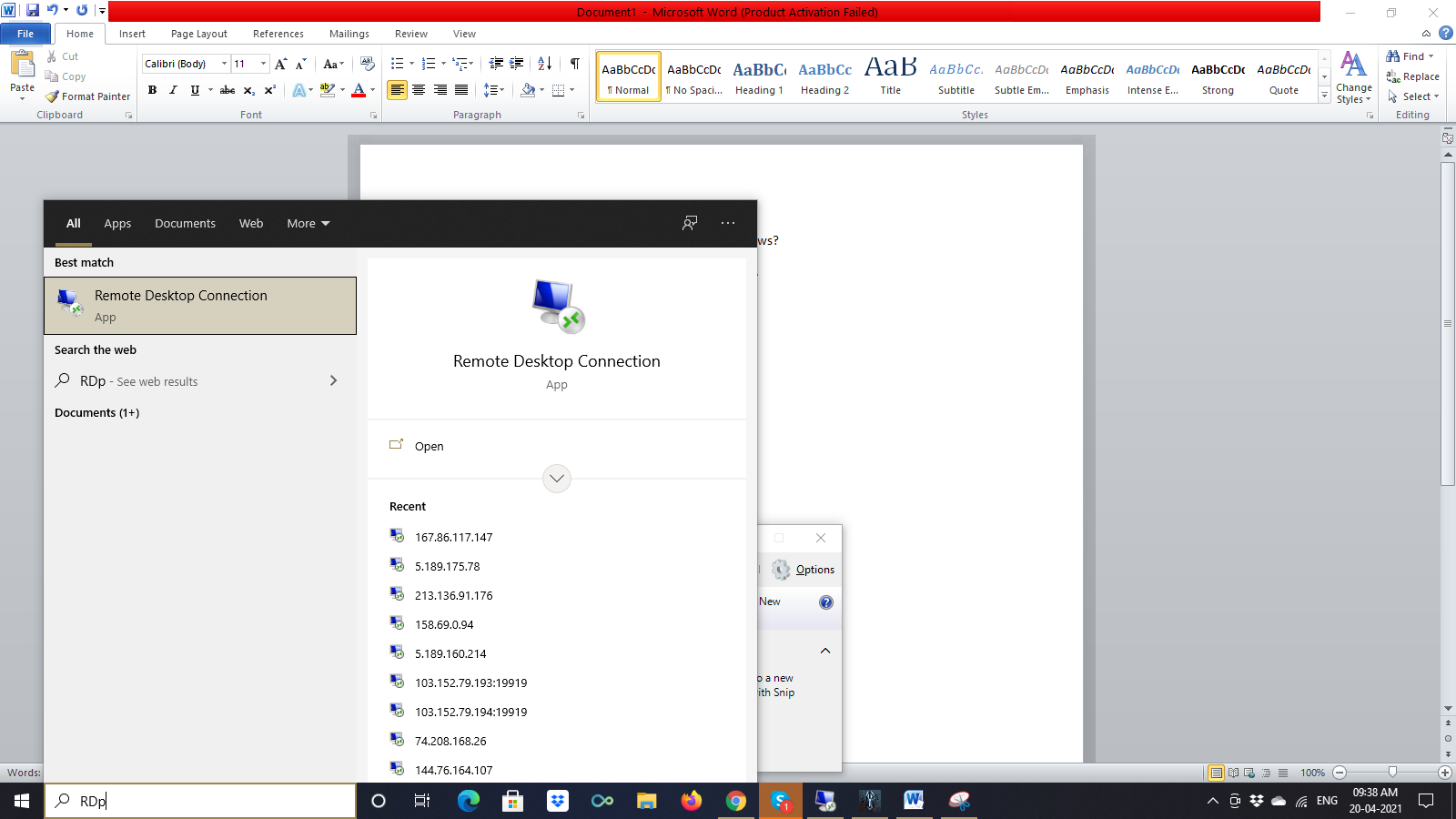
Open Remote Desktop Connection by clicking on Start -> Typing RDP -> Clicking on Remote Desktop Connection application.
Step -2:
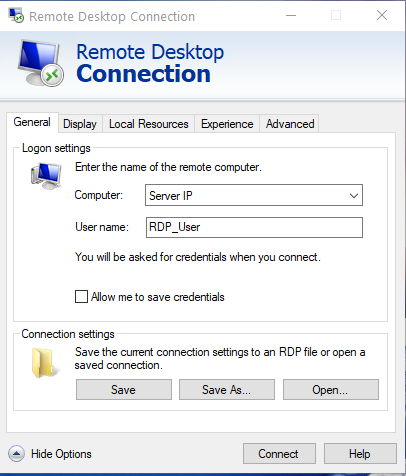
When the dialogue box opens, click on Show Options.
Step -3:
Under the General Tab, Enter the Server IP in the (Computer) tab and Username
Step -4:
Click on Connect. A dialogue box pops up.
Step -5:
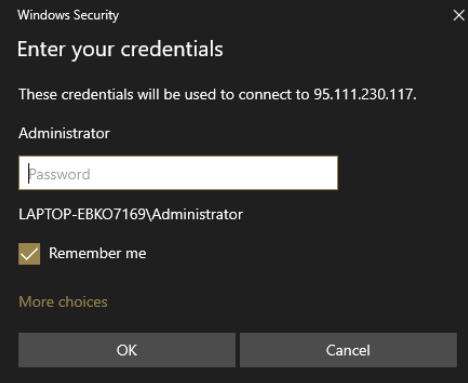
Enter the login details of the Windows VPS Server you wish to connect to.
Step -6:
Click on OK -> Click on Yes in the new Window that pops up
Step -7:
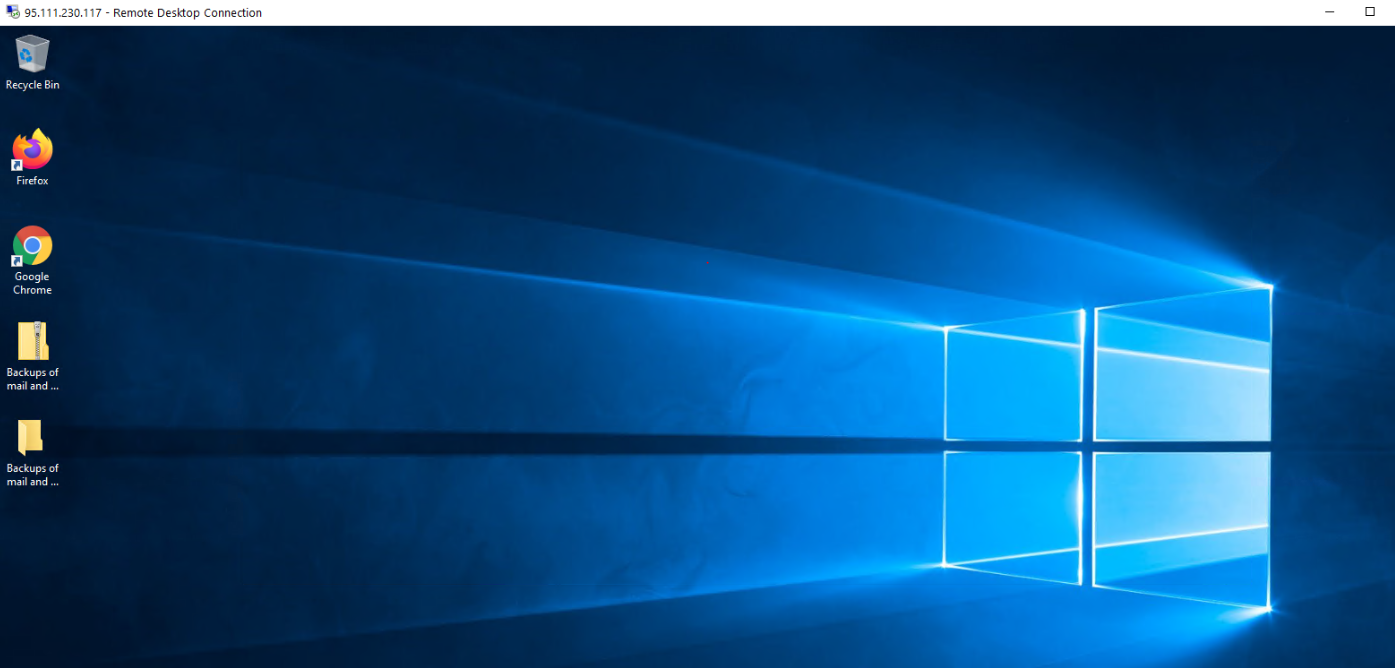
You are now connected to the Windows Server via RDP
Also read, How to install Web Platform Installer?
Note:
Your system should already be connected to the Windows VPS Server using Remote Desktop Connection (RDP) if you wish to access the Windows Server’s desktop. Also, make sure that your Internet connection is working properly.
Conclusion:
In this article, we have shown a quick guide explaining what RDP is and how you can use RDP to connect to a Windows Server.

Ajay Singh Raghav is a Senior Linux System Administrator at CloudMinister Technologies, where he has spent over 4 years installing, configuring, maintaining, and troubleshooting Linux servers for hosting and cloud environments. He specializes in AWS cloud computing alongside core Linux server administration, with hands-on expertise across server management, backup and restore systems, and cPanel-based hosting environments. His day-to-day experience keeping production servers stable and secure gives him a practical, ground-level understanding of the infrastructure he writes about.