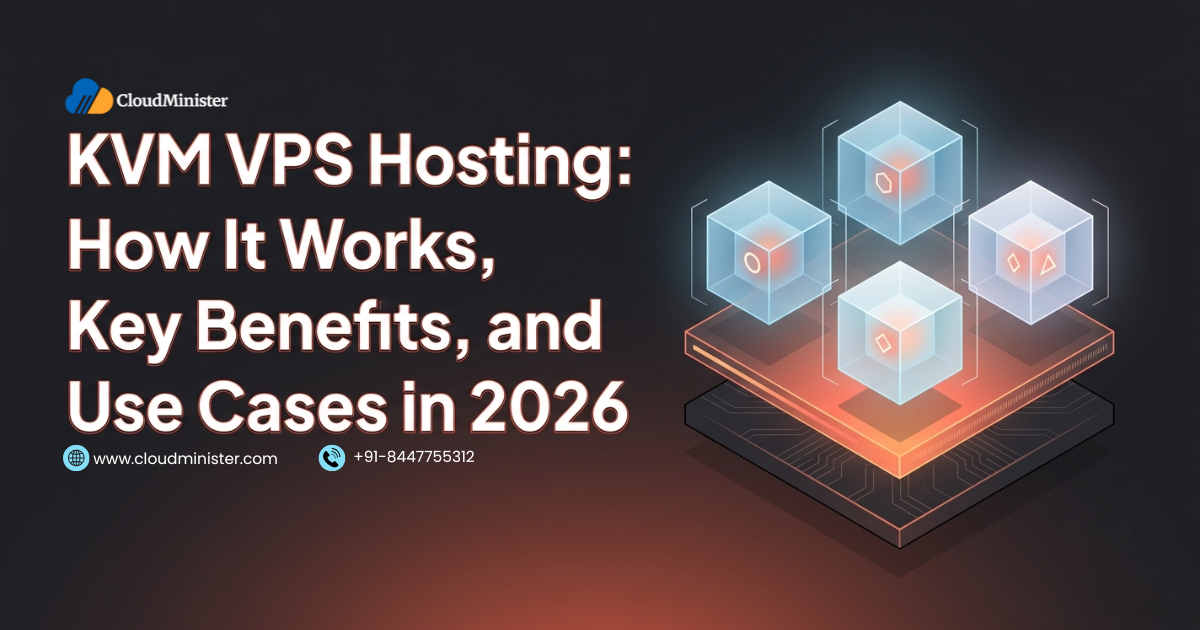
Choosing a virtual private server comes down to a question many buyers skip: what virtualization technology is actually running underneath the plan. Two offers can list identical vCPU, RAM, and disk numbers and still behave very differently, because one runs a full virtual machine while the other runs a container that shares the host kernel with every other customer. KVM VPS hosting belongs firmly to the first group, and it has become the standard approach for production virtual servers across the hosting industry.
KVM stands for Kernel-based Virtual Machine, a virtualization module that was merged into the mainline Linux kernel in 2007 and that turns Linux itself into a hypervisor. Every virtual server on a KVM VPS hosting platform receives its own kernel, its own virtual hardware, and its own operating system, which is why it can behave much like a small dedicated machine while sharing physical hardware with other tenants. That independence is the reason developers, agencies, and growing businesses keep choosing it over container-based alternatives.
This guide explains how KVM VPS hosting works at the architecture level, how it compares with OpenVZ, LXC, Xen, and Hyper-V, where it fits best, how to verify what you are actually buying, how to secure it, and how CloudMinister delivers VPS hosting from India with INR billing and round the clock local support. Explore CloudMinister VPS Hosting plans for current configurations and pricing.
What Is KVM VPS Hosting
KVM VPS hosting means renting a virtual private server that runs as a KVM virtual machine on a physical host. KVM is open-source virtualization infrastructure built into the Linux kernel, delivered mainly through the kvm kernel module plus a processor-specific module for Intel or AMD hardware. It requires a CPU with hardware virtualization extensions, which means Intel VT-x or AMD-V, and every modern server processor offers them. The official KVM project site documents the architecture and supported platforms in detail.
The kernel handles CPU and memory virtualization, while a user-space program called QEMU emulates the virtual devices a guest expects, such as disk controllers and network cards. The pairing is commonly written as QEMU and KVM. Each virtual machine appears on the host as an ordinary Linux process, and its virtual CPUs are threads that the standard Linux scheduler places on physical cores. This design lets KVM inherit the scheduling, memory management, and security work that the wider Linux kernel community already maintains.
Because KVM provides full virtualization, the guest operating system is unmodified and brings its own kernel. A KVM VPS hosting server can therefore run any major Linux distribution, Windows Server, or a BSD system, load custom kernel modules, and use features that depend on kernel control, such as WireGuard, advanced firewall rules, and container runtimes.
How KVM VPS Hosting Works Under the Hood
Understanding the layers behind KVM VPS hosting makes it much easier to judge plan quality and to troubleshoot performance. A typical stack looks like this from the bottom up:
- Physical hardware: a server with Intel VT-x or AMD-V, plus second-level address translation features known as EPT on Intel and NPT on AMD, which let the CPU translate guest memory addresses in hardware rather than in software
- Host Linux kernel with KVM: the kernel module that switches the CPU into guest mode, intercepts privileged operations, and keeps each virtual machine isolated from the others
- QEMU: the user-space process, one per virtual machine, that provides virtual disks, network cards, console devices, and firmware
- Management layer: libvirt or a hosting control panel that creates, starts, stops, snapshots, and resizes virtual machines on request, which is what customers actually interact with through a dashboard or API
- VirtIO drivers: paravirtualized disk and network drivers that let the guest talk to the host efficiently instead of driving slow emulated hardware. Linux kernels include them, while Windows guests need the VirtIO driver package installed
- Storage and network backends: virtual disks stored as raw files, LVM volumes, or on a distributed storage system, and virtual network interfaces attached to a software bridge or switch on the host
When a customer orders a KVM VPS hosting plan, the control panel selects a host with spare capacity, allocates storage, defines a virtual machine with the requested vCPU and memory, attaches a network interface, and boots an operating system image. From that moment the guest runs as if it were on real hardware, with its own bootloader, kernel, and init system.
KVM VPS Hosting vs OpenVZ, LXC, Xen, and Hyper-V
The virtualization technology determines what a VPS can and cannot do, so the comparison below matters more than most spec sheet numbers when evaluating KVM VPS hosting against alternatives.
- OpenVZ: container-based virtualization in which every container shares the host kernel. It allows very high density at a low price, but customers cannot load custom kernel modules, are limited to Linux guests, and often face restrictions on Docker and other features that depend on kernel control. OpenVZ is now largely a legacy choice for new deployments
- LXC and LXD style containers: lightweight Linux containers built on namespaces and control groups. They start quickly and use few resources, but like OpenVZ they share the host kernel, so isolation and flexibility are weaker than in full virtual machines
- Xen: a mature bare-metal hypervisor supporting both paravirtualized and fully virtualized guests. It offers strong isolation comparable to KVM, but it runs as a separate layer with its own management domain, whereas KVM is part of the standard Linux kernel and benefits from its broad driver and tooling support
- Microsoft Hyper-V: a hypervisor that integrates closely with Windows Server and is a natural fit for Windows-centric environments. Many organisations run both, and CloudMinister also provides Hyper-V support services for teams standardised on that platform
KVM has also been proven at very large scale. Public documentation from the major cloud providers describes compute platforms built on KVM-based technology, including the AWS Nitro system, which uses a lightweight hypervisor derived from core KVM technology, and Google Compute Engine.
Key Benefits of KVM VPS Hosting
The benefits below are the ones that hold up in practice. Where a commonly repeated claim needs qualification, that is noted directly so that expectations stay realistic.
Genuine Isolation With an Independent Kernel
The strongest argument for KVM VPS hosting is isolation. Each guest has its own kernel and its own memory space, enforced by CPU virtualization hardware, so a crashed kernel, a misconfigured firewall, or a runaway process inside one virtual machine does not take down its neighbours. This is a structural difference from container-based plans, where a kernel-level problem is shared by everyone on the host.
Freedom to Choose Any Operating System
Because the guest is a complete virtual machine, a KVM VPS hosting plan can run Ubuntu LTS, Debian, AlmaLinux, Rocky Linux, other Linux distributions, FreeBSD, or Windows Server. Many providers also let customers mount their own ISO image and install a custom system from scratch. Windows requires a valid Windows Server licence, which providers usually bundle into the plan price or bill separately.
Full Compatibility With Containers and Kernel Features
Docker, Podman, Kubernetes distributions such as k3s, WireGuard, custom kernel parameters, and eBPF tooling all work normally on a KVM guest because the guest controls its own kernel. This is the main reason DevOps teams avoid shared-kernel plans for container workloads. Where the host administrator enables nested virtualization, a guest can even run its own virtual machines, which is useful for testing and learning labs.
Consistent Performance, With One Important Qualification
Hardware-assisted virtualization keeps CPU and memory overhead low, and VirtIO drivers keep disk and network overhead modest, so well-run KVM VPS hosting delivers performance close to the underlying hardware for most workloads. The qualification is that the physical host is still shared. Reserved resources do not automatically mean a one-to-one mapping to physical cores, and how much a provider oversubscribes CPU determines how consistent that performance really is.
Flexible Scaling
A KVM VPS hosting server can be scaled vertically by moving to a larger plan with more vCPU, memory, or disk, and horizontally by adding more virtual servers behind a load balancer. One claim from older articles deserves correction: upgrades are not always instant or free of downtime. Disk expansion can often happen online, but changing vCPU or memory frequently requires a short restart, depending on how the provider configures hot-plug support and on guest operating system support.
A Mature Open-Source Ecosystem
KVM, QEMU, and libvirt are open source and are developed and reviewed by a very large community. There are no per-hypervisor licence fees, which keeps the cost base low for providers and therefore for customers, and a wide range of management tools, from commercial hosting panels to open-source platforms, already support it. For customers, this ecosystem means a KVM-based plan is unlikely to be a dead end if requirements change or if a migration to another KVM-based environment becomes necessary.
Resource Allocation and Overcommitment in KVM VPS Hosting
Marketing pages often describe VPS resources as dedicated, but the accurate picture is more nuanced. On KVM VPS hosting, memory and disk capacity are normally reserved per virtual machine, while CPU time and storage throughput are frequently shared in a controlled way. Understanding the difference helps explain why two plans with identical specifications can feel very different.
- CPU: each vCPU is a thread scheduled onto a physical core. Providers may allocate more vCPUs across all virtual machines than there are physical cores, a practice called overcommitment. Moderate overcommitment is normal and efficient, but heavy overcommitment causes CPU steal time, where your virtual machine is ready to run but the host is busy serving others
- Memory: RAM is usually allocated directly to the virtual machine. Some platforms use techniques such as memory ballooning or kernel same-page merging to improve density, so it is worth asking whether memory is fully reserved
- Storage: capacity is reserved, but throughput and operations per second may be limited per virtual machine or shared across a storage pool. NVMe-backed storage provides far higher headroom than SATA or spinning disks
The most useful number for customers is CPU steal time, shown as the st value in the top command or in monitoring tools. A KVM VPS hosting server that regularly shows steal time above a few percent during normal load is a sign that the host is oversubscribed. Checking this during a trial period gives far more insight than any specification table.
Performance Characteristics of KVM VPS Hosting
Raw performance on KVM VPS hosting depends on four things: the CPU generation and how it is presented to the guest, the storage backend, the network path, and the load on the host. Each is worth understanding before running a demanding workload.
- CPU model exposure: hosts can pass the real processor model through to the guest or present a generic model for compatibility. Passing the real model exposes newer instruction sets, such as AVX2, to applications that benefit from them, while a generic model can hide them. If an application depends on specific instruction sets, confirm them with the lscpu command after provisioning
- VirtIO drivers: disk and network performance on KVM depends heavily on VirtIO. Linux guests use it automatically, and Windows guests need the VirtIO driver package, without which disk and network performance is noticeably lower
- Storage type: NVMe SSD storage delivers much lower latency and higher input and output operations per second than SATA SSD. Database and application workloads feel this difference more than any CPU change
- Network latency: data centre location and routing often matter more than virtualization overhead. A server located near the users or the services it talks to will always beat a faster server that is far away
Security Model of KVM VPS Hosting
Security is a major reason businesses choose KVM VPS hosting over container-based plans. The isolation boundary between virtual machines is enforced by CPU hardware, and the guest cannot see the memory or processes of any other guest. The detailed interfaces are described in the Linux kernel documentation for the KVM API, which is useful reading for administrators who want to understand the boundary precisely.
No isolation technology is perfect. The most exposed component is usually the device emulation code in QEMU, which is why mature providers run QEMU as an unprivileged process, confine it with SELinux or AppArmor profiles, and apply seccomp sandboxing. Hypervisor escape vulnerabilities are rare, but they have been found in virtual device code in the past, so prompt host patching is an important part of a provider security programme.
Responsibility is shared. The provider secures the host, the hypervisor, and the physical network. The customer secures everything inside the guest, which means a KVM server is only as secure as its operating system configuration. The first-hour checklist later in this guide covers the essential hardening steps.
Networks exposed to the internet also face volumetric attacks that no guest configuration can absorb. Upstream mitigation, such as the DDoS protection services CloudMinister provides, and broader cyber security services, complement guest-level hardening for public-facing workloads.
Use Cases of KVM VPS Hosting
KVM VPS hosting suits a wide range of workloads. The following use cases are the most common, along with the specific reasons KVM fits each one.
Business Websites and E-Commerce
A production website or online store benefits from reserved memory, predictable CPU, and the freedom to tune the web stack. Teams can run Nginx or Apache, PHP-FPM, a database, and an object cache such as Redis on the same server, size each component deliberately, and keep the environment isolated from other tenants. For WordPress and WooCommerce sites, moving from shared hosting to a KVM virtual server typically removes the resource throttling that causes slow checkout pages during busy periods.
Development, Staging, and Container Workloads
Developers need root access, the ability to install any runtime, and compatibility with Docker and Kubernetes. A KVM virtual server provides all three. It also works well for continuous integration runners, staging environments that mirror production, and self-hosted tools. Teams that want help automating deployments can combine a VPS with DevOps services for pipeline design and management.
Databases and Caching Layers
MySQL, MariaDB, PostgreSQL, MongoDB, and Redis run well on KVM virtual servers when the plan has enough memory and NVMe-class storage. Database performance depends on storage latency and available RAM far more than on raw CPU, so sizing memory first and confirming the storage type are the most important decisions.
Game Servers
Game servers for titles such as Minecraft need strong single-thread CPU performance, stable network latency, and protection against attacks. A KVM plan with a modern high-frequency processor and upstream DDoS mitigation suits community and private servers well.
Reseller Hosting and SaaS Platforms
Agencies and software vendors that serve many customers need strong tenant separation. Running each client or each environment in its own virtual machine on a KVM platform limits the blast radius of mistakes and compromises. Businesses that want a ready-made control panel setup can also look at Linux reseller hosting, which suits hosting multiple client websites without managing the underlying server directly.
VPN and Private Network Services
A self-hosted VPN using WireGuard or OpenVPN gives a team full control over remote access to internal systems, without relying on a third-party provider for traffic handling. Because a KVM guest has its own kernel, WireGuard and similar kernel-integrated tools work without restriction. Use of VPN services is subject to local law, so businesses should confirm what is permitted in the jurisdictions they operate in.
Windows Workloads and Trading Platforms
Because KVM runs Windows as a full guest, KVM VPS hosting is a common platform for Windows-only business applications, remote desktop environments, and automated trading terminals that must stay online around the clock. CloudMinister offers Windows VPS Server plans for these needs, and a dedicated Forex VPS hosting option for traders running automated strategies.
How to Verify You Are Getting Real KVM VPS Hosting
Some providers describe plans loosely, so it is worth confirming the virtualization type after provisioning. These checks take a few minutes and work on most Linux guests:
- systemd-detect-virt: this command prints the detected virtualization type. On a genuine KVM VPS hosting server it returns kvm, while container-based systems return values such as openvz or lxc
- lscpu: the output lists the hypervisor vendor as KVM and the virtualization type as full on a KVM guest
- Kernel control: on KVM you can install a different kernel or load additional kernel modules. A container-based plan blocks both because the kernel belongs to the host
- Steal time: watch the st value in top during normal load to judge how heavily the host is shared
How to Choose a KVM VPS Hosting Provider
A careful evaluation of a KVM VPS hosting provider looks past headline price to the details that determine day-to-day experience.
- Stated virtualization type: the provider should state KVM clearly on the plan page, not only describe the product as a VPS
- Hardware generation and storage: look for modern processors and NVMe storage, and ask what storage input and output limits apply to each plan
- Overcommitment policy: providers that are transparent about CPU allocation, and that monitor steal time on hosts, generally deliver more consistent performance
- Network quality: check port speed, IPv6 availability, DDoS mitigation, and whether additional IP addresses can be added
- Data centre location: pick a region close to your users or to the systems your server connects to, since distance affects latency more than any other factor
Setting Up and Managing a New KVM VPS Hosting Server
The first hour after provisioning a KVM VPS hosting server sets the foundation for its security and stability. A sensible sequence is:
- Update the system: apply all pending operating system updates before installing anything else
- Create a regular user: add a non-root user with sudo rights for daily administration
- Secure SSH: install your public key, test key-based login, then disable password authentication and direct root login
- Enable a firewall: allow only SSH and the ports your applications use, and deny everything else by default
- Turn on automatic security updates: this narrows the exposure window for newly disclosed vulnerabilities
- Set up monitoring and alerts: track CPU, memory, disk, steal time, and service uptime so that problems are noticed before users report them
- Schedule backups: combine provider snapshots with off-host backups, and test a restore at least once
Common Mistakes With KVM VPS Hosting
A handful of recurring mistakes cause most disappointment with KVM VPS hosting, and almost all are avoidable.
- Choosing on price alone: the cheapest plan often reflects the highest overcommitment or the slowest storage, which shows up as inconsistent performance under load
- Assuming dedicated means exclusive: reserved memory and disk do not guarantee exclusive CPU cores, so ignoring steal time can hide a noisy host
- Not verifying the virtualization type: a few minutes with systemd-detect-virt confirms what was actually delivered
- Treating snapshots as backups: a snapshot stored on the same host disappears with that host, so off-host backups are still necessary
Who Benefits Most From KVM VPS Hosting and When It Is Not the Right Fit
KVM VPS hosting is a strong fit for growing businesses, developers, agencies, and any workload that needs its own kernel and operating system. It is not automatically the best answer for every project, so it helps to see where other models fit better:
- Best fit: production websites and stores that have outgrown shared hosting, container and DevOps workloads, databases, Windows applications, game servers, private VPNs, and multi-client environments
- Consider a dedicated server instead: when you need guaranteed single-tenant hardware, very high sustained disk or network throughput, or compliance rules that require physical isolation. See dedicated server hosting for that tier
- Consider cloud hosting instead: when traffic is highly variable and automatic elastic scaling matters more than a fixed monthly cost. See cloud hosting for that model
Conclusion
KVM VPS hosting earns its place as the default virtual server technology by combining three things that matter in production: genuine isolation through an independent kernel, freedom to run any operating system and any kernel-dependent tool, and performance that stays close to the underlying hardware when the host is well managed. Those strengths explain why large cloud platforms and hosting companies alike have built on KVM, and why developers moving away from container-based plans rarely look back.
At the same time, a realistic view of KVM VPS hosting avoids the exaggerations that appear in much marketing. Resources are reserved, not magically exclusive, and CPU overcommitment can still affect consistency. Upgrades are quick but not always instant, and a restart may be needed. Security is strong at the isolation boundary, yet a server remains only as safe as its guest configuration. Customers who understand these points choose better plans, measure them properly, and operate them with fewer surprises.
The practical path is straightforward. Confirm that a plan genuinely uses KVM, check steal time and storage performance during a trial, secure SSH and the firewall on day one, keep off-host backups, and size memory with room to grow. For workloads that outgrow a virtual server, a dedicated machine or a cloud platform is the natural next step, and a good provider will help plan that move rather than lock a customer into a plan that no longer fits.
For Indian businesses, CloudMinister delivers KVM-based VPS hosting with INR billing and round the clock India-local support, covering both Linux and Windows workloads. Whether the goal is a faster website, a container platform, a database server, or a stable Windows environment, evaluating KVM VPS hosting against your actual workload, rather than against price alone, is the most reliable way to choose infrastructure that still fits a year from now. Explore CloudMinister VPS Hosting plans or contact the team at cloudminister.com/contact/ to find the right configuration.
Frequently Asked Questions
What is KVM VPS hosting and how does it differ from a regular VPS?
A KVM virtual private server runs as a full virtual machine under the Kernel-based Virtual Machine hypervisor built into Linux. Each server has its own kernel, virtual hardware, and operating system, with CPU, memory, and storage reserved for it. A container-based VPS, by contrast, shares the host kernel with other customers, which limits customisation and weakens isolation.
Is KVM VPS hosting better than OpenVZ?
For most modern workloads, yes. KVM offers stronger isolation, supports any operating system including Windows, allows custom kernel modules, and works fully with Docker and Kubernetes. OpenVZ can be cheaper because providers can pack more containers onto one host, but it shares the host kernel and restricts features that depend on kernel control.
Can I run Docker and Kubernetes on KVM VPS hosting?
Yes. Because a KVM guest runs its own kernel, Docker, Podman, and Kubernetes distributions such as k3s work without the restrictions that shared-kernel plans impose.
Are the resources on KVM VPS hosting truly dedicated?
Memory and disk capacity are normally reserved for each virtual machine, but CPU time and storage throughput are often shared in a controlled way. Providers may allocate more vCPUs than there are physical cores, so consistency depends on how conservatively the host is managed.
Can I upgrade a KVM VPS hosting plan without downtime?
Sometimes. Disk expansion can often be done online, but changing vCPU or memory frequently requires a short restart, depending on how the provider configures hot-plug support and on the guest operating system.
Can I run Windows on KVM VPS hosting?
Yes. KVM supports Windows Server as a full guest. A valid Windows licence is required, and installing the VirtIO driver package improves disk and network performance. CloudMinister offers Windows VPS Server plans for Windows-native applications and remote desktop access.
How do I confirm that my VPS is really running on KVM?
On a Linux guest, run the systemd-detect-virt command, which prints kvm on a KVM virtual machine, or run lscpu and check that the hypervisor vendor is listed as KVM with full virtualization. You can also try installing a different kernel or loading a kernel module. Container-based plans block both, because the kernel belongs to the host.
Does CloudMinister offer KVM VPS hosting in India?
Yes. CloudMinister provides VPS hosting built on KVM virtualization with INR billing and round the clock India-local support. Options include Linux VPS Server and Windows VPS Server plans, along with the broader VPS Hosting range. Contact the team at cloudminister.com/contact/ to confirm current specifications and choose the right plan.

Ajay Singh Raghav is a Senior Linux System Administrator at CloudMinister Technologies, where he has spent over 4 years installing, configuring, maintaining, and troubleshooting Linux servers for hosting and cloud environments. He specializes in AWS cloud computing alongside core Linux server administration, with hands-on expertise across server management, backup and restore systems, and cPanel-based hosting environments. His day-to-day experience keeping production servers stable and secure gives him a practical, ground-level understanding of the infrastructure he writes about.