This step-by-step guide covers the complete process to self-host n8n on a VPS using Docker — from server provisioning and Docker installation to Nginx reverse proxy setup, SSL certificates, PostgreSQL configuration, automated backups, and production hardening. Whether you are a developer, a startup founder, or an infrastructure lead in India, this guide provides every command you need, verified for 2026 environments. We also address DPDP Act 2023 data residency considerations and what to evaluate in a VPS provider before committing.
Workflow automation has become a core infrastructure requirement for businesses that want to scale without proportionally scaling headcount. In 2026, one platform sits at the intersection of power, flexibility, and total cost efficiency: n8n. The question most deployment tutorials skip — where should n8n live, and who controls it — turns out to be equally important.
For a growing majority of technical teams in India, the answer is: on your own server. n8n VPS hosting India has emerged as the dominant deployment model for teams that require full data control, predictable costs, and complete freedom from vendor pricing models. And the mechanism that makes this practical at any scale is Docker.
This guide is written for decision-makers and infrastructure leads who are ready to move beyond n8n Cloud or overcrowded shared environments, and want a production-grade instance running within 30 minutes. Every command in this guide has been verified for 2026 infrastructure environments.
Related: What is n8n? A Beginner’s Guide to the No-Code Workflow Automation Tool
1. Why Self-Hosting n8n in 2026 Makes Business Sense
Before touching a terminal, it is worth establishing precisely why the decision to self-host n8n is the right one for a specific class of business — and why that class is expanding rapidly. https://www.yipitdata.com/resources/blog/n8n-vs-zapier-workflow-automation According to YipitData’s 2026 B2B spend analysis tracking 1,300+ mid-market and enterprise companies
According to YipitData’s 2026 B2B spend analysis tracking 1,300+ mid-market and enterprise companies, n8n has grown its mid-market customer base more than 10x year over year, with month-over-month customer count growth of 14% between December 2025 and January 2026. That growth is concentrated in self-hosted deployments on VPS infrastructure that businesses own and configure end-to-end — not in n8n Cloud.
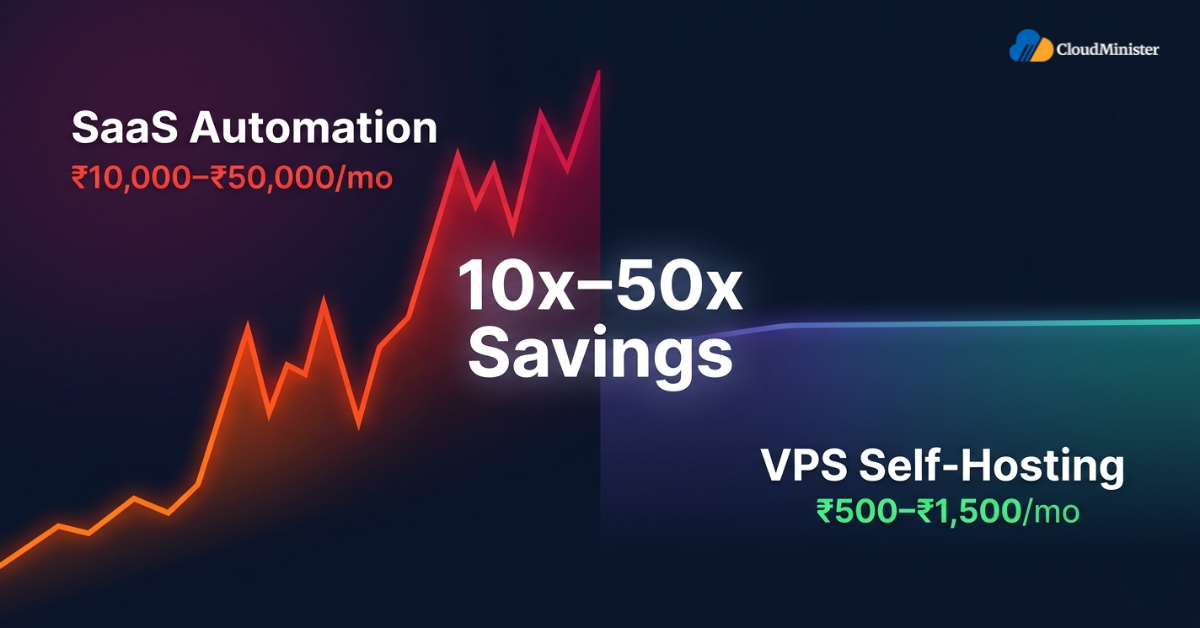
The economics are straightforward. A self-hosted instance running on a well-specified VPS in India costs between ₹500 and ₹1,500 per month depending on the resource tier. The equivalent execution volume on n8n Cloud or comparable SaaS automation platforms can cost ten to fifty times more as workflow complexity increases. For businesses running hundreds of workflow executions daily, that differential compounds into substantial operational savings within a single financial quarter.
Beyond cost, the data sovereignty argument has become concrete. n8n self hosting in India means your workflow execution data, credentials, and logs remain on infrastructure you control. n8n self hosting in India means your workflow execution data, credentials, and logs remain on infrastructure you control. However, data sent to external APIs or third-party services as part of workflow actions will still leave your server — as is the case with any automation platform. For Indian businesses processing personal data under the DPDP Act 2023, maintaining control over your core infrastructure is an increasingly standard compliance posture.
Shared automation platforms also impose rate limits and latency ceilings that become visible only when your volumes scale past a threshold. When you self-host n8n on a dedicated VPS, you eliminate n8n’s own platform-level execution limits. Rate limits imposed by external APIs your workflows call will still apply, and latency will depend on your VPS specifications and network quality. You scale the server on your own terms and timeline.
For Indian businesses evaluating automation infrastructure, the total cost of ownership analysis must include three variables: the monthly server cost, internal engineering time to manage the instance, and the compliance overhead of storing workflow execution data on third-party infrastructure. When all three are calculated honestly, running n8n on a managed VPS typically delivers the best outcome — especially when that provider handles OS-level maintenance, Docker management, and security patching as part of the engagement.
2. What You Need Before You Start
This guide assumes a fresh Ubuntu VPS. Confirm the following prerequisites before running any command.
2.1 Server Requirements
| Resource | Minimum | Recommended (Production) |
| vCPU | 1 core | 2–4 cores |
| RAM | 1 GB | 2–4 GB |
| Storage | 20 GB SSD | 40–80 GB NVMe SSD |
| Operating System | Ubuntu 22.04 LTS | Ubuntu 22.04 / 24.04 LTS |
| Network | Public IP address | Dedicated IP with reverse DNS |
2.2 Access Requirements
- Root or sudo SSH access to your VPS
- A registered domain or subdomain pointed to your server IP — e.g., n8n.yourdomain.com
- DNS A record propagated to your server’s public IP
- Ports 80 and 443 open in your server’s firewall
When selecting a server for n8n VPS hosting India, prioritise providers with data centres physically located in India. This reduces webhook latency for workflows integrating with Indian SaaS tools and APIs, and simplifies your data residency posture under the DPDP Act 2023. A reliable hosting service provider in India with India-based infrastructure and managed support tiers will save significant engineering time compared to self-managing a bare VPS on a global hyperscaler where support timezones and response times rarely align with Indian business hours.
Related: Best Server Setup and Security Practices for Hosting n8n Workflows
3. The 30-Minute Setup: Step-by-Step
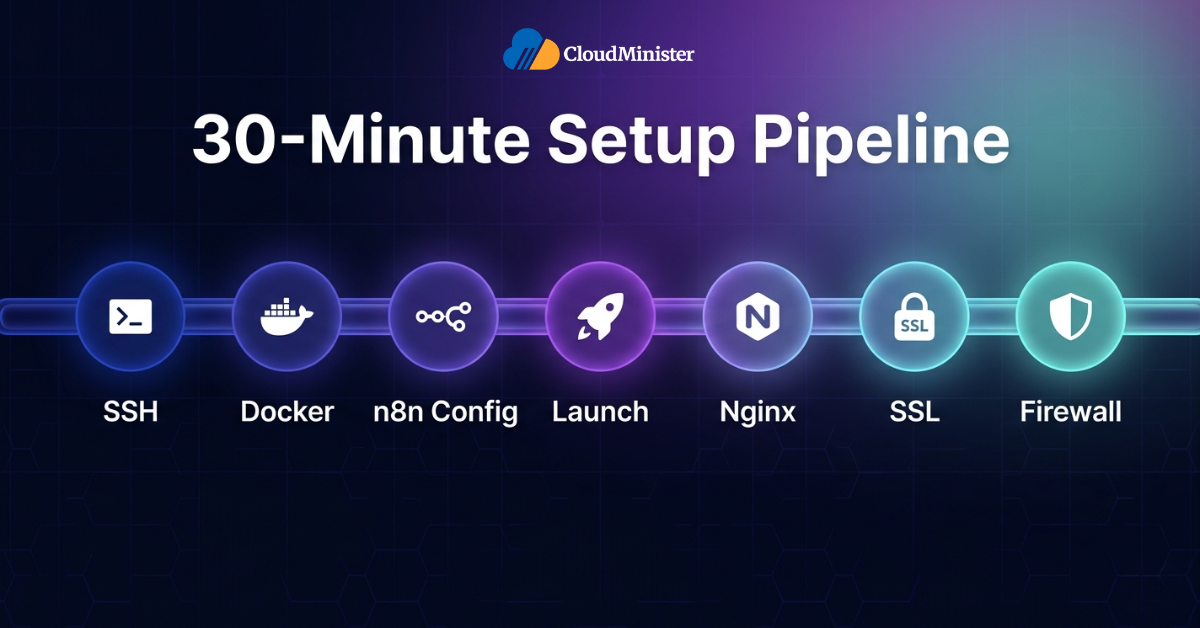
The steps below take a clean Ubuntu VPS to a fully operational, SSL-secured self-host n8n instance accessible via your custom domain. For a practised engineer the total clock time is 15–25 minutes; for first-time deployments, plan 30–45 minutes to verify each stage carefully.
Step 1: Connect to Your VPS and Update the System
SSH into your server:
ssh root@YOUR_SERVER_IP Update the package list and upgrade installed packages:
apt update && apt upgrade -y This ensures the server is running the latest security patches before any software is installed. On a freshly provisioned VPS, this step takes 2–5 minutes depending on the number of pending updates.
Step 2: Install Docker and Docker Compose
Docker is the containerisation layer that makes self-host n8n reliable, reproducible, and straightforward to update. Install Docker using the official convenience script:
curl -fsSL https://get.docker.com -o get-docker.sh
sh get-docker.sh
Verify Docker is running correctly:
docker --version
docker run hello-world
Docker Compose v2 is bundled with recent Docker Engine releases. Confirm it is available:
docker compose version If your Ubuntu version ships with Docker Compose v1 as a separate package, install v2 explicitly:
apt install docker-compose-plugin -y As of 2026, Docker Compose v2 is the standard. The docker-compose (hyphenated) command is the legacy v1 CLI. All commands in this guide use docker compose (space-separated v2 syntax). If you are working on a legacy server environment, substitute the command accordingly — but migration to v2 is strongly recommended for all production deployments.
Step 3: Create the n8n Directory and Configuration File
Create a dedicated directory for your deployment:
mkdir -p /opt/n8n && cd /opt/n8n Create the docker-compose.yml file that controls your n8n container, environment variables, and data persistence:
nano docker-compose.yml Paste the following configuration, replacing the placeholder values with your own:
services:
  n8n:
    image: n8nio/n8n:latest
    container_name: n8n
    restart: unless-stopped
    ports:
      - "5678:5678"
    environment:
      - N8N_HOST=n8n.yourdomain.com
      - N8N_PORT=5678
      - N8N_PROTOCOL=https
      - NODE_ENV=production
      - WEBHOOK_URL=https://n8n.yourdomain.com/
      - N8N_ENCRYPTION_KEY=your_strong_random_encryption_key_here
      - GENERIC_TIMEZONE=Asia/Kolkata
      - TZ=Asia/Kolkata
    volumes:
      - n8n_data:/home/node/.n8n

volumes:
n8n_data: From n8n v1.0+, basic authentication via environment variables (N8N_BASIC_AUTH_ACTIVE) is deprecated. Use n8n’s built-in user management instead — configure your admin account on first login via the setup wizard.
The N8N_ENCRYPTION_KEY encrypts all stored credentials in your n8n database. Generate a strong random key using openssl rand -hex 32 and store it securely — in a password manager or secrets vault. If this key is lost or changed after workflows are created, all stored credentials become permanently irrecoverable and must be re-entered manually. Never commit this value to any source repository. Use a .env file (add to .gitignore) and reference it as ${N8N_ENCRYPTION_KEY} in docker-compose.yml.
Step 4: Start n8n with Docker Compose
Launch the n8n container in detached mode:
docker compose up -d Verify the container is running and review initial logs:
docker ps
docker logs n8n --tail 30
At this point n8n is running on port 5678. You can verify the service is operational at http://YOUR_SERVER_IP:5678 temporarily — but do not leave it exposed on raw HTTP in production. The next two steps add a reverse proxy and SSL certificate.
Step 5: Install and Configure Nginx as a Reverse Proxy
Install Nginx:
apt install nginx -y Create a server block for your n8n subdomain:
nano /etc/nginx/sites-available/n8nPaste the following configuration:
server {
    listen 80;
    server_name n8n.yourdomain.com;

    location / {
        proxy_pass http://localhost:5678;
        proxy_http_version 1.1;
        proxy_set_header Upgrade $http_upgrade;
        proxy_set_header Connection "upgrade";
        proxy_set_header Host $host;
        proxy_set_header X-Real-IP $remote_addr;
        proxy_set_header X-Forwarded-For $proxy_add_x_forwarded_for;
        proxy_set_header X-Forwarded-Proto $scheme;
        proxy_buffering off;
        proxy_read_timeout 300s;
        chunked_transfer_encoding on;
    }
}
Enable the site, test, and reload Nginx:
ln -s /etc/nginx/sites-available/n8n /etc/nginx/sites-enabled/
nginx -t
systemctl reload nginx
Step 6: Install a Free SSL Certificate with Certbot
Install Certbot and the Nginx plugin:
apt install certbot python3-certbot-nginx -y Issue the certificate for your domain:
certbot --nginx -d n8n.yourdomain.com Certbot automatically modifies your Nginx configuration to handle HTTPS and redirect HTTP traffic. Provide a valid email address when prompted and accept the terms of service.
Verify auto-renewal is configured:
systemctl status certbot.timer
certbot renew --dry-runLet’s Encrypt certificates expire every 90 days. The Certbot timer handles automatic renewal — but only if ports 80 and 443 remain accessible at renewal time. If you restrict port 80 after initial setup, the HTTP-01 challenge will fail. In environments where port 80 must be closed, configure a DNS-01 challenge instead.
Step 7: Configure UFW Firewall Rules
Restrict exposed ports to the minimum required. Use rate limiting on SSH to protect against brute-force attacks:
ufw limit OpenSSH
ufw allow 'Nginx Full'
ufw enable
ufw status verbose
This allows SSH (rate-limited), HTTP (port 80 for Certbot renewals), and HTTPS (port 443). Port 5678 — the n8n application port — is deliberately not exposed; all external traffic routes through Nginx. This is the required production configuration, not an optional hardening step.
4. Verifying Your n8n Instance
Navigate to https://n8n.yourdomain.com in a browser. You should see the n8n setup wizard. Before treating the instance as production-ready, work through this checklist:
- HTTPS padlock visible — certificate issued by Let’s Encrypt
- Admin account created via n8n setup wizard (not via basic auth env vars)
- Timezone displays as Asia/Kolkata in workflow execution logs
- A test webhook trigger successfully receives and processes a payload
- Docker container restarts automatically after a server reboot
- Workflows persist across container restarts — create one, restart the container, confirm it is still present
Related: n8n vs Zapier vs Make (Integromat): Which Workflow Automation Tool Is Right for You?
5. Production Hardening: What Most Tutorials Skip
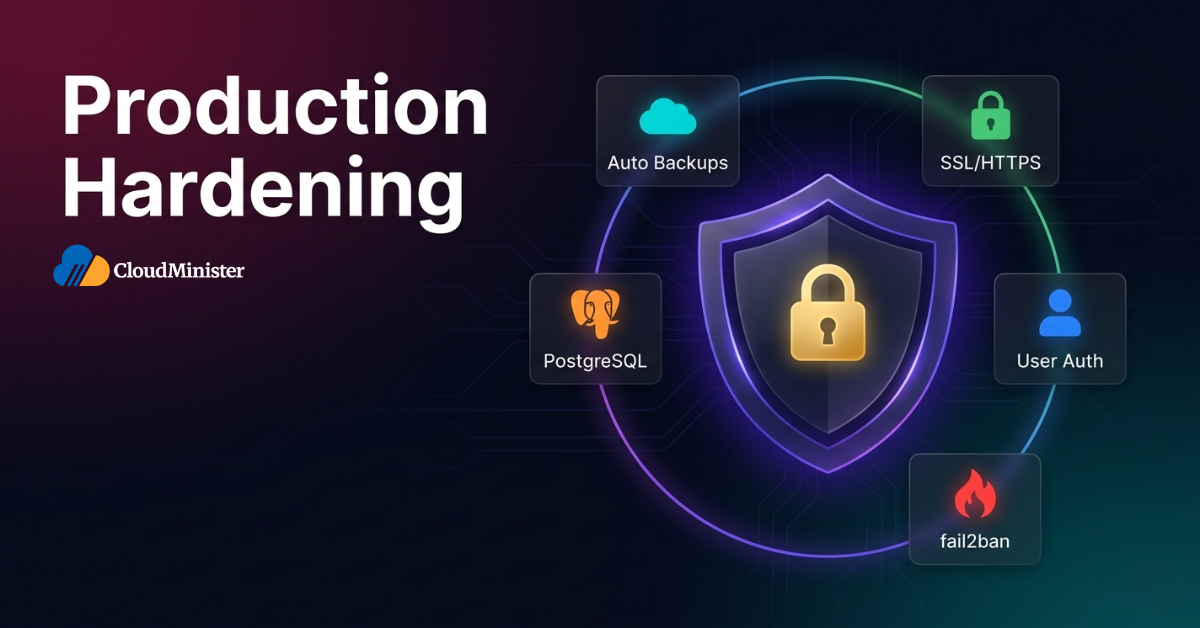
Getting n8n running is the easy part. Getting it running safely and reliably for real business workflows requires a second configuration layer that most quick-start guides omit. If your intent is to self-host n8n for production use, the steps in this section are the operational baseline — not optional improvements.
5.1 Switch to PostgreSQL
By default, n8n uses SQLite — adequate for development but unsuitable for production workloads with concurrent workflow executions. Switch to PostgreSQL before your instance handles real traffic.
Update your docker-compose.yml to add a PostgreSQL service alongside n8n:
services:
  postgres:
    image: postgres:16
    container_name: n8n_postgres
    restart: unless-stopped
    environment:
      - POSTGRES_USER=n8n
      - POSTGRES_PASSWORD=${POSTGRES_PASSWORD}
      - POSTGRES_DB=n8n
    volumes:
      - postgres_data:/var/lib/postgresql/data
    deploy:
      resources:
        limits:
          memory: 512M
        reservations:
          mem_reservation: 256m

  n8n:
    image: n8nio/n8n:latest
    container_name: n8n
    restart: unless-stopped
    depends_on:
      - postgres
    ports:
      - "5678:5678"
    environment:
      - N8N_HOST=n8n.yourdomain.com
      - N8N_PORT=5678
      - N8N_PROTOCOL=https
      - NODE_ENV=production
      - WEBHOOK_URL=https://n8n.yourdomain.com/
      - N8N_ENCRYPTION_KEY=${N8N_ENCRYPTION_KEY}
      - GENERIC_TIMEZONE=Asia/Kolkata
      - TZ=Asia/Kolkata
      - DB_TYPE=postgresdb
      - DB_POSTGRESDB_HOST=postgres
      - DB_POSTGRESDB_PORT=5432
      - DB_POSTGRESDB_DATABASE=n8n
      - DB_POSTGRESDB_USER=n8n
      - DB_POSTGRESDB_PASSWORD=${POSTGRES_PASSWORD}
    volumes:
      - n8n_data:/home/node/.n8n

volumes:
  n8n_data:
  postgres_data:
Apply the updated configuration:
docker compose down
docker compose up -d
5.2 Automate Daily Backups with Offsite Sync
Workflow definitions, credentials, and execution history live in the PostgreSQL database and the n8n_data Docker volume. Both require automated, regularly verified backups. Create a daily dump script at /opt/n8n/backup.sh:
#!/bin/bash
BACKUP_DIR="/opt/n8n/backups"
DATE=$(date +%Y%m%d_%H%M%S)
mkdir -p "$BACKUP_DIR"

docker exec n8n_postgres pg_dump -U n8n n8n \
  | gzip > "$BACKUP_DIR/n8n_db_$DATE.sql.gz"

# Sync to remote object storage (replace with your bucket)
rclone copy "$BACKUP_DIR/n8n_db_$DATE.sql.gz" remote:n8n-backups/

# Keep only the last 7 days locally
find "$BACKUP_DIR" -name "*.sql.gz" -mtime +7 -delete

echo "Backup completed: n8n_db_$DATE.sql.gz"
Make it executable and schedule it with cron:
chmod +x /opt/n8n/backup.sh
crontab -e
# Add the following line:
0 2 * * * /opt/n8n/backup.sh >> /var/log/n8n_backup.log 2>&1
5.3 Configure an Error Workflow
In n8n, navigate to Settings → Error Workflow and connect a workflow that fires whenever any other workflow encounters an unhandled error. A minimal error workflow should send an alert to Slack or email with the workflow name, error message, and execution ID. Without this, failed automations remain invisible until someone notices missing data — which is especially damaging for business-critical integrations.
5.4 Enable User Management
n8n supports multi-user access with role-based permissions. From n8n v1.0+, this is managed via Settings → Users — invite additional users with member or owner roles. This replaces the deprecated basic auth environment variables. Shared passwords are both a security and audit liability in any production environment.
5.5 Install fail2ban for Brute-Force Protection
fail2ban monitors authentication logs and automatically bans IPs with repeated failed login attempts. Install and enable it:
apt install fail2ban -y
systemctl enable fail2ban
systemctl start fail2ban
The default configuration protects SSH. For n8n login protection, configure a custom jail targeting Nginx access logs.
Don’t Want to Handle the Setup Yourself?
Get a fully configured, production-ready n8n instance on India-based VPS infrastructure — with SSL, PostgreSQL, backups, and 24/7 monitoring already handled for you.
Never expose your n8n instance on port 5678 directly to the internet without Nginx and HTTPS in front of it. Raw HTTP transmits your authentication credentials in base64-encoded plaintext — trivially reversible with any basic decoding tool. Beyond credentials, unencrypted n8n traffic exposes workflow payloads that frequently contain API keys, OAuth tokens, and customer data. The Nginx and Certbot configuration in Steps 5 and 6 is the minimum acceptable production security posture.
6. Keeping Your Instance Updated
n8n releases updates frequently — minor versions for bug fixes and security patches, major versions for new features. The update process for a Dockerised n8n deployment is straightforward but requires care in production environments.
Pull the latest image and recreate the container:
cd /opt/n8n
docker compose pull
docker compose down
docker compose up -d
Always review the n8n changelog at docs.n8n.io/release-notes/ before upgrading in production. Major versions may include database migrations that are irreversible. Take a full PostgreSQL backup immediately before any major version upgrade.
Pin your n8n image to a specific version tag in production rather than using latest. For example: image: n8nio/n8n:1.x.x. This prevents unintended upgrades when containers are recreated and gives you full control over when version changes take effect. Reserve latest for development and staging environments.
7. Monitoring Your Deployment
A production self-hosted n8n instance running business-critical workflows needs observability infrastructure — not just container logs.
7.1 Container Health Checks
Add a health check to your n8n service in docker-compose.yml:
healthcheck:
  test: ["CMD", "wget", "--spider", "-q", "http://localhost:5678/healthz"]
  interval: 30s
  timeout: 10s
  retries: 3
  start_period: 30s
Monitor container status at any time:
docker ps --filter name=n8n
docker stats n8n --no-stream
7.2 Application Log Management
Tail live application logs:
docker logs n8n -f --tail 100 For persistent log storage with automatic rotation, configure Docker’s logging driver in the n8n service block:
logging:

  driver: "json-file"

  options:

    max-size: "50m"

    max-file: "5"
7.3 Server-Level Monitoring
Install htop for real-time resource visibility. For production environments handling high workflow volumes, integrating a centralised monitoring stack is essential. Teams that want monitoring without managing the monitoring infrastructure should evaluate whether Server Management Services India from a qualified provider can cover continuous server observability, alerting, and incident response — eliminating that overhead from your engineering team entirely.
8. Why India-Based n8n Deployments Are Growing in 2026
n8n self hosting in India has evolved from a niche developer practice into a mainstream infrastructure decision for Indian technology companies. The drivers are specific to the Indian market context and worth understanding before finalising your deployment architecture.
As of early 2026, n8n has surpassed 230,000 active global users, with the total number of active deployments significantly higher due to Docker-based self-hosted instances that operate without any registration. India accounts for a fast-growing share of those deployments, driven primarily by the cost efficiency of VPS-based automation compared to SaaS automation pricing denominated in US dollars.

8.1 Data Sovereignty Under DPDP Act 2023
India’s Digital Personal Data Protection Act 2023 places specific obligations on businesses processing personal data of Indian citizens. When your n8n workflows process customer PII — names, contact details, transaction records — keeping that data on India-based infrastructure simplifies compliance documentation significantly.
While the DPDP Act 2023 does not impose a blanket data localisation requirement, hosting on India-based infrastructure reduces cross-border transfer complexity and supports a stronger compliance posture as the regulatory rules continue to evolve. Your workflow execution data, credentials, and logs remain within domestic infrastructure, which simplifies compliance documentation significantly. Breach notification obligations — which the DPDP Act 2023 defines with specific timelines — are supported by infrastructure-level audit logs you own and control. The right hosting service provider in India will offer contractual data residency guarantees and assist with DPDP Act 2023 compliance documentation as part of their managed service scope.
For teams that want both n8n VPS hosting India and infrastructure compliance support under one engagement, Server Management Services India from a qualified provider covers not just server maintenance but also the audit trail and documentation requirements your legal team will need.
8.2 Choosing the Right VPS for n8n in India
| Criterion | What to Verify |
| Data centre location | Physically in India — Mumbai, Chennai, or Hyderabad. Not Singapore or Hong Kong. |
| Storage type | NVMe SSD preferred. PostgreSQL write performance degrades significantly on HDD or low-IOPS storage. |
| Uptime SLA | 99.9% minimum. Verify incident history, not just SLA language in the contract. |
| Managed service depth | Does the provider handle OS patching, security monitoring, and Docker support as managed services? |
| Bandwidth pricing | Webhook-heavy n8n workflows generate sustained outbound traffic. Verify bandwidth caps and overage costs. |
| Support responsiveness | 24/7 support with defined incident response time commitments — not multi-day ticket queue SLAs. |
For teams evaluating their first n8n VPS hosting India deployment, choosing a provider with India-based data centres is not just a performance decision — it is the foundation of your DPDP Act 2023 compliance posture.
For Indian startups choosing to self-host n8n for the first time, the most common failure mode is not technical — it is operational. Teams successfully deploy n8n, build workflows, and discover months later that the server has not been updated, backups were never verified, and a silent workflow failure has been dropping records for weeks. A Server Management Services India engagement transfers that operational burden to a dedicated infrastructure team, so your engineers can focus on building automations rather than maintaining the servers running them.
9. Common Issues and Resolutions
9.1 Container Starts but Webhooks Are Not Triggering
This is almost always a WEBHOOK_URL misconfiguration. The value must exactly match the public URL of your n8n instance including the protocol (https://). Verify the value in docker-compose.yml and confirm it matches the Nginx server_name. Restart the container after any environment variable change.
9.2 “502 Bad Gateway” from Nginx
The n8n container is not responding on port 5678. Check container status with docker ps. If stopped, inspect logs with docker logs n8n –tail 50. Common causes include an invalid encryption key format, a database connection failure, or insufficient server memory causing the Node.js process to crash at startup.
9.3 Workflows Fail with Database Concurrency Errors
This indicates you are running SQLite with concurrent workflow executions. Migrate to PostgreSQL using the configuration in Section 5.1. SQLite is not safe for concurrent writes — this is an architectural constraint, not a performance tuning problem.
9.4 SSL Certificate Not Renewing
Verify ports 80 and 443 are open in UFW with ufw status. Confirm the Certbot timer is active with systemctl status certbot.timer. Check for Nginx configuration errors with nginx -t. Run certbot renew –dry-run to identify the specific failure reason.
9.5 n8n Interface Slow Under Load
Monitor resource usage with docker stats n8n –no-stream. If CPU consistently exceeds 80% or memory approaches the container limit, the VPS needs vertical scaling. For persistent high-load scenarios, consider separating the PostgreSQL database onto a dedicated VPS instance. Speak with your hosting service provider in India about upgrade paths before performance degradation starts affecting production users.
Running Into Issues or Need a Custom Setup?
Tell us your workflow volume, compliance requirements, or infrastructure constraints — our team will recommend the right n8n hosting configuration for your business.
10. Self-Managed vs Managed n8n: A Practical Comparison
| Dimension | Self-Managed (This Guide) | Managed n8n on VPS |
| Initial setup | 30–45 minutes | Provisioned by provider |
| OS patching | Tenant responsibility | Managed by provider |
| Docker upgrades | Manual — engineer initiated | Managed or provider-assisted |
| Backup management | Manual scripting (Section 5.2) | Automated with daily verification |
| SSL renewal | Certbot timer — verify periodically | Managed and monitored |
| Incident response | Internal team required | Provider SLA with defined response time |
| Security monitoring | Tenant-configured | Continuous provider-level monitoring |
| DPDP Act 2023 compliance | Tenant-generated documentation | Provider-assisted compliance posture |
| Engineering overhead | Moderate — ongoing | Low — product teams focus on workflows |
| Ideal for | Teams with dedicated DevOps capacity | Startups, SMEs, compliance-focused organisations |
The choice between fully self-managed and managed deployment is a capacity question. If your team has dedicated infrastructure engineers and the operational discipline to execute the backup, update, and monitoring practices in this guide, the decision to self-host n8n on a raw VPS is both cost-effective and technically sound. If your engineering team’s primary focus is building product and automations — not maintaining server infrastructure — partnering with a hosting service provider in India that offers Server Management Services India delivers better total cost of ownership when engineering time is accurately accounted for.
The operational comparison above reflects environments with clearly defined management boundaries. Hybrid arrangements — where the VPS provider handles OS and Docker management while the tenant controls n8n configuration and workflows — are increasingly offered by Indian hosting providers. Ask your provider explicitly whether this middle-tier arrangement is available before choosing between fully self-managed and fully managed options.
11. Five Signs Your Current Automation Infrastructure Needs Re-Evaluation
- Automation costs are rising faster than usage. If your SaaS automation bill grows at double the rate of your workflow execution volume, the pricing model is the problem — not your usage. Self-hosting n8n on a VPS drops the marginal cost of additional executions to effectively zero.
- Workflow failures are discovered by users, not by your team. If a customer reports missing data before your engineering team notices a failed workflow, your observability infrastructure is insufficient. The error workflow configuration in Section 5.3 addresses this directly.
- Sensitive data flows through third-party automation platforms. The moment your workflows process customer PII, financial transactions, or regulated data, the compliance picture changes. n8n self hosting in India on your own infrastructure keeps all execution data under your direct control and simplifies your DPDP Act 2023 obligations.
- Your engineering team manages infrastructure instead of building product. When engineers spend meaningful time on server maintenance, the infrastructure model is consuming product development capacity. A managed VPS engagement converts that variable demand into a predictable, fixed service cost.
- Vendor lock-in is constraining your integration options. Proprietary automation platforms restrict available integrations, impose rate limits, and increase pricing as usage scales. Self-hosted n8n’s extensibility — over 1,300 native nodes and more than 2,900 community-built integrations as of 2026 — removes those constraints entirely.
12. Conclusion: Owning Your Automation Stack in 2026
The steps in this guide take a clean Ubuntu VPS to a production-ready, SSL-secured, PostgreSQL-backed self-host n8n instance in under 30 minutes. That is the technical reality in 2026 — Docker has made deployment friction a largely solved problem. What distinguishes production-grade deployments from demo installations is what comes after: the backup discipline, the monitoring setup, the update cadence, and the security hardening that protect the automations your business depends on.
For Indian businesses specifically, n8n self hosting in India on a domestically located VPS is the configuration that best aligns cost efficiency, data sovereignty, DPDP Act 2023 compliance posture, and operational control. The combination of n8n’s fair-code licensing, Docker’s deployment portability, and India-based VPS infrastructure delivers an automation platform that scales from a single developer’s project to an enterprise-grade workflow system — without the compounding cost penalty of SaaS automation pricing.
To explore how Cloudminister structures managed VPS environments for n8n deployments — including server provisioning, Docker management, backup automation, and 24/7 infrastructure monitoring — visit our n8n VPS hosting India overview page. For businesses that need hands-on infrastructure management alongside their n8n instance, our Server Management Services India page covers service scope, SLA commitments, and engagement models for startups, SMEs, and enterprise teams across India.
Key Takeaways
- The decision to self-host n8n on a VPS with Docker delivers 10–50x cost savings versus SaaS automation platforms at scale, with total setup time under 30 minutes in 2026.
- PostgreSQL is mandatory for production — SQLite is for development only. Configure it before your instance handles real business workflow traffic.
- The N8N_ENCRYPTION_KEY must be generated securely, stored safely in a .env file, and never changed after credentials are saved — losing it makes stored credentials permanently irrecoverable.
- Nginx with Certbot SSL is the minimum acceptable production security posture. Never expose port 5678 directly to the internet.
- Automated daily backups with offsite sync and an error workflow notification system are the production baseline — not optional enhancements.
- For Indian businesses, n8n self hosting in India on domestically located infrastructure simplifies DPDP Act 2023 compliance and eliminates cross-border data transfer risk.
- Managed VPS hosting delivers better total cost of ownership than fully unassisted self-hosted deployments when engineering time, incident response, and compliance overhead are properly included in the calculation.
Frequently Asked Questions
Is it safe to deploy n8n on a standard VPS?
Yes — with the correct configuration. The security controls in this guide (Nginx reverse proxy, SSL certificate, UFW firewall with SSH rate limiting, n8n user management, PostgreSQL, encrypted credential storage, fail2ban) collectively produce a production-safe deployment. What is not safe is running n8n without HTTPS, with port 5678 directly exposed to the internet, or on shared hosting where root access is unavailable.
What happens to my workflows if the VPS restarts?
With restart: unless-stopped configured on the Docker container, n8n restarts automatically after any server reboot. Workflow data persists in the PostgreSQL database and the n8n_data Docker volume. No workflows or execution history are lost on restart, provided the volumes are correctly mounted.
Can I run multiple n8n instances on one VPS?
Yes, with resource awareness. Each instance requires its own port, encryption key, and ideally its own PostgreSQL database. On a 4 GB RAM VPS, two instances with separate PostgreSQL containers is feasible. For three or more instances, separate VPS environments are recommended for performance isolation and operational clarity. Teams scaling to multiple instances typically benefit from Server Management Services India to manage the added operational complexity.
How does self-hosted n8n compare to n8n Cloud for DPDP Act 2023 compliance?
For Indian businesses, self-hosted n8n on India-based infrastructure is generally a stronger compliance posture. The DPDP Act 2023 does not mandate blanket data localisation, but it does restrict transfers to countries not approved by the Indian government — a list still being finalised. n8n Cloud stores execution data on infrastructure in Germany, which introduces cross-border transfer considerations worth evaluating with your legal team. Self-hosting on domestic infrastructure keeps execution data, credentials, and logs within Indian jurisdiction, simplifying your compliance documentation.
What is the right server specification for a production n8n instance in India?
For most Indian businesses at startup and growth stage, a VPS with 2 vCPU, 4 GB RAM, and 40 GB NVMe SSD handles hundreds of daily workflow executions comfortably. High-volume environments — thousands of executions daily, heavy webhook traffic, AI model integrations — benefit from 4 vCPU and 8 GB RAM, with PostgreSQL on a separate instance. Your hosting service provider in India can recommend the right tier based on projected execution volumes.
How much does it cost to run n8n on a VPS in India?
Infrastructure costs for a production VPS in India typically range from ₹500 to ₹1,500 per month depending on the resource tier and provider. Compared to SaaS automation platform pricing — which can reach ₹10,000–₹50,000 per month at equivalent execution volumes — the economics are compelling for any business running more than a few hundred workflows per day. For a complete cost breakdown and managed service options, connect with a reliable hosting service provider in India or visit Cloudminister’s n8n VPS hosting India page.

He is the CEO and Founder with over a decade of experience in cloud infrastructure, DevOps, and server optimization. With a strong vision and hands-on leadership approach, he has built scalable, secure, and high-performance cloud solutions trusted by businesses across industries.