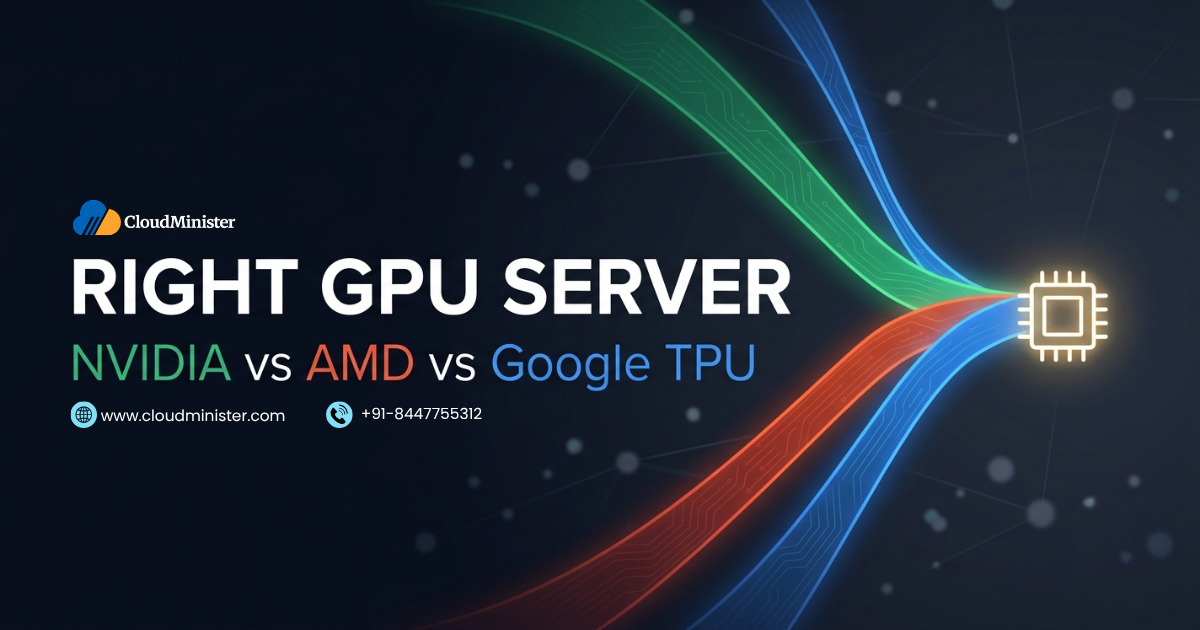
Organizations and research teams across AI, HPC, rendering, and scientific computing are increasingly dependent on Parcellated infrastructure. As the range of GPU hardware options has expanded significantly in 2026, with NVIDIA maintaining dominance in AI training, AMD growing its presence in HPC and cost, sensitive workloads, and Google TPUs providing cloud, native AI acceleration, choosing the right GPU server for a specific workload has become a more nuanced decision than it was three years ago.
The choice of the right GPU server directly determines three critical outcomes: performance (how quickly the workload completes), cost (how much compute spend is required per unit of output), and operational efficiency (how smoothly the hardware integrates with the software stack and deployment environment). Selecting the wrong hardware architecture, for example, choosing a GPU Cloud Server optimized for rendering when the primary workload is AI inference serving, or choosing Google TPUs when the production model uses PyTorch, produces avoidable performance gaps and unnecessary cost.
This complete 2026 guide explains what each hardware category offers, compares NVIDIA, AMD, and Google TPU across the dimensions that matter most for workload decisions, provides a framework for identifying the right GPU server for specific use cases, covers India, specific context including DPDPA 2023 compliance, and explains how CloudMinister provides GPU server infrastructure for Indian organizations. Explore CloudMinister GPU Server plans for current specifications and pricing.
What Is a GPU Server and Why the Right GPU Server Decision Matters
A GPU server is a high, performance computing system that combines one or more Graphics Processing Units with standard server components, CPU, system RAM, NVMe SSD storage, and high, bandwidth networking, to accelerate compute, intensive workloads. Unlike CPU servers, which process tasks through a small number of powerful sequential cores, GPU servers use thousands of parallel processing cores to simultaneously execute the matrix operations, gradient computations, and tensor calculations that AI training, deep learning inference, scientific simulation, and rendering require.
Choosing the right GPU server matters because the decision is not simply about raw compute performance. It involves trade, offs across several dimensions that interact differently with different workload types:
- AI training workloads require high VRAM capacity, high memory bandwidth, and strong Tensor Core performance for mixed, precision matrix operations
- AI inference serving requires fast per, request latency, the ability to serve many concurrent requests, and cost efficiency per inference rather than maximum training throughput
- HPC and scientific computing require strong double, precision (FP64) floating, point performance and large memory for simulation datasets
- 3D rendering and VFX require ray tracing hardware acceleration, high VRAM for large scene assets, and compatibility with specific rendering engines
- Cloud workloads may priorities elasticity, software ecosystem, and total cost of ownership over raw hardware performance
The right choice for AI training at a research institution may be the wrong choice for a media production company running 3D rendering pipelines. Getting this decision correct from the start avoids costly migrations, underperforming infrastructure, and wasted GPU compute budget.
Related Reading: The Ultimate Guide to GPU Servers: Use Cases, Benefits and How to Choose 2026
NVIDIA GPU Servers: The Right GPU Server for AI and Deep Learning in 2026
NVIDIA has maintained its position as the dominant GPU architecture for AI and deep learning workloads in 2026, driven by the CUDA software ecosystem, Tensor Core hardware design, and the comprehensive set of Autotomized libraries (cuDNN, TensorRT, NCCL) that have accumulated over more than a decade of investment.
NVIDIA Hardware Lineup for the Right GPU Server Choice in 2026
NVIDIA offers a tiered GPU portfolio ranging from professional workstation GPUs to data centre accelerators:
- NVIDIA H100 (80 GB HBM3, Hopper architecture): the highest, performance AI training GPU in widespread production deployment in 2026. 3.35 TB/s memory bandwidth, up to 3,958 TFLOPS FP8 with structured sparsity, NVLink 4.0 with 900 GB/s bidirectional bandwidth, and fourth, generation Tensor Cores with FP8 support. A strong choice for training large language models, frontier vision models, and research, scale AI projects. Supported on AWS (P4d, P5 instances), Google Cloud, Azure (ND H100 v5 series), and CloudMinister’s dedicated Linux GPU Server
- NVIDIA A100 (40 GB or 80 GB HBM2e, Ampere architecture): widely deployed in production AI training and inference environments. Up to 2 TB/s memory bandwidth on the 80 GB version, 312 TFLOPS BF16 dense (624 TFLOPS with sparsity), and strong multi, GPU NVLink 3.0 support. A good fit for organizations with established A100, based infrastructure, researchers training models in the 7B to 30B parameter range, and inference serving for large models
- NVIDIA RTX 6000 Ada (48 GB GDDR6, Ada Lovelace architecture): professional workstation GPU with 48 GB VRAM, strong CUDA compute, and hardware ray tracing acceleration. Well suited to VFX production, 3D rendering, product visualization, and fine, tuning midscale AI models
- NVIDIA L40S (48 GB GDDR6, Ada Lovelace): designed for AI inference serving and multimodal AI workloads, balancing CUDA performance with energy efficiency. A practical choice for organizations serving LLM inference at moderate to high concurrency
- NVIDIA RTX 4090 (24 GB GDDR6X, Ada Lovelace): consumer, grade GPU used in entry, level GPU server configurations. Suited to smaller AI teams doing experimentation, fine, tuning smaller models, or running rendering workloads within budget constraints
NVIDIA Software Ecosystem
The most important reason NVIDIA remains the right GPU server choice for the majority of AI workloads is not hardware performance alone; it is the CUDA software ecosystem. NVIDIA’s CUDA platform provides:
- CUDA Toolkit: the foundation API for GPU programming, supported by virtually every AI framework and scientific computing library
- cuDNN: a Parcellated library of deep neural network primitives used internally by PyTorch, TensorFlow, and JAX
- TensorRT: an inference optimization engine that compiles trained models into highly optimised execution plans for production serving
- NCCL: a communication library for multimap distributed training, essential for configurations spanning multiple nodes
- NVIDIA Triton Inference Server: a production inference serving platform supporting multiple frameworks
For Indian AI teams weighing their options, NVIDIA’s software compatibility with the full PyTorch, TensorFlow, and Hugging Face Transformers ecosystem means that any model, tutorial, or research paper implementation will work without modification on NVIDIA hardware. This compatibility advantage matters most for teams that do not have the engineering resources to maintain custom framework patches for non, NVIDIA hardware.
When NVIDIA Is the Right GPU Server Choice
- AI and deep learning model training, from fine, tuning to pretraining at any scale
- Production AI inference serving where latency and throughput requirements are strict
- Research projects using any major AI framework (PyTorch, TensorFlow, JAX, Hugging Face)
- 3D rendering using NVIDIA OptiX or real, time ray tracing with hardware RT Cores
- Mixed workloads combining AI training, inference, and rendering on the same infrastructure
AMD GPU Servers: When AMD Is the Right GPU Server Choice
AMD has made significant strides in AI and HPC GPU performance with its Instinct MI300 series, providing an increasingly competitive alternative to NVIDIA for specific workload categories. AMD’s open, source ROCm software platform differentiates it from NVIDIA’s proprietary CUDA ecosystem.
AMD Hardware Lineup for the Right GPU Server Decision
- AMD Instinct MI300X (192 GB HBM3): AMD’s flagship AI accelerator for 2026. 192 GB of unified HBM3 memory, 5.3 TB/s peak memory bandwidth, and 1,307 TFLOPS BF16 dense (2,614 TFLOPS with sparsity). A strong fit for workloads requiring very large VRAM pools, training or serving LLMs with 70 billion or more parameters without multimap VRAM pooling tricks, or running multiple large model instances simultaneously
- AMD Instinct MI250X (128 GB HBM2e): strong FP64 double, precision performance for HPC and scientific computing workloads, and a fixture in TOP500 supercomputer deployments. Well matched to molecular dynamics, climate simulation, computational fluid dynamics, and other scientific computing workloads where FP64 accuracy is required
- AMD Radeon Pro W7900 (48 GB GDDR6): Professional workstation GPU for rendering and visualization, with OpenGL and Vulkan compatibility for professional CAD, BIM, and content creation workflows. Suited to creative teams using AMD, compatible software
AMD ROCm Software Ecosystem
AMD’s ROCm (Radeon Open Compute) platform is the open, source software stack for AMD GPU computing. ROCm provides:
- HIP: AMD’s C++ GPU programming API, intentionally designed to be source,compatible with CUDA, enabling CUDA code to be converted to HIP with minimal changes
- ROCm PyTorch and TensorFlow: AMD maintains official ROCm builds of PyTorch and TensorFlow that support MI300X and MI250 GPU servers, though compatibility coverage is narrower than NVIDIA’s CUDA ecosystem
- OpenBLAS and rocBLAS: optimized linear algebra libraries for AMD GPU server deployments
The decision between NVIDIA and AMD frequently comes down to software ecosystem maturity. For teams whose entire workflow uses CUDA, specific features, third, party libraries, or Parcellated tools that have not been ported to ROCm, NVIDIA is the correct choice regardless of AMD’s hardware performance advantages. For teams whose software requirements are covered by ROCm, compatible frameworks and who need the very large VRAM of the MI300X for specific workloads, AMD can be the better fit.
When AMD Is the Right GPU Server Choice
- HPC and scientific computing workloads requiring FP64 double, precision performance, where the AMD Instinct MI250X excels
- Very large model inference or training requiring 190 GB or more of unified VRAM without multimap configuration complexity
- Organizations with a commitment to open, source software who value ROCm’s open model over NVIDIA’s proprietary CUDA
- Cost, sensitive AI workloads where AMD provides competitive performance at lower hardware cost
- Environments already running AMD GPU infrastructure for scientific computing
Google TPUs: When a TPU Is the Right GPU Server Alternative
Google Tensor Processing Units are purpose, built AI accelerators designed from the ground up for neural network computation. Unlike NVIDIA and AMD GPUs, which are general, purpose parallel processors adapted for AI, TPUs are specialized hardware optimized specifically for the matrix multiplication operations that define neural network training and inference.
Google TPU v4 and v5 Architecture
Google TPU v4 and v5 provide impressive AI training throughput for TensorFlow, based workloads in particular. TPU v5e provides strong training throughput per dollar for large language model training on Google Cloud when using TensorFlow or JAX. TPU v4 pods connect to 4,096 TPU chips for the largest distributed training runs, with interchain interconnects that can outperform GPU cluster InfiniBand configurations on gradient synchronization for specific model architectures.
TPU Software and Availability Constraints
TPUs are available exclusively through Google Cloud, they cannot be deployed on, premises or through other cloud providers. This is the most significant constraint when evaluating whether a TPU fits a given organization:
- Framework dependency: TPUs are strongly optimized for TensorFlow and JAX. PyTorch support on TPUs has improved through the PyTorch/XLA project but remains less mature than on NVIDIA hardware. Organizations whose production code is primarily PyTorch should weigh this carefully
- Cloud, only availability: TPUs are not available outside Google Cloud. Organizations with hybrid cloud requirements, data sovereignty requirements that preclude Google Cloud, or vendor diversification policies may find TPUs are not a fit regardless of performance characteristics
- Limited general, purpose compute: TPUs are optimized for neural network matrix operations and are not suitable for rendering, scientific simulation, video processing, or other GPU workloads that require general, purpose parallel compute
When a TPU Is the Right GPU Server Alternative
- Organizations fully committed to Google Cloud infrastructure without multi,cloud or on, premises requirements
- TensorFlow or JAX, based workflows where Subspecific optimization is feasible
- Largest, scale distributed AI training runs where TPU pod configurations provide cost, efficiency advantages over equivalent GPU cluster configurations
- Google Cloud customers who want to use AI infrastructure through an existing Google Cloud commitment
NVIDIA vs AMD vs Google TPU: Choosing the Right GPU Server by Use Case
The right choice depends on matching the hardware architecture to the specific workload and operational requirements. The framework below helps identify the right GPU server for common use cases.
AI and Deep Learning Training
NVIDIA H100 or A100 is the right GPU server for the vast majority of teams training AI models. The CUDA ecosystem’s breadth, PyTorch and TensorFlow compatibility, and Tensor Core performance for mixed, precision training makes NVIDIA the default choice for most AI training workloads. AMD MI300X becomes the right GPU server when VRAM capacity for very large models is the primary constraint, and the software stack is ROCm, compatible. Google TPU v5 is the right GPU server for organizations training at the largest scale using TensorFlow or JAX exclusively on Google Cloud.
AI Inference Serving
NVIDIA L40S or A100 is the right GPU server for production inference at scale. TensorRT, optimised inference on NVIDIA hardware, delivers the latency and throughput that production APIs require. For edge inference, NVIDIA GPU Cloud Server configurations through Akamai Inference Cloud at 40, plus India PoPs provide sub,10ms latency. AMD MI300X can be the right GPU server for large model inferences that serve multiple 70B, plus parameter model instances simultaneously is required without per, model GPU allocation.
3D Rendering and VFX
NVIDIA RTX 6000 Ada or RTX 4090 is the right GPU server for the majority of rendering workloads using Blender Cycles, Octane Render, or Redshift. NVIDIA RT Cores provide hardware, accelerated ray tracing, and NVIDIA OptiX denoising accelerates render completion at lower sample counts. AMD Radeon Pro is the right GPU server for professional creative workloads using AMD, optimised software, such as some Autodesk applications and OpenGL, heavy workflows.
Related Reading: Linux GPU Servers for VFX and Rendering: Blender, Octane, Redshift 2026
HPC and Scientific Computing
AMD Instinct MI250X is the right GPU server for workloads requiring strong FP64 double, precision performance, such as molecular dynamics, climate simulation, and computational fluid dynamics. NVIDIA A100 and H100 also provide excellent HPC performance, but AMD’s MI250X is specifically optimized for FP64 throughput at competitive cost. Google TPU is not the right GPU server choice for general HPC workloads.
Cloud Workloads and Cost, Sensitive Deployments
The right GPU server for cloud workloads depends on cloud provider, existing commitments, and software requirements. AWS GPU instances (P4d, P5 with NVIDIA H100) accessed through CloudMinister AWS provide flexibility with INR billing. Google Cloud A100 and TPU v5 instances through CloudMinister Google Cloud are a strong fit for Google Cloud users. Azure GPU instances through CloudMinister Azure serve organizations with existing Azure commitments.
Right GPU Server Comparison: NVIDIA vs AMD vs Google TPU briefly
| Specification | NVIDIA | AMD | Google TPU |
| Core Type | CUDA Cores, Tensor Cores | Compute Units, Matrix Cores | Tensor Processing Units (TPUs) |
| Memory | HBM2e (A100), HBM3 (H100) | HBM2e (MI250X), HBM3 (MI300X, 192 GB) | HBM |
| Precision Support | FP64, FP32, TF32, BF16, FP8, INT8 | FP64, FP32, BF16, FP8, INT8 | BF16, INT8, FP32 (limited FP64) |
| Software Ecosystem | CUDA, cuDNN, TensorRT, PyTorch, TensorFlow, JAX | ROCm, HIP, PyTorch, TensorFlow (ROCm builds) | TensorFlow (optimized), JAX, PyTorch (XLA, limited) |
| AI Training Performance | Industry leader for general AI training | Competitive for specific workloads, strong VRAM advantage (MI300X) | Best for large-scale TensorFlow training on Google Cloud |
| HPC FP64 Performance | Strong (H100, A100) | Excellent, MI250X specifically optimized | Not designed for HPC |
| Rendering | Best in class with RT Cores and OptiX | Good for OpenGL workloads, Radeon Pro series | Not applicable |
| Availability | On-premise, all major cloud providers | On-premise, select cloud providers | Google Cloud only |
| Best Fit | AI, ML, rendering, HPC, general-purpose | HPC FP64, large VRAM inference, cost-sensitive AI | Large-scale TensorFlow or JAX training on Google Cloud |
Key Factors for Choosing the Right GPU Server
Beyond hardware platform comparison, several operational and economic factors determine the right GPU server choice for a specific organisation.
1. Workload Type and Software Framework
The single most important factor is the software framework and libraries the workload depends on. PyTorch, based workflows are most naturally served by NVIDIA GPU servers due to the CUDA ecosystem’s completeness. TensorFlow, based workflows can effectively use Google TPUs when deployed on Google Cloud. HPC codes using OpenMPI with FP64 computation can effectively use AMD Instinct MI250X. Mismatching hardware and software frameworks is the most common cause of avoidable selection errors.
2. VRAM Capacity Requirements
VRAM is frequently the binding constraint in GPU server decisions for AI workloads. Model parameters, activations, and gradients must fit in GPU VRAM during training, and model parameters plus KV cache must fit during inference. A 70 billion parameter model training run typically requires multimap NVLink configurations (NVIDIA A100 or H100) or AMD’s MI300X with its 192 GB unified HBM3 pool. Under, specifying VRAM forces the use of techniques such as quantization and gradient checkpointing, which add complexity and can reduce model quality.
3. Cost Model and Budget
The economics depend on whether the workload justifies dedicated hardware ownership or cloud GPU access. For Indian startups and teams with variable demand, GPU Cloud Server access through CloudMinister, whether a dedicated Linux GPU Server or cloud GPU instances through AWS, Google Cloud, or Azure, all billed in INR, is more capital, efficient than a hardware purchase. For organizations with sustained 24/7 GPU utilization at large scale, dedicated hardware ownership may produce lower total cost of ownership over a 3, year period despite the higher upfront capital requirement.
4. Deployment Environment and Data Sovereignty
For Indian organizations with DPDPA 2023 data residency requirements, the right GPU server must be deployable in India, region infrastructure. NVIDIA GPU servers are available on, premise in Indian data centers and through AWS ap, south,1, Google Cloud Asia, south1, and Azure India regions. AMD GPU servers are available on, premises and through some cloud providers. Google TPUs are only available through Google Cloud, which provides India, region infrastructure through Asia, south1. CloudMinister provides access across all these options with India, based data centers, INR billing, and DPDPA 2023 compliance support.
5. Performance vs Cost Efficiency
The right GPU server maximizes performance per rupee for the specific workload. Top of the line H100 configurations provide maximum AI training throughput but at the highest cost. RTX 4090 configurations provide strong performance for smaller models at significantly lower cost. The right choice is not always the most powerful GPU, it is the GPU that achieves adequate performance for the workload at the lowest sustainable cost. Evaluating performance on representative benchmark tasks specific to the actual workload is more valuable than relying on aggregate FLOPS comparisons.
Choosing the Right GPU Server in India: 2026 Context
The GPU server decision for Indian organizations has specific dimensions in 2026:
- DPDPA 2023 and data residency: Indian AI teams training on personal data of Indian citizens must ensure that data is processed on India, based infrastructure. The right GPU server for DPDPA 2023 compliant AI development is one hosted in India, region data centers. CloudMinister’s Mumbai and Delhi data centers, AWS ap, south,1 and ap, south,2, Google Cloud Asia, south1, and Azure India North and South all provide DPDPA 2023 compliant hosting for GPU workloads
- INR billing and forex risk: NVIDIA GPU Cloud Server access through international providers is typically billed in USD, creating forex risk for Indian teams. CloudMinister provides GPU server access with INR billing across dedicated GPU plans and cloud GPU instances through AWS, Google Cloud, and Azure
- India, local support: GPU server technical issues, including driver problems, CUDA configuration, and multimap networking, require expert support. CloudMinister provides 24/7 India,local GPU server support in IST from its Jaipur and Noida teams
- National AI Mission: India’s India AI Mission is making GPU compute more accessible through subsidized programmed for Indian startups and research institutions. When evaluating GPU server options, Indian teams should check eligibility for these programmed
- NVIDIA dominance in the India AI ecosystem: Indian AI startups and enterprises predominantly use NVIDIA GPU servers because the CUDA ecosystem’s software compatibility reduces operational risk. AMD and Google TPU adoption is growing, but NVIDIA remains the right GPU server choice for most Indian AI teams due to software ecosystem maturity
Conclusion
Choosing the right GPU server is not a single universal answer. It depends on the specific intersection of workload type, software framework, VRAM requirements, budget model, deployment environment, and data sovereignty requirements that characterize each organization’s situation.
For the majority of AI and deep learning teams, NVIDIA GPU servers with H100 or A100 hardware are the right choice because of the unmatched breadth of the CUDA ecosystem, PyTorch and TensorFlow compatibility, and Tensor Core performance. AMD Instinct MI300X is the right GPU server for specific scenarios requiring very large VRAM pools or strong FP64 HPC performance. Google TPUs are the right alternative for teams fully committed to Google Cloud with TensorFlow or JAX, based workflows at the largest training scales.
For Indian organizations, the right GPU server must also satisfy DPDPA 2023 data residency requirements, be accessible with INR billing to avoid forex risk, and be supported by India,local technical expertise available in IST hours. CloudMinister provides all of these across dedicated NVIDIA GPU servers and cloud GPU access through AWS, Google Cloud, and Azure.
Frequently Asked Questions
What is the best GPU server for AI training in 2026?
The right GPU server for most AI training workloads in 2026 is an NVIDIA H100 or A100 configuration. The H100 delivers the highest AI training throughput available for mixed, precision training, with up to 3,958 TFLOPS FP8 (with structured sparsity) and 3.35 TB/s memory bandwidth. The A100 80 GB is the right choice for organizations whose training workloads do not require H100, class throughput and who want a more cost, effective configuration. For teams training very large models, 70B parameters and above, who priorities VRAM capacity over training speed per FLOP, AMD’s MI300X with 192 GB HBM3 is worth evaluating. For Google Cloud users running TensorFlow training at the largest scale, Google TPU v5 is a competitive alternative.
Is AMD a viable alternative to NVIDIA for GPU server decisions?
Yes, AMD is a viable alternative for specific scenarios in 2026, but with important caveats. AMD Instinct MI300X provides the largest VRAM pool of any single GPU (192 GB HBM3), making it compelling for serving very large LLMs without multimap memory pooling. AMD MI250X excels in FP64 HPC workloads. However, AMD’s ROCm software ecosystem is narrower than NVIDIA’s CUDA: not all AI frameworks, libraries, and tools that run on CUDA have equivalent ROCm support. For teams whose entire workflow relies on CUDA, specific features or third, party Parcellated libraries, NVIDIA remains the right choice even where AMD hardware performance is competitive.
Are Google TPUs the right GPU server for Indian organizations?
Google TPUs are a viable alternative for Indian organizations whose workloads are specifically TensorFlow or JAX, based and who are comfortable operating exclusively within Google Cloud. TPUs are not available outside Google Cloud, making them unsuitable for organizations with data residency requirements that cannot be satisfied by Google Cloud’s India region (Asia, south1), multi cloud requirements, or on, premises deployment needs. CloudMinister provides access to Google Cloud, including TPU instances, through Google Cloud managed services with INR billing, making TPUs accessible for Indian Google Cloud users without direct USD billing exposure.
How do I choose the right GPU server VRAM for my AI model?
VRAM selection depends on the model size and training approach. For fine, tuning 7B parameter models with QLoRA: 24 GB VRAM (RTX 4090 or A10G). For full fine, tuning 7B or training 13B models: 48 GB VRAM (RTX 6000 Ada or L40S). For training 30B to 70B parameter models: 80 GB VRAM (A100 80 GB or H100 80 GB). For serving 70B models or training frontier, scale models: multimap NVLink configurations of 160 GB or more, or AMD’s MI300X at 192 GB. For AI inference, model parameters in FP16 require approximately 2 GB per billion parameters, so a 7B model needs 14 GB minimum for inference. The right GPU server has at least 20 percent headroom above the minimum VRAM requirement to accommodate KV cache and batch processing.
What is the right GPU server for 3D rendering and VFX production?
For 3D rendering and VFX, the right choice depends on the rendering engine. Blender Cycles, Octane Render, and Redshift are all NVIDIA, optimized with CUDA support, making NVIDIA the right platform for most rendering pipelines. NVIDIA RTX 6000 Ada (48 GB VRAM) handles large scene assets and complex lighting. NVIDIA RTX 4090 (24 GB VRAM) is a cost-effective choice for smaller rendering workloads. NVIDIA H100 and A100 configurations are justified when rendering is combined with AI, driven denoising, compositing, or generative AI tools in the same pipeline. AMD Radeon Pro is the right GPU server for workflows primarily using OpenGL, based professional software where CUDA compatibility is not required.
Does CloudMinister help choose the right GPU server for specific workloads?
Yes. CloudMinister’s technical team provides GPU server recommendations for Indian organizations based on specific workload requirements, including AI training, inference serving, HPC, rendering, and hybrid workloads. We provide dedicated Linux GPU Server and Windows GPU Server options with NVIDIA hardware, and cloud GPU access through AWS, Google Cloud, and Azure, all with INR billing and 24/7 India, local support. Contact our team at cloudminister.com/contact with your workload details for a personalized recommendation.

Shivlendra Singh Jadoun is a Cloud & DevOps Engineer at CloudMinister Technologies, specializing in AWS, Azure, and GCP infrastructure. He began his career in Linux system administration, managing shared, VPS, and dedicated servers before moving into cloud and automation. He is AWS Certified and works extensively with Docker, Kubernetes, Terraform, Ansible, and Jenkins to build CI/CD pipelines and scalable, secure cloud environments. With hands-on experience across hosting, server security, and DevOps automation, he brings real-world engineering insight to every article he writes.