Introduction
Understanding How Microsoft 365 is Shaping the way we work is one of the most important conversations businesses can have in 2026. Microsoft 365 is no longer simply a collection of familiar productivity apps like Word, Excel, and PowerPoint — it has evolved into a comprehensive, AI-powered workplace ecosystem that manages communication, collaboration, security, and workflow automation under a single subscription.
How Microsoft 365 is shaping the modern workplace becomes clearer when you look at what has changed since 2024: the arrival of Microsoft 365 Copilot (AI built directly into every application), the integration of Microsoft Viva for employee experience management, the continued maturation of Teams as the default collaboration hub, and a deepening commitment to compliance frameworks that matter for Indian businesses — including the Digital Personal Data Protection Act (DPDPA) 2023.
This guide explores exactly how Microsoft 365 is shaping the workplace across five key dimensions in 2026: employee focus and productivity, AI integration, remote and hybrid work, security and compliance, and the India-specific opportunity. Whether you are evaluating Microsoft 365 for the first time or looking to get more value from an existing subscription, this article covers what matters most for forward-thinking Indian organisations. CloudMinister is an authorised Microsoft 365 reseller in India, our team can help you get started or optimise what you already have.
How Microsoft 365 is Shaping Work – A 2026 Overview
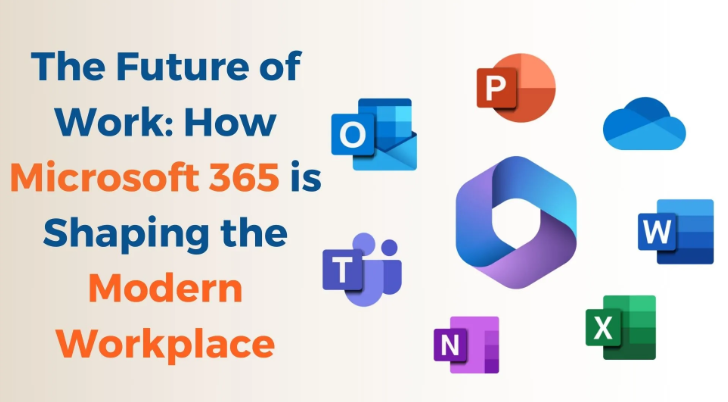
Microsoft 365 is a subscription-based suite of cloud-powered productivity and collaboration tools developed by Microsoft. It includes Word, Excel, PowerPoint, Outlook, Teams, OneDrive, SharePoint, OneNote, and — as of 2025 — Microsoft 365 Copilot, an AI assistant embedded across every core application.
Microsoft 365 serves businesses of all sizes — from individual freelancers on a Business Basic plan (from ₹145/user/month through CloudMinister) to global enterprises on E5 licensing. The suite’s cloud-first architecture means every update is delivered automatically – users always have the latest features without manual upgrades.
Key 2026 statistics that illustrate how Microsoft 365 is shaping the global workplace:
- Over 400 million paid Microsoft 365 seats globally as of Q1 2026 (Microsoft Earnings Report, 2026)
- Microsoft Teams now has more than 320 million monthly active users across business and personal accounts
- Microsoft 365 Copilot is now available on Business Standard, Business Premium, and all Enterprise plans
- Average productivity improvement reported by early Copilot adopters: 20–29% on document creation and email management tasks (Microsoft Work Trend Index, 2026)
- Indian Microsoft 365 adoption grew 34% year-on-year between 2024 and 2026, driven by DPDPA 2023 compliance requirements and the shift to hybrid work
How Microsoft 365 is Shaping Employee Focus and Productivity
One of the most significant areas where we see how Microsoft 365 is shaping the workplace is in the tools it has developed specifically to help users stay focused and productive in an increasingly distracted world. The average worker loses approximately 2.1 hours daily to distractions, a productivity drain equivalent to more than ₹8 lakh per year per employee at mid-market salary levels.
Microsoft recognises these challenges and has made focus-enhancement a core design philosophy across the entire Microsoft 365 suite in 2025 and 2026.
Interface Simplification in Microsoft 365
Microsoft has systematically simplified the user interface across Microsoft 365 apps to reduce cognitive load:
- Single-line ribbon: the multi-row ribbon has been replaced with a cleaner, single-line interface that exposes commands only when they are needed
- Dark Mode: available across Word, Excel, PowerPoint, Outlook, and Teams — reducing eye strain during extended work sessions
- Adaptive commands: context-sensitive tools that appear only when relevant to the current task, reducing visual noise
- Simplified colour palette: brand colours in app headers have been toned down to reduce distraction from the content area
Microsoft Viva – The Employee Experience Platform
Microsoft Viva is one of the clearest examples of how Microsoft 365 is shaping not just productivity but employee wellbeing. Available as part of select Microsoft 365 plans, Viva includes:
- Viva Insights: gives individuals and managers data-driven recommendations to protect focus time, reduce meeting overload, and prevent burnout — powered by aggregated Microsoft 365 usage data
- Viva Connections: a personalised news feed and company communications hub inside Teams
- Viva Learning: surfaces training and learning content from LinkedIn Learning, Microsoft Learn, and internal content libraries directly in Teams
- Viva Topics: AI-powered knowledge discovery that automatically identifies and organises expertise across your organisation
- Viva Engage: the evolution of Yammer — enterprise social networking for company-wide communication beyond Teams channels
Quantify the distraction cost for your leadership team. The average worker losing 2.1 hours daily to distractions represents more than ₹8 lakh per year in lost productivity per employee. Microsoft Viva Insights gives you the data to see where focus time is being lost and intervene with targeted changes.
How Microsoft 365 is Shaping Work Through AI – Microsoft 365 Copilot in 2026
The single most transformative aspect of how Microsoft 365 is shaping the workplace in 2026 is the integration of Microsoft 365 Copilot — an AI assistant powered by large language models (GPT-4 class) built directly into every major Microsoft 365 application. Copilot is not a chatbot you open separately — it lives inside the tools your team already uses daily.
What Microsoft 365 Copilot Can Do in Each Application
In Word:
- Draft complete documents, reports, proposals, and emails from a short prompt or existing data
- Summarise long documents in seconds — reducing document review time by an average of 64% (Microsoft, 2026)
- Rewrite or improve tone, clarity, and structure of existing text on demand
In Excel:
- Analyse datasets and identify trends automatically using natural language queries
- Generate charts, pivot tables, and conditional formatting from a plain-English description
- Explain what existing formulas do and suggest optimisations
In PowerPoint:
- Build a complete presentation from a Word document, PDF, or text prompt in minutes
- Suggest design improvements and narrative flow adjustments for existing slides
- Summarise key points from a long presentation for an executive summary slide
In Outlook:
- Summarise long email threads before you read them — saving an average of 4 minutes per thread
- Draft email replies with the right context, tone, and length
- Identify action items and prepare briefings before meetings
In Microsoft Teams:
- Transcribe meetings in real time and automatically generate a summary with action items after the call
- Answer questions about what was discussed in a meeting you missed — without watching the recording
- Suggest responses to messages and summarise chat threads
Microsoft Copilot Availability and Pricing in India (2026)
Microsoft 365 Copilot is available as an add-on licence for Business Standard, Business Premium, and all Enterprise plans. Through CloudMinister’s Microsoft 365 plans, Indian businesses can access Copilot licensing at competitive prices in INR — eliminating the forex risk of direct Microsoft billing. Contact our team for current Copilot pricing and eligibility requirements.
Pro Tip: Think of Microsoft 365 Copilot as hiring an AI assistant that works 24/7 at no additional headcount cost. Early adopters report saving 14 hours per employee per month on document creation and email management alone — that is nearly 2 full workdays regained every month per person.
AI Integration Across Specific Microsoft 365 Applications
Beyond Copilot, how Microsoft 365 is shaping individual apps through targeted AI improvements in 2026:
- Excel AI: detects errors in formulas, suggests corrections, and generates data analysis insights from natural language questions about your spreadsheet data
- Microsoft Planner AI: suggests realistic task end dates based on task descriptions and team capacity — similar to how Microsoft Forms uses AI to auto-generate survey questions from a title
- Project Cortex (now Microsoft Topics): creates knowledge networks across your organisation’s documents and conversations, turning information overload into actionable, searchable insights
- Cortana: streamlines daily scheduling, email triage, and meeting preparation through conversational AI in Outlook and Teams
- Designer (formerly Microsoft Create): AI-powered graphic design integrated with PowerPoint, giving non-designers professional-quality visual assets from text prompts
How Microsoft 365 is Shaping Remote and Hybrid Work in 2026
Perhaps nowhere is how Microsoft 365 is shaping the workplace more visible than in the tools it has built for remote and hybrid teams. Post-2020, the hybrid work model has become the dominant working arrangement globally — and Microsoft 365 has been redesigned from the ground up to support it.
Microsoft Teams – The Collaboration Hub of Modern Work
Microsoft Teams has evolved far beyond a video conferencing tool. In 2026, Teams is the central collaboration hub of the Microsoft 365 ecosystem — with deep integrations that show how Microsoft 365 is shaping communication at every level:
- Planner integration: task management boards accessible directly inside Teams channels — teams can assign, track, and complete tasks without leaving the conversation
- PowerPoint Live: present slides inside a Teams meeting while attendees can navigate the deck independently and ask questions via AI-powered Q&A
- Whiteboard integration: real-time collaborative drawing and brainstorming inside Teams meetings with persistent boards that save automatically
- Microsoft Loop: collaborative components that update everywhere they appear — embed a live task list or table from Loop into a Teams message, a Word document, or a SharePoint page and every change syncs instantly
- Mesh for Teams (2026): immersive, 3D virtual meeting spaces using Microsoft’s mixed reality technology — reducing meeting fatigue through more engaging, spatial video interactions
Addressing Meeting Fatigue and Asynchronous Work
Microsoft research shows that 53% of employees globally feel overworked and 39% feel exhausted — with excessive meetings cited as a primary cause. Part of how Microsoft 365 is shaping work in 2026 is providing structured alternatives to synchronous meetings:
- Video messages in Teams: record a short video message instead of scheduling a meeting — recipients watch on their own time and respond with reactions or text
- Async meeting summaries via Copilot: automatically generated meeting transcripts and action item lists mean employees who miss a meeting never need to watch a recording
- Quiet Time in Viva Insights: automatically block focus time on the calendar and pause notifications — configurable at the individual and manager level
- Flexible meeting formats: Teams now supports town halls, webinars, and structured Q&A sessions natively — reducing the need for separate event software
Personalisation and Cultural Expression in Microsoft 365
How Microsoft 365 is shaping the personal dimension of work reflects the reality that work and personal life are increasingly intertwined. Microsoft 365 in 2026 supports more individual expression and cultural identity in the workplace:
- More customisable Teams backgrounds, themes, and profile expressions
- Pronoun fields in Microsoft 365 profiles — visible across Teams, Outlook, and the Microsoft 365 People card
- Cultural calendar integrations in Outlook — honouring diverse religious and national holidays in scheduling
- Accessibility improvements: improved captions, sign language view in Teams, and cognitive accessibility features across all apps
Frame Microsoft 365 as cultural infrastructure, not just productivity software. Tools like Viva Insights give managers the data to prevent burnout in ways office managers never could — measuring meeting load, after-hours work, and focus time across entire departments.
How Microsoft 365 is Shaping Security and Compliance for Indian Businesses
Security is a foundational dimension of how Microsoft 365 is shaping the workplace — and for Indian businesses, the compliance context is increasingly specific. Microsoft 365’s security stack goes well beyond standard email filtering.
Built-In Security Across Microsoft 365
- Microsoft Defender for Office 365: protects against phishing, malware, ransomware, and business email compromise with AI-powered threat detection across email, Teams, and SharePoint
- Data Loss Prevention (DLP): automatically detects and prevents sensitive data — including PAN numbers, Aadhaar-pattern data, and credit card numbers — from leaving your organisation via email, Teams, or SharePoint
- Microsoft Entra ID (formerly Azure Active Directory): centralised identity and access management across all Microsoft 365 apps, with conditional access policies and MFA
- Multi-Factor Authentication (MFA): reduces account compromise risk by over 99% — should be enabled for every Microsoft 365 user immediately
- Microsoft Secure Score: a live dashboard that scores your current Microsoft 365 security configuration and recommends specific improvements in priority order
- Purview Compliance Portal: eDiscovery, audit logs, data lifecycle management, and retention policy management — all in one place
DPDPA 2023 and Microsoft 365 for Indian Businesses
How Microsoft 365 is shaping compliance for Indian businesses specifically is increasingly relevant in 2026. India’s Digital Personal Data Protection Act (DPDPA) 2023 requires organisations to implement “reasonable security safeguards” for personal data of Indian citizens.
Microsoft 365 features that directly support DPDPA 2023 compliance:
- DLP policies that prevent personal data (name, email, phone, PAN, Aadhaar patterns) from being shared outside your tenant
- Sensitivity labels in Word, Excel, and PowerPoint that classify and protect documents containing personal data
- Purview Information Protection: encryption, access restriction, and audit trail for documents classified as containing sensitive personal data
- Breach notification readiness: Microsoft 365 Defender provides the incident detection and logging needed to meet DPDPA 2023’s 72-hour notification window
Microsoft’s data centres supporting Indian Microsoft 365 tenants are located in Pune and Chennai (India North and India South) — satisfying DPDPA 2023 data localisation requirements for most categories of personal data. CloudMinister’s Microsoft 365 team can advise on the specific DPDPA compliance configuration for your organisation’s tenant.
How Microsoft 365 is Shaping Business Value – India Plans and Pricing in 2026
A practical dimension of how Microsoft 365 is shaping business decisions in India is its pricing accessibility. Through CloudMinister’s Microsoft 365 plans, Indian businesses can access the full suite in Indian Rupees with India-local support:
- Microsoft 365 Business Basic: from ₹145/user/month — Teams, Outlook, OneDrive, web/mobile Office apps. Best for small teams needing communication and cloud storage
- Microsoft 365 Business Standard: from ₹770/user/month — all Basic features plus desktop Office apps (Word, Excel, PowerPoint) and additional Teams features. Best for most businesses
- Microsoft 365 Business Premium: from ₹1,830/user/month — all Standard features plus advanced security (Defender, Intune, Azure AD P1). Best for organisations with compliance and security requirements
- Microsoft 365 Copilot add-on: contact CloudMinister for current INR pricing — available on Business Standard, Business Premium, and Enterprise plans
Why buy Microsoft 365 through CloudMinister:
- INR billing — no forex risk or surprise currency conversion charges
- India-local support in IST from our Jaipur and Noida teams — 24/7 availability
- Microsoft 365 onboarding assistance — account setup, migration from G Suite or legacy email, and user training
- DPDPA 2023 compliance configuration guidance included for Business Premium and above
Conclusion
How Microsoft 365 is shaping the modern workplace is a story that is still being written — and in 2026, the plot has accelerated significantly. From Microsoft 365 Copilot’s AI-powered productivity gains to Viva’s employee wellbeing tools, from Teams’ evolution into a full collaboration operating system to the suite’s growing role in DPDPA 2023 compliance for Indian businesses, Microsoft 365 offers far more than most organisations are currently using.
What Microsoft 365 is shaping is not just more efficient individual work — it is the digital culture, the collaboration patterns, and the compliance posture of entire organisations. The businesses that invest in understanding and activating the full suite will have a meaningful competitive advantage over those using only Word and Excel.
For organisations in India looking to get started with Microsoft 365, upgrade to Business Premium, add Copilot, or simply ensure they are configured correctly for DPDPA 2023 compliance, CloudMinister is here to help. We are an authorised Microsoft 365 reseller offering competitive INR pricing, dedicated onboarding support, and 24/7 India-local assistance from our teams in Jaipur and Noida.
Have questions about how Microsoft 365 can benefit your specific organisation? Contact us at cloudminister.com/contact/ or WhatsApp our team at +91-8233040013. Our certified Microsoft specialists are ready to help you unlock 30–50% more productivity from your existing or new Microsoft 365 investment.
Frequently Asked Questions
1. What is Microsoft 365 and how is it different from the old Microsoft Office?
Microsoft 365 is a cloud-based subscription suite that includes the classic Office apps (Word, Excel, PowerPoint, Outlook) plus cloud services (Teams, OneDrive, SharePoint), security tools (Defender, Purview), and AI features (Copilot). Unlike the old one-time purchase Microsoft Office, Microsoft 365 updates automatically, works across devices, and includes collaboration and security capabilities that standalone Office never had. How Microsoft 365 is shaping the workplace compared to legacy Office is the difference between a static tool and a living, always-improving ecosystem.
2. What is Microsoft 365 Copilot and when is it available in India?
Microsoft 365 Copilot is an AI assistant built directly into Word, Excel, PowerPoint, Outlook, and Teams — capable of drafting documents, summarising emails, analysing data, building presentations, and transcribing meetings automatically. It is available now in India as an add-on licence for Microsoft 365 Business Standard, Business Premium, and Enterprise plans. CloudMinister can help Indian businesses add Copilot to existing plans or set up new plans that include it.
3. How does Microsoft 365 help Indian businesses comply with DPDPA 2023?
How Microsoft 365 is shaping DPDPA 2023 compliance for Indian businesses comes through several built-in tools: Data Loss Prevention policies that prevent personal data from leaving your organisation, Sensitivity Labels that classify and encrypt documents containing personal data, Microsoft Purview for audit trails and data lifecycle management, and Defender for the incident detection needed to meet DPDPA’s 72-hour breach notification window. Microsoft’s India data centres (Pune and Chennai) also ensure data residency within India for most personal data categories.
4. What Microsoft 365 plan should an Indian SMB start with?
For most Indian SMBs, Microsoft 365 Business Standard (from ₹770/user/month through CloudMinister) is the right starting point. it includes desktop Office apps, Teams, Outlook, OneDrive, and SharePoint. If your organisation has security or compliance requirements, Business Premium (from ₹1,830/user/month) adds Microsoft Defender and Intune device management. Start with the plan that matches your current needs and upgrade as your requirements grow.
5. How can CloudMinister help my organisation get started with Microsoft 365?
CloudMinister is an authorised Microsoft 365 reseller in India offering INR pricing, onboarding assistance, DPDPA 2023 compliance configuration, email migration support, and 24/7 India-local technical support in IST. Whether you are switching from G Suite, setting up Microsoft 365 for the first time, or looking to add Copilot to an existing subscription, our certified Microsoft specialists guide you through the process. Explore our Microsoft 365 plans or contact us directly at cloudminister.com/contact/.
6. Is Microsoft 365 available in Hindi or other Indian languages?
Yes — Microsoft 365 supports multiple Indian languages including Hindi, Bengali, Tamil, Telugu, Marathi, and others for the Office application interface (Word, Excel, PowerPoint). Microsoft Teams also supports real-time caption translation from English to several Indian languages during meetings. How Microsoft 365 is shaping inclusivity in Indian workplaces is visible in these language and accessibility investments, which make the suite practical for employees across different language backgrounds.

Shivlendra Singh Jadoun is a Cloud & DevOps Engineer at CloudMinister Technologies, specializing in AWS, Azure, and GCP infrastructure. He began his career in Linux system administration, managing shared, VPS, and dedicated servers before moving into cloud and automation. He is AWS Certified and works extensively with Docker, Kubernetes, Terraform, Ansible, and Jenkins to build CI/CD pipelines and scalable, secure cloud environments. With hands-on experience across hosting, server security, and DevOps automation, he brings real-world engineering insight to every article he writes.