Is your website’s email suddenly not sending? Messages stuck in an outgoing queue can slow down communication and hurt your business.
Sometimes, a backed-up mail queue is the culprit—especially if your server is overloaded or a spam attack has flooded your outgoing mail. Luckily, in Plesk, you can check and clear the mail queue in just a few steps.
If managing this feels overwhelming, our Plesk Server Management Services team handles mail queue issues and much more, so you never have to worry about email delivery.
Here’s how to manage the mail queue in Plesk yourself:
Step 1: Log into your Plesk panel. On the left sidebar, find and click “Tools & Settings.”
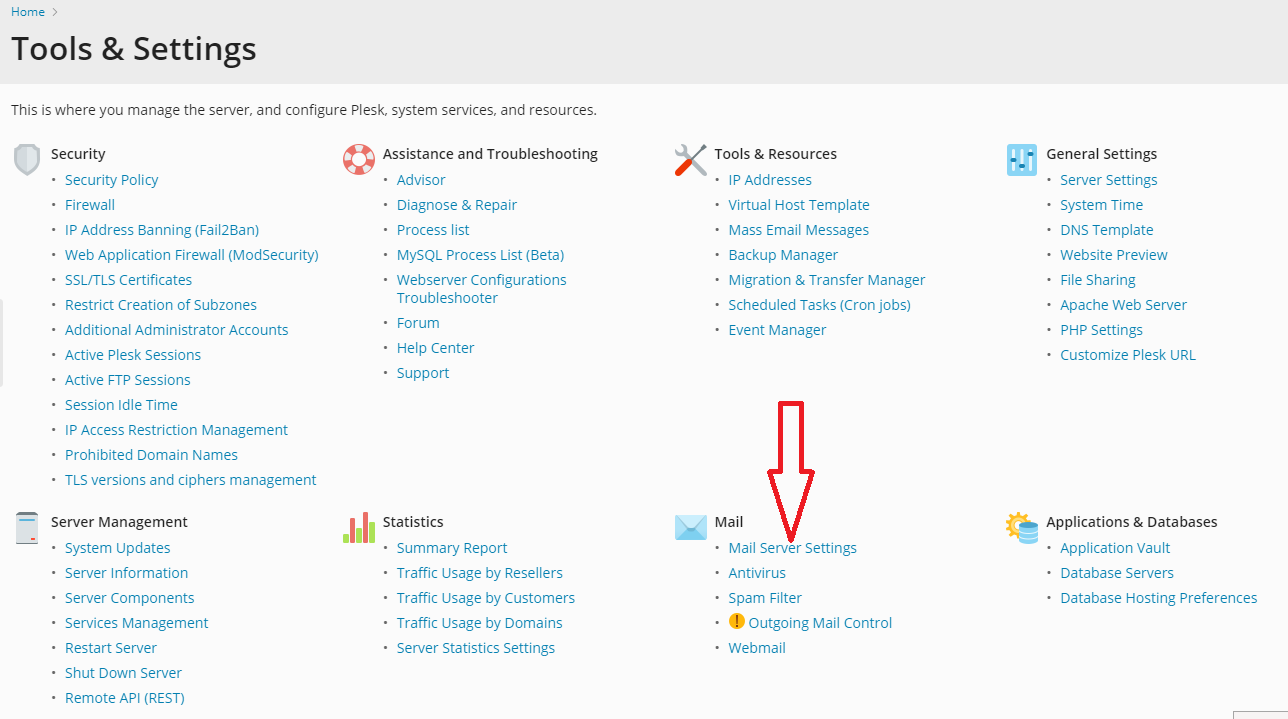
Step 2: Inside Tools & Settings, look for the “Mail Server Settings” option and click it.
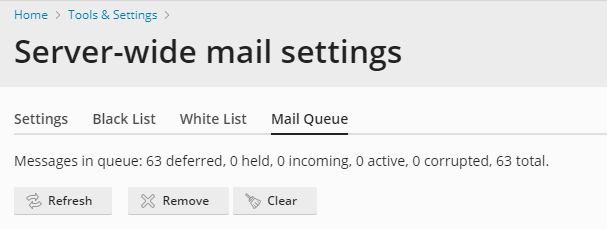
Step 3: You’ll see several tabs—click the one labeled “Mail Queue.” Here, you can view any emails that are pending or stuck. To remove them, click the “Clear” button.
Important note before you clear the queue:
If email suddenly stops working from your server, it’s often because the mail queue is overloaded. This can happen if too many legitimate emails are being sent at once, or if someone is maliciously using your server to send spam. Sometimes, the mail service itself might have stopped.
Clearing the queue can help restore normal sending, but it won’t fix the root cause. If emails keep getting stuck, you may need to look at server settings, check for unauthorized use, or restart mail services.
If this sounds too technical—or if you want to prevent the problem from happening again—consider a Plesk Support Plan. With regular monitoring and maintenance, our experts can manage your mail server health and keep everything running smoothly.
Don’t Let Email Problems Slow You Down
If managing servers isn’t your thing—or if you’d just rather focus on your business—our Plesk Support Plan includes mail queue monitoring, security checks, and fast troubleshooting.