page-banner-shape-1
page-banner-shape-2

How to change hostname and set Nat in plesk panel

  • Deepak Udai
  • September 23, 2020
hostname

How to change hostname and set Nat in plesk panel

Today we are talking about how to change server hostname or set nat in Plesk panel. So let’s start now click on

Tools &  settings –> server settings
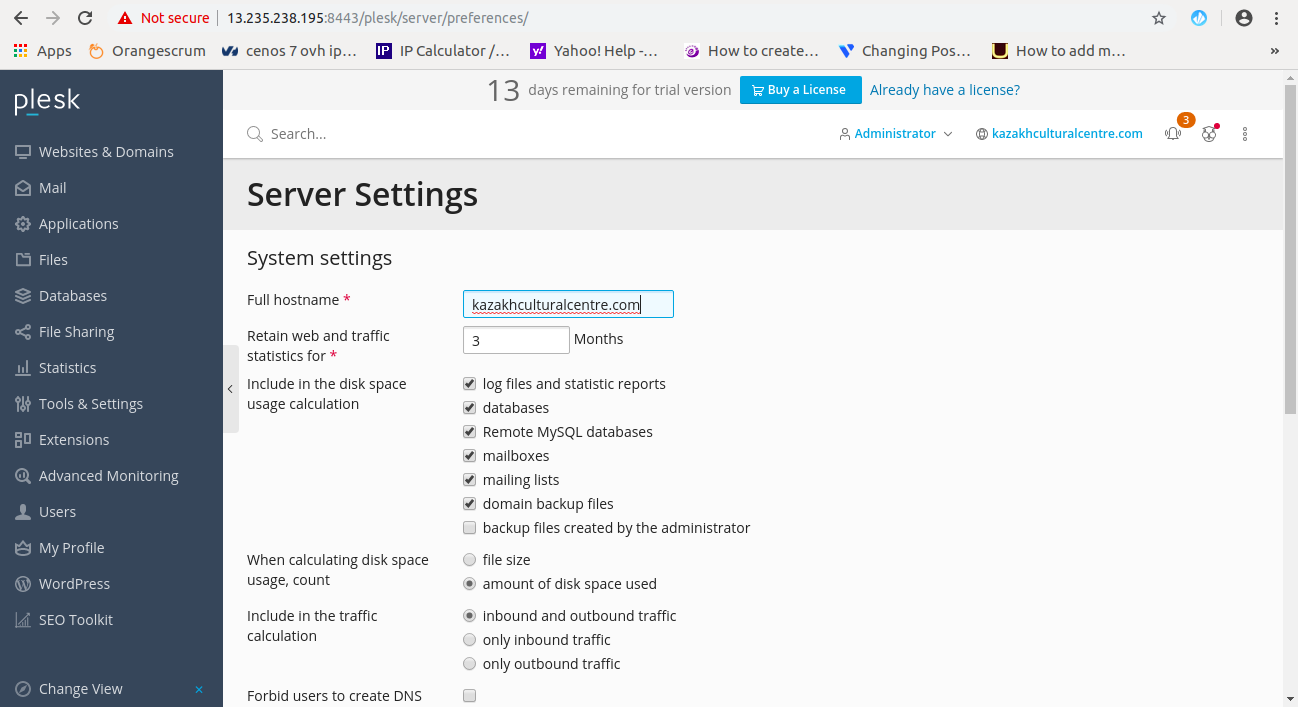
After edit the hostname click OK (save successfully) and here you can change multiple settings.

Now we move towards  Nat set with shared IP or with private IP let’s start Tools & settings –> IP address
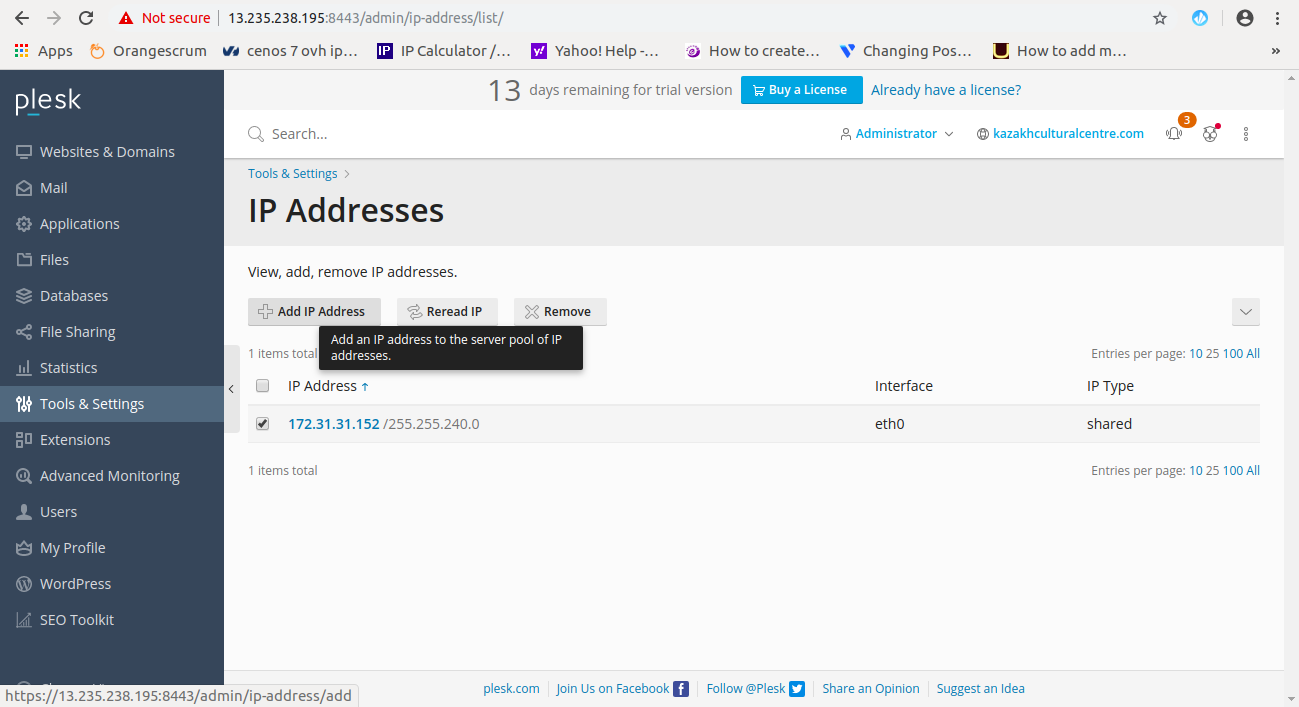
Now just click on add IP
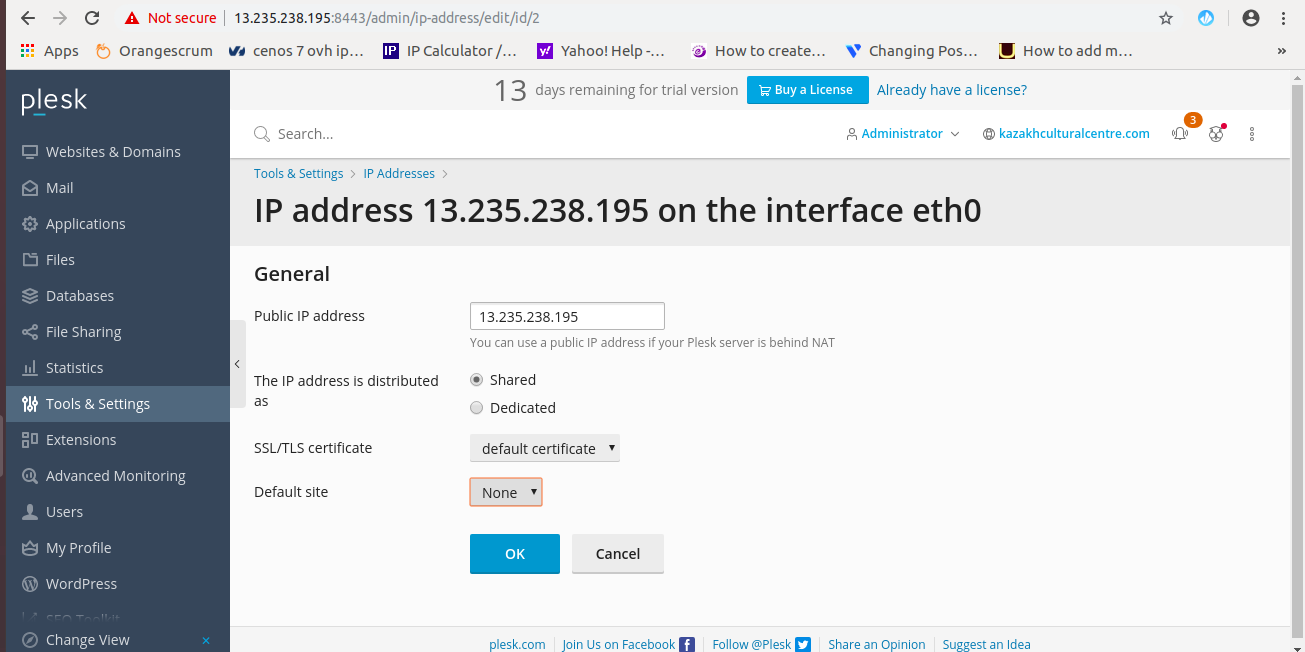
After this click OK (save)


Deepak Udai

He is a cloud infrastructure and reliability engineering leader with a strong focus on performance, automation, and scalability. Known for solving complex technical challenges, he supports teams through mentorship and collaboration while delivering efficient, high-performance solutions from planning to deployment.

Call Now Button