ModSecurity
ModSecurity is an open-source web-based application firewall is deployed to establish an external security layer to prevent web servers from various attacks. ModSecurity is also supported by different web servers like Nginx, Apache, and IIS.
It helps to protect from various attacks happen in our surroundings ,like:
Session hijacking, SQL injection, trojans, etc.
ModSecurity is different from CSF as CSF provides server security for FTP, SSH, and various Ports, but there is no protection for web servers which is why ModSecurity modules help to protect web servers.
Configure ModSecurity
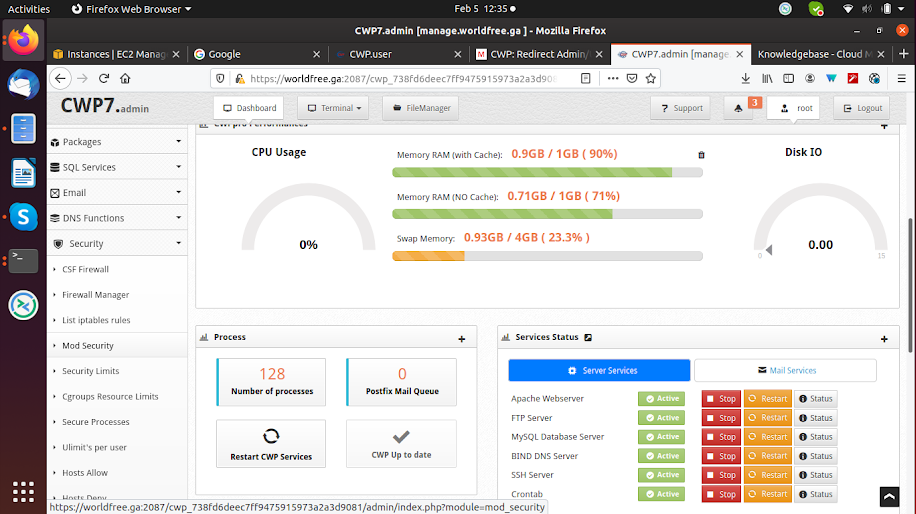
To configure ModSecurity in CWP, first, you need to log in to the CWP admin panel on the 2087 port. Then select the Security drop-down option, and inside it select ModSecurity.
In CWP, only one ModSecurity is freely available, and the other two come with the CWP Pro version. Click on Install ModSecurity Configuration, and it takes some time.
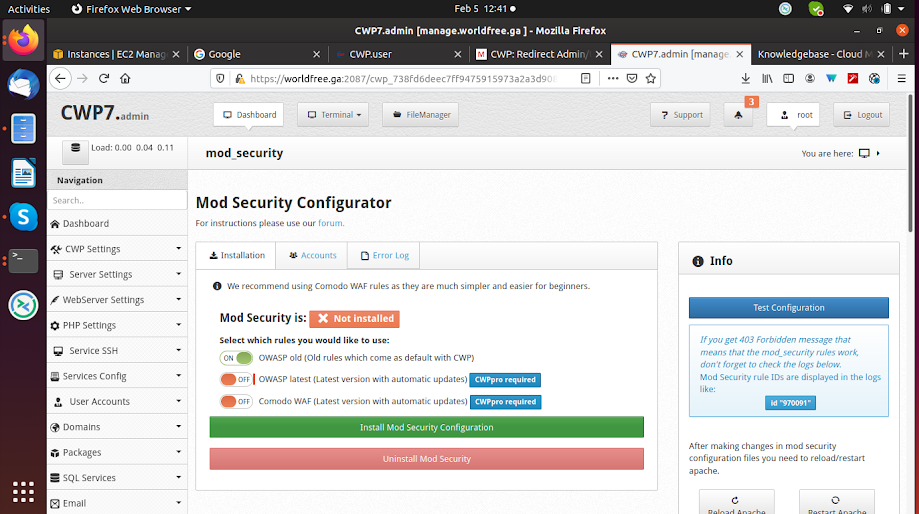
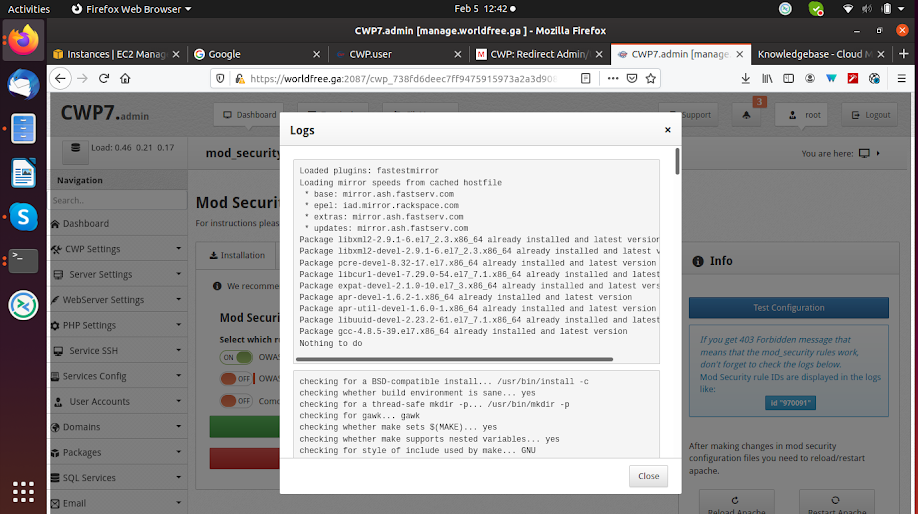
After the installation is completed, it shows a log file. Now you must restart the Apache server to see the effect.
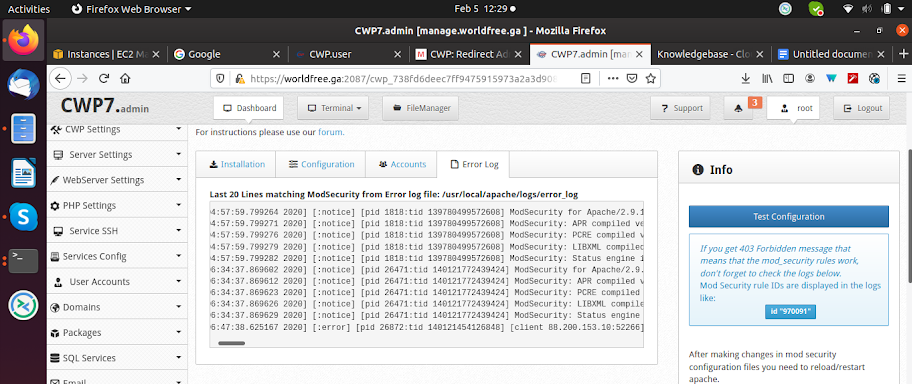
Now you can also check the error logs by clicking on the Error Log tab on the top.
Most Common Errors
If you get 403 Forbidden messages, that means that the ModSecurity rules work; now check the error log file and search for the rule IDs that are displayed.
To solve the above problem, copy the rule ID, click on accounts, and click on Edit Rules.
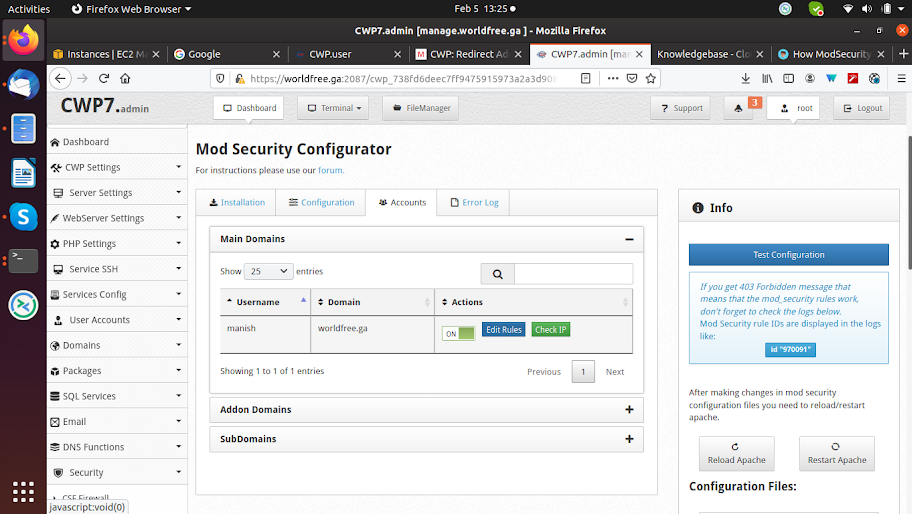
Make an entry in the edit file like this:
SecRuleRemoveById 970091
Save the changes.
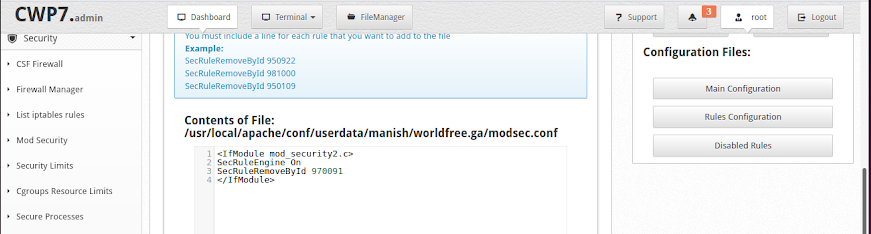
After the above changes in a file, the error 403 will be resolved.
CONCLUSION
The above configuration shows how to configure ModSecurity in CWP and enhance web-based security.